


Volume Controller & Booster
Extension Actions
- ★Featured
Boost any tab up to 600 %, control every tab separately, and shape the sound with a built-in equaliser.
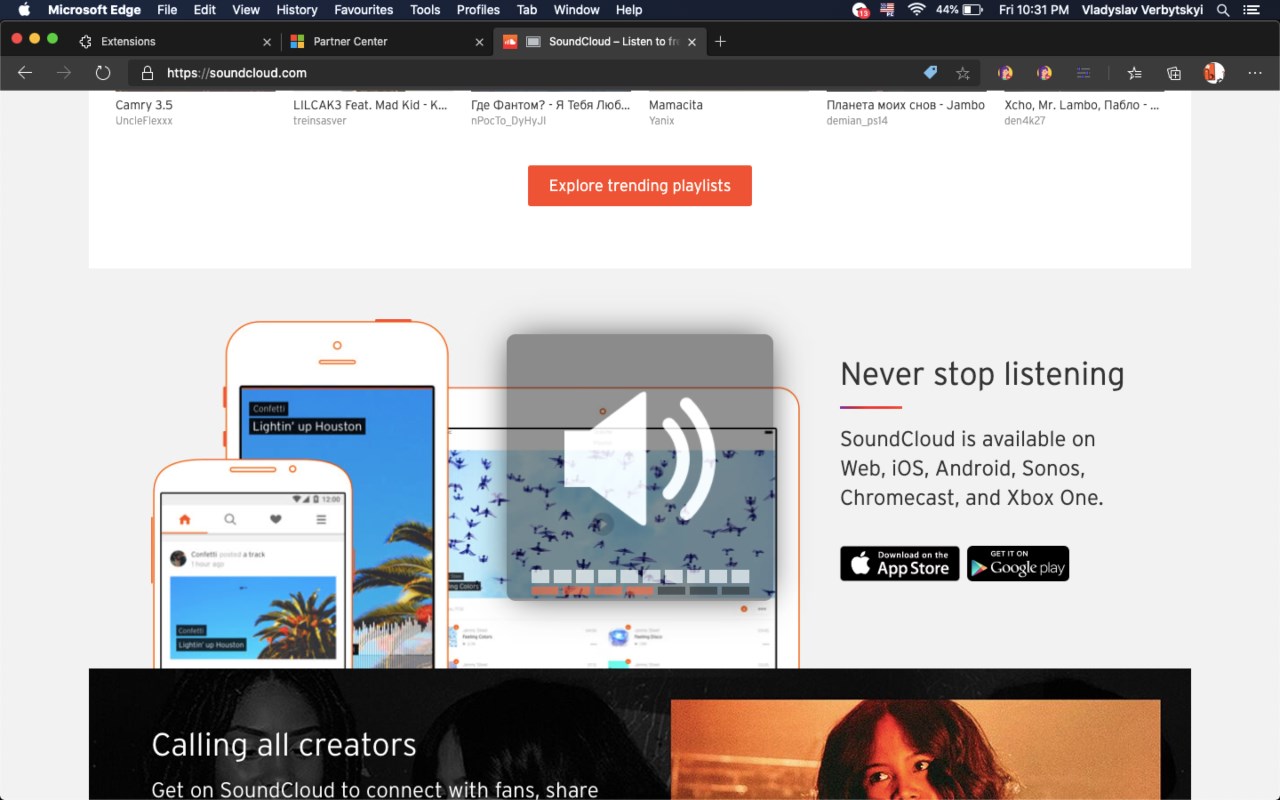
Audio volume control. Set volume level for each tab separately with audio control and sound booster.
Individually master volume of each tab of your browser.
❗️❗️❗️ Why you should choose Volume Manager over volume master / volume controller / volume booster / audio enhancing / volume boosting / equalizer extensions
⭐️ You will be able to go to full screen on a video like normal (instead of being forced to press f11)
⭐️ Shortcut for the booster
⭐️ Simple and effective design
🚀 Features
⭐️ Up to 800 % volume boost
⭐️ Control volume of any tab using the extension
⭐️ Control volume of any tab using shortcuts Alt + ↓↑
⭐️ Fine-grained control: 0 % - 800 %
⭐️ Switch to any tab playing audio with just one click
Help us improve Volume Manager. If you have any trouble or suggestions email us at [email protected]
Disclaimer:
This extension uses Google Analytics to collect extension usage statistics to help improve user experience.
Try it and you will love Volume Manager!
Latest reviews
- First name
- They updated the extension today and removed the ability to set hotkeys for volume up and volume down.
- Elias
- Muy buena la recomiendo.
- Geneviève
- Sadly causes extreme sound distortion on the audio playing, no matter the volume setting (unboosted or boosted). Had to uninstall to fix it. EDIT: Reinstallation and further testing shows the distortion problem happens with Soundcloud tabs, but not Bandcamp. Revised rating. Individual control is appreciated, but sadly makes Soundcloud unusable unless disabled for that website. P.S. Little typo in-app: "Can you spen a few seconds"
- Sergio
- Justo lo que estaba buscando, quería controlar más precisamente el volumen de YouTube Music para jugar Valorant. Simple y sencillo.
- Dr.
- Works great for me. Only complaint is that it says "Alt + Up/Down" can control the volume for the current tab. For some reason, only Alt + Up works. Alt + Down does not work. I checked my down arrow key, it definitely works as I can use it turn down the volume on a YouTube video... I think there may be a coding error or something. If you fix that I'll give it 5 stars.
- Xin
- 快捷键不能控制boost;音量调整没有任何UI提示
- zgq
- 好用,不影响视频全屏
- Xaviel
- May God do that which does make this application a great deed good deed without penitent or punishment, because this is just *chefs kiss* exactly had 'ought to have existence, and voila, just exactly the level of customization and precision, RIGHT when I was looking for; stay graced and inventive.
- DEV
- 以为终于找到了又能用、又能全屏的,但碰到了好几次突然静音,需要重新启用的 BUG。另外页面不美观,操作起来不够简单直接。
- Manish
- This extension only works well when your laptop is plugged in with charger otherwise while playing video speaker makes buzzing sound.
- morken
- 非常好用,可以全屏,排名第一的不可以醉了
- tim
- terrible it dos not work
- 长生
- Alt + ↓ 默认没有开启 需要手动打开
- Mamoon
- The only volume booster that lets you maximize the video player and its very simple and easy to use
- Labib
- Amazing volume control for individual tabs. Objectively better than other similar extension because this one has easy accurate slides that has a range of only 0 - 100 as compared to other extension that has 0 - 600 which is too wide in my opinion. You can also change volume from other tabs so u dont have to switch from said tabs to tabs that has volume. My only nitpicks is the icon is hard to see in a dark theme, but other than that recommended !
- 志文
- 非常好用good
- Maycon
- Muito bom, recomendo, é simples e intuitivo.
- Leonardo
- bien
- rocky
- Finally!!?!! The best one that can fullscreen while using it.
- Chaotix
- Thank you I went through so many so-called volume manager apps/ extensions and honestly this is perfect! Just like many other reviews this is what I was looking for. Again, Thank you much!!!
- lapislui
- Extremely efficient and usefull and works just as expected brilliant work
- Boil
- The best volume control for tabs that I have used. LOVE IT!
- Sarah
- Always awesome. Exactly what I needed to fix my audio issues on my desktop
- A
- You will be able to go to full screen on a video like normal (instead of being forced to press f11) BEST BEST BEAST
- Vibhu
- Great extension. The most impressive thing about it is that while some extensions (i don't know how or why) block the full screen mode of video players. But this extension doesn't block this functionality. 😁
- Tessa
- It can control a tab's volume individually like described, but it doesn't remember your settings, even if you have your browser set to continue where you left off. And also in my personal opinion, a volume booster really doesn't need to exist anymore these days.
- Shawn
- Usually love it but it has been cutting the audio out recently whenever I try to use it
- nikolai
- Experiencing an issue lately where the volume just cuts out as soon as volume manager is active. used to work great any fix would be appreciated
- Xcode
- As of today it stopped working. When ever i click on the extension icon the volume on the current tab just mutes. I didn't even had the chance to try increasing the volume. It mutes the audio straight away. Please fix this soon.
- Angad
- works, looks clean
- Robert
- Secretly a PAID app. Don't bother, it doesn't do ANYTHING until u pay.
- Wasin
- Good thing from edge version of addon is outdate, so no new tab stuff!
- k
- 很好用👍