


Link Scan (链接扫描)
Extension Actions
Professional link and resource scanner for websites - comprehensively check broken links, empty links, and problematic links
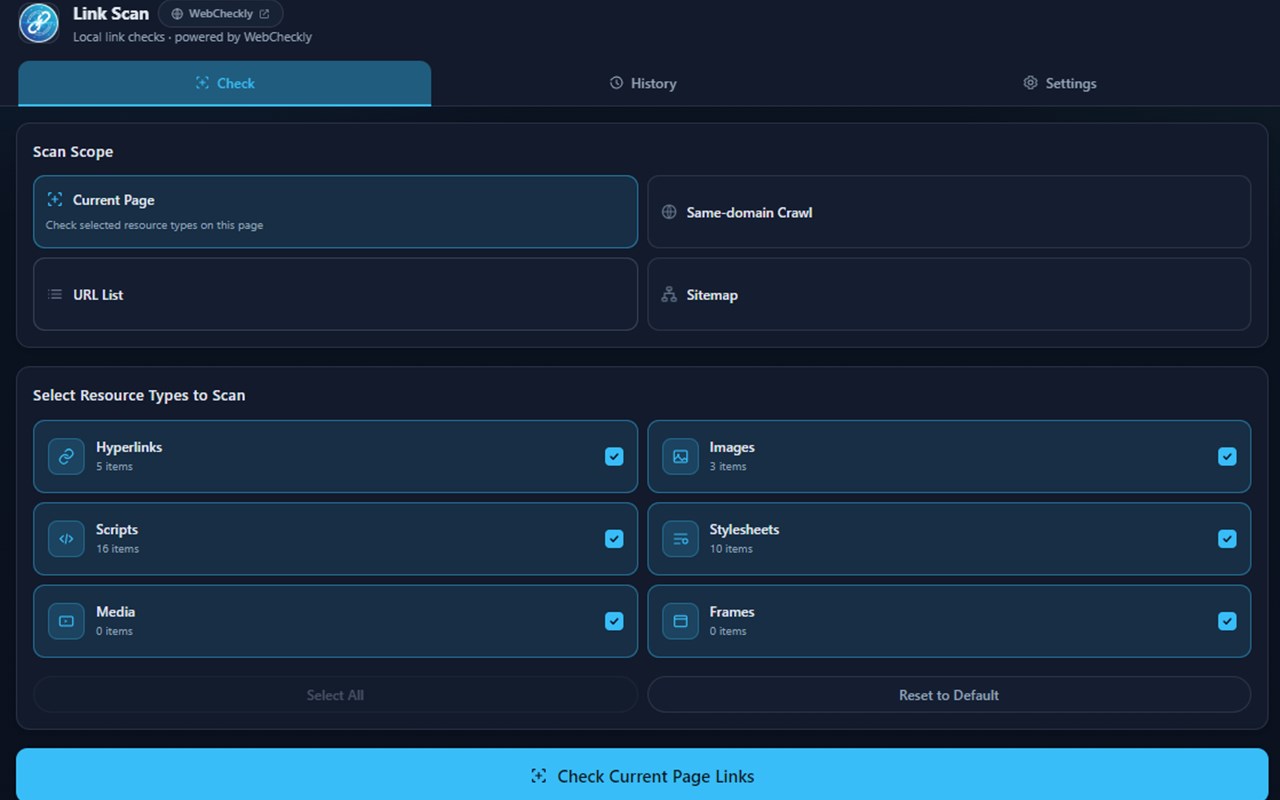
Link Scan is a browser extension for webmasters and developers to check whether links and page resources on websites are reachable, then review, highlight, and export results locally.
CORE FEATURES
1. Multi-scope scanning
• Current page: links, images, scripts, stylesheets, media, and frames (configurable)
• Same-domain crawl: collect same-domain links with optional 1-level page fetch (page/URL limits)
• URL list: paste multiple URLs and check reachability
• Sitemap: import URLs from sitemap.xml (including one index level)
2. Real-time progress and categorized results
• Progress, speed, elapsed time, and estimated remaining time
• Categories: valid, confirmed errors, needs verification, redirected
• Filter, search, and copy issue links; stop anytime and keep partial results
3. Health score and secondary verification
• Page link health score from scan results
• More reliable re-check for suspected links
• Locate problematic links on the page
4. Page highlighting
• Highlight issues on the original page by error type with customizable colors
• Optional auto-highlight after scan and one-click clear
5. Resource validation and ignore rules
• Response time, content size, MIME type; optional content validity (e.g. images)
• Skip URLs by domain or wildcard ignore rules
6. Export and history
• Export JSON detail reports or Excel summaries (EN/ZH headers)
• Auto-save local history with search, sort, delete, and clear
7. Settings and UI
• Concurrency, timeout, retries, redirect following, highlight colors
• Side panel workflow; English and Chinese UI
8. Optional WebCheckly companion
• Open webcheckly.com when you want broader site analysis or monitoring
• Opens only when you click; may include the current page URL; not required for core link checking
USE CASES
Website maintenance, SEO broken-link fixes, content/resource review, slow or oversized resource triage, post-migration link checks.
PRIVACY
Settings and history stay in local browser storage and are not uploaded to our servers. During checks, the extension requests target URLs in your selected scope directly (no intermediary servers of ours). No analytics or ad SDKs. See the privacy policy for details.
HOW TO USE
Open an http/https page → click the extension icon to open the side panel → choose a scan scope (resource types on Current Page) → start check or list resources only → review results, highlight, re-verify, locate, or export → review History.
Developer: redray | Support: [email protected] | Version: 4.1.0