


Website Link Health Checker
Extension Actions
Check broken links & resources locally — private, on-device scans with progress, highlight, and export
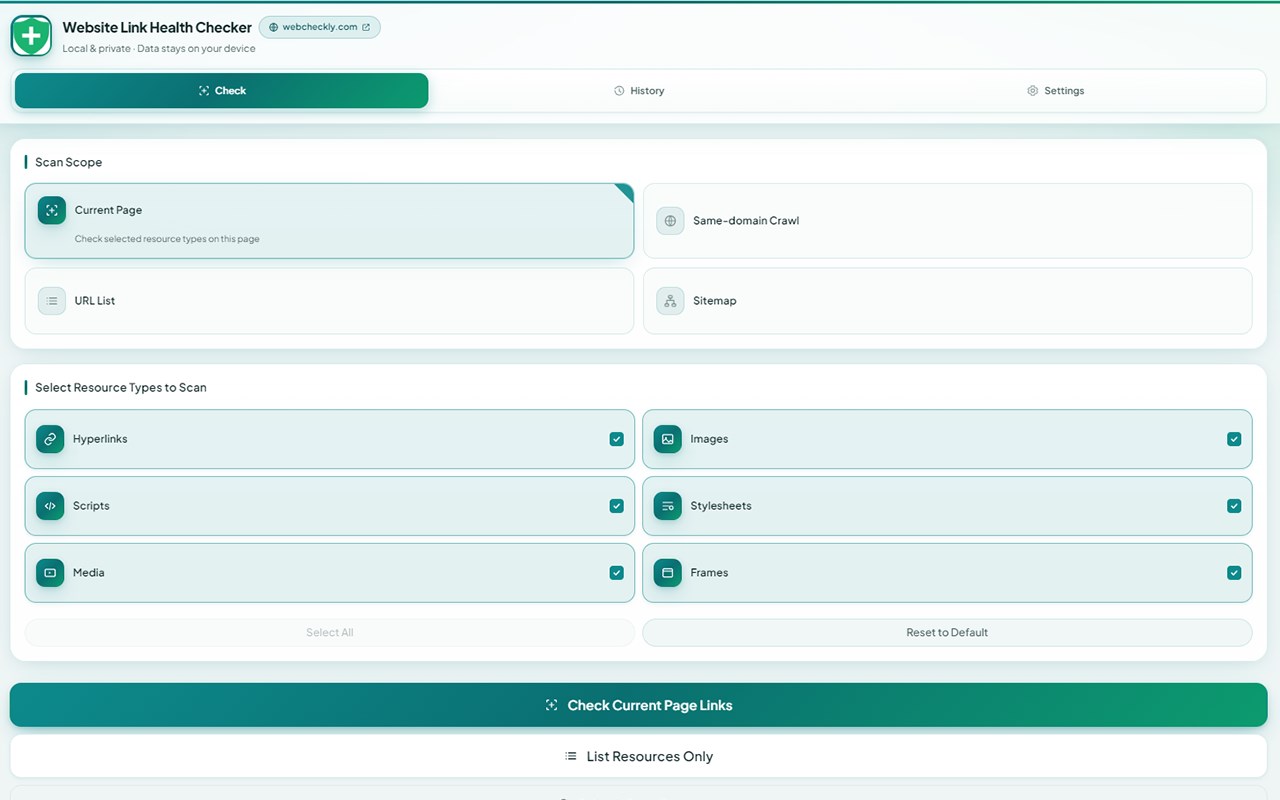
Website Link Health Checker is a side-panel extension that checks whether page links and resources are reachable — fully on your device. Settings and history stay in local browser storage and are not uploaded to our servers.
CORE FEATURES
• Multi-scope scanning
- Current page: links, images, scripts, stylesheets, media, frames (configurable types)
- Same-domain crawl: collect same-origin links with optional one-level fetch (page/URL limits)
- URL list: paste many URLs and check reachability
- Sitemap: import from sitemap.xml (gzip and limited-depth index supported)
• Live progress & categorized results
- Progress, speed, elapsed time, and ETA
- Categories: valid, confirmed broken, needs verification, redirected
- Filter by domain / status / internal-external; copy broken or suspected lists separately
- Export CSV / JSON / Excel (including issues-only CSV)
• Health score & re-verification
- Page link health score and grade
- Stronger secondary check for suspected links
- Locate matching elements on the page
• On-page highlighting
- Highlight issues on the live page with customizable colors
- Optional auto-highlight after a scan
• Smarter hints
- Soft-404 / login-wall heuristics to reduce “fake 200” noise
- Lightweight SEO / result tips
- History diff to spot newly introduced issues
• Privacy-first by design
- Settings & history in storage.local only
- Reachability requests go directly to the target URLs (no developer proxy)
- No analytics/ads SDK, no cloud sync account
- Light / dark / system theme
• Optional WebCheckly (not required)
- Open webcheckly.com when you want broader site analysis or monitoring
- Opens only on your click; may include the current page or issue URLs to continue review (see privacy policy)
USE CASES
Site maintenance, SEO broken-link cleanup, pre-launch checks, post-migration regression, and resource availability spot-checks.
HOW TO USE
1. Open an http/https page
2. Click the extension icon to open the side panel
3. Choose a scan scope (pick resource types on Current Page)
4. Start the check and review progress/results
5. Highlight, re-verify, locate, or export; history is saved locally
PRIVACY & SECURITY
We do not collect your browsing data or scan results on our servers. See the privacy policy for details. Support: [email protected]
Developer: redray · Version 4.3.0