

Nitfree
Extension Actions
The definitive freemium Discord Nitro alternative
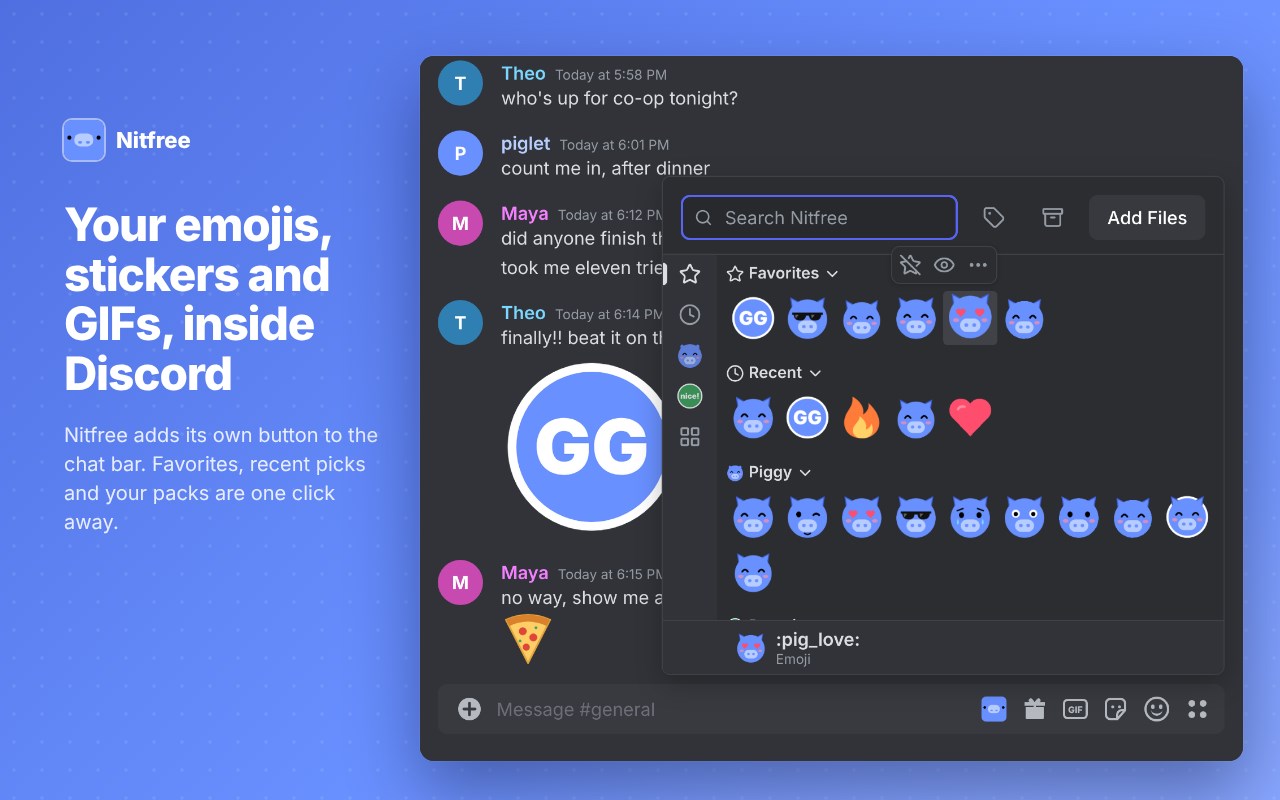
Nitfree keeps your own emojis, stickers, GIFs and images in a library and lets you send them in any Discord channel, without Nitro.
• Your library, inside Discord: a Nitfree button in the chat bar and a Nitfree tab in Discord's expression picker. Favorites, recent picks and your packs are one click away, with search by name, description or tag.
• Send at the right size: emojis and stickers go out at the size you choose. A click sends the item or adds it to your message, as you prefer. Press Ctrl+Alt+N (changeable) to open Nitfree from the keyboard.
• Type :name and send it: your items join Discord's own emoji suggestions as you type.
• Save from chat: right-click a custom emoji, sticker or image in a message and choose "Save to Nitfree". Name it, tag it, and it's yours to send.
• Turn clips into GIFs and stickers: drop an MP4 or WebM, then pick the part you want, the frame rate and the size.
• Edit images: crop, trim an animation's frames or remove a background color, saved as a new item so the original stays untouched.
• Nitro-style themes, free: a gradient behind Discord, your own accent color and CSS snippets, all set from the popup.
• Packs, duplicates and backup: group items into packs and share each one as a single .nitfree file, find duplicates and resized or converted copies, see how much space your library takes, and export or import everything.
Private by design: Nitfree has no servers, no analytics and no tracking. Your library and settings stay in your browser, on your device.
Available in English and French. Free and open source: https://github.com/eoussama/nitfree
Nitfree is not affiliated with or endorsed by Discord.