


Vhumo - Bookmark Sidebar
Extension Actions
Side panel to manage Vhumo categories and bookmarks directly from the browser.
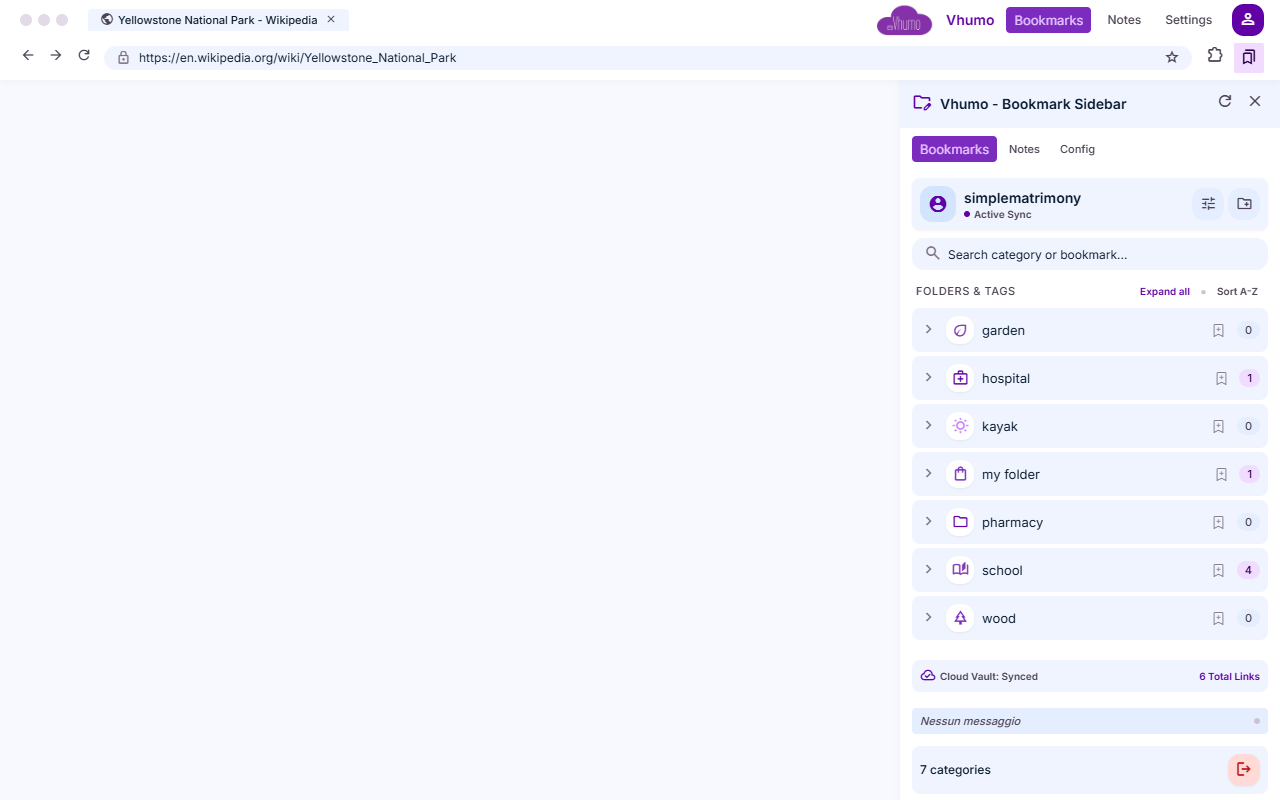
Vhumo is an online service that allows you to collect and organize all your favorite websites in one place. Essentially, instead of having dozens or hundreds of sites saved in your browser's bookmarks, you can use Vhumo to create a personal collection of links—accessible online and organized exactly how you prefer.
When you save a site, Vhumo can automatically identify its name and icon, ensuring each bookmark is presented clearly and is easily recognizable. Before a link is added, the system can also verify its safety, helping to flag potentially dangerous sites, malware, or phishing attempts.
You can organize your links into categories, which you can create and customize by choosing a name, color, and icon. For instance, you could set up categories for work, social media, news, online shopping, and so on. These categories can be further refined using tags, making it easy to quickly find what you’re looking for—even as your collection grows quite large.
Vhumo also lets you share your categories with others. You can generate a public link to send to a colleague, friend, or client, for example. You can even set an expiration date for shared links, so they don’t necessarily remain accessible indefinitely.
Security is another key feature. Saved links can undergo periodic checks for potential threats, and the system performs a security scan whenever you add a new site. Additionally, there are protective measures in place to guard against automated or repeated unauthorized access attempts.
Vhumo also incorporates artificial intelligence features; when relevant, the system can suggest alternative links or resources similar to what you are looking for. Suggested links are clearly identified as such and can be verified before use.
The application is designed to work seamlessly on computers, smartphones, and tablets. The interface automatically adapts to the screen size and provides tools for quick access to key features. These include, for example, a side menu that can be opened or hidden, buttons for rapidly adding new items, and informational windows that guide the user while using the service.
Vhumo is available in both Italian and English, and users can select their preferred interface language. Interactive tutorials are also provided, explaining the application's main functions step-by-step, alongside informational messages used to convey important alerts or details about the service.
To access Vhumo’s personal features, users must log in. User data and settings are managed via an online database, while specialized security systems protect access to the application and its communications.