


TAB STUDIO
Extension Actions
TAB STUDIO — Infinity 风格新标签页:真实网站图标、高清壁纸库、3×6 大图标网格、macOS 风格 Dock、文件夹、多分页、待办/笔记/天气小组件与本地备份。
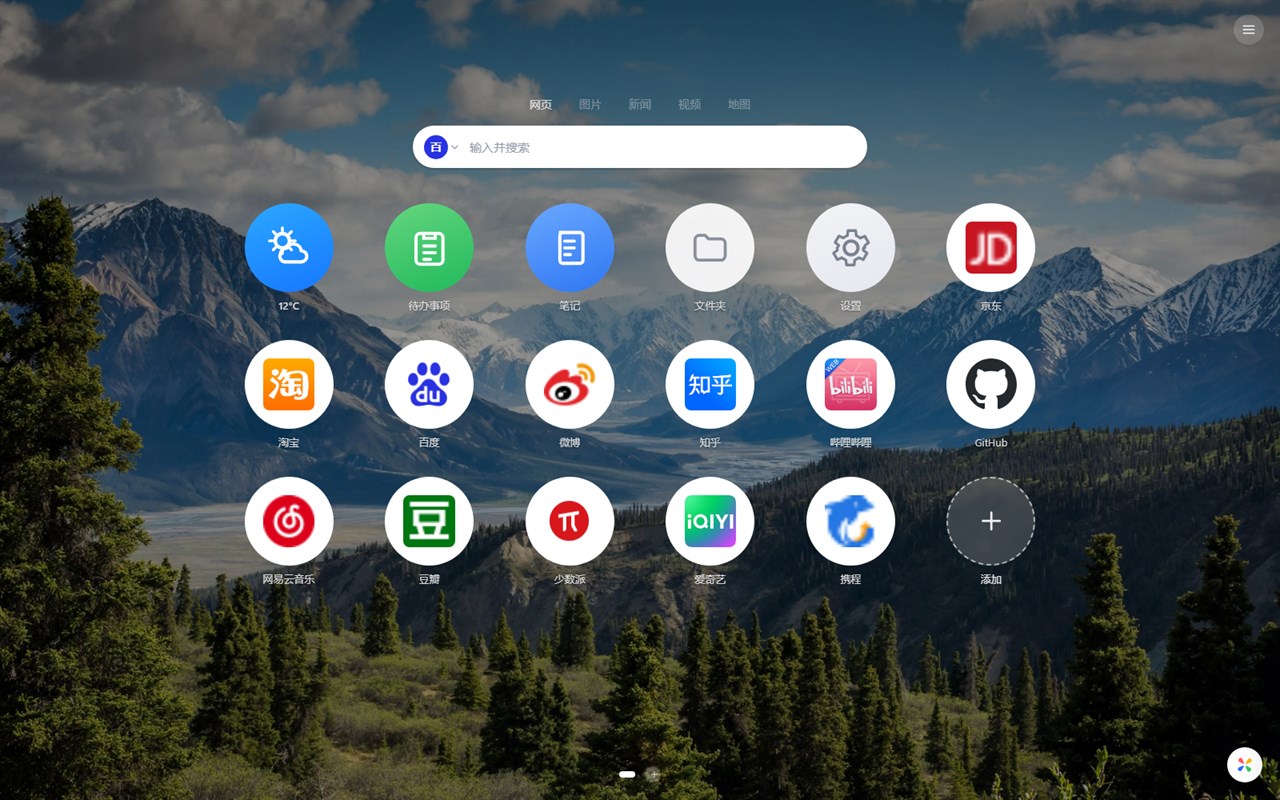
TAB STUDIO is a local-first, account-free New Tab extension that gathers your favorite websites, search, wallpapers and lightweight widgets on one clean new tab page.
Sites & grid
- A 3x6 large round-icon grid with drag-to-reorder, right-click menu and inline editing; about 70 built-in preset sites available in one click.
- Real website favicons: a built-in brand SVG library, online icon sources, local caching and a colored-initial fallback, so broken default icons are avoided.
- Multi-page management with circular dot pagination; create, rename, delete and drag pages; pages overflow automatically to the next page.
- Folders to group related sites, with internal sorting, open-all and drag in/out.
- A macOS-style bottom Dock: pin frequently used sites, hover zoom with labels, drag to sort, right-click to remove.
Search
- Baidu / Google / Bing / Yahoo across web, images, news, video and maps; optional search suggestions that can be turned off; custom search engines supported.
Wallpapers
- 12 built-in 1920x1080 photography wallpapers; favorites, random-from-favorites, local upload with compression, optional Bing daily wallpaper, scheduled rotation and per-new-tab rotation.
Widgets
- Weather (Open-Meteo, city lookup, networking optional), to-do list with checkboxes and badges, auto-saved notes, folder overview.
Data & privacy
- Sites, folders, pages, wallpapers, todos and notes are stored in local IndexedDB; settings live in local storage. No account, no upload of personal data to any server.
- Export / import .infinity backup files with atomic import; restore defaults in one click.
- Bookmarks and history are optional permissions requested only when you actively use those entries; denying them does not affect core features.
Other
- Pure Manifest V3, no build step, no background tracking; standard and minimal UI modes; adjustable layout, icon style, overlay blur, font and animations in Settings.
- Source and feedback: https://github.com/compassscout/tab-studio