


IHome New Tab
Extension Actions
IHome is a practical tool browser new tab extension。And you can switch between multiple different browsers, and you don’t have to consider the issue of data backup at all,
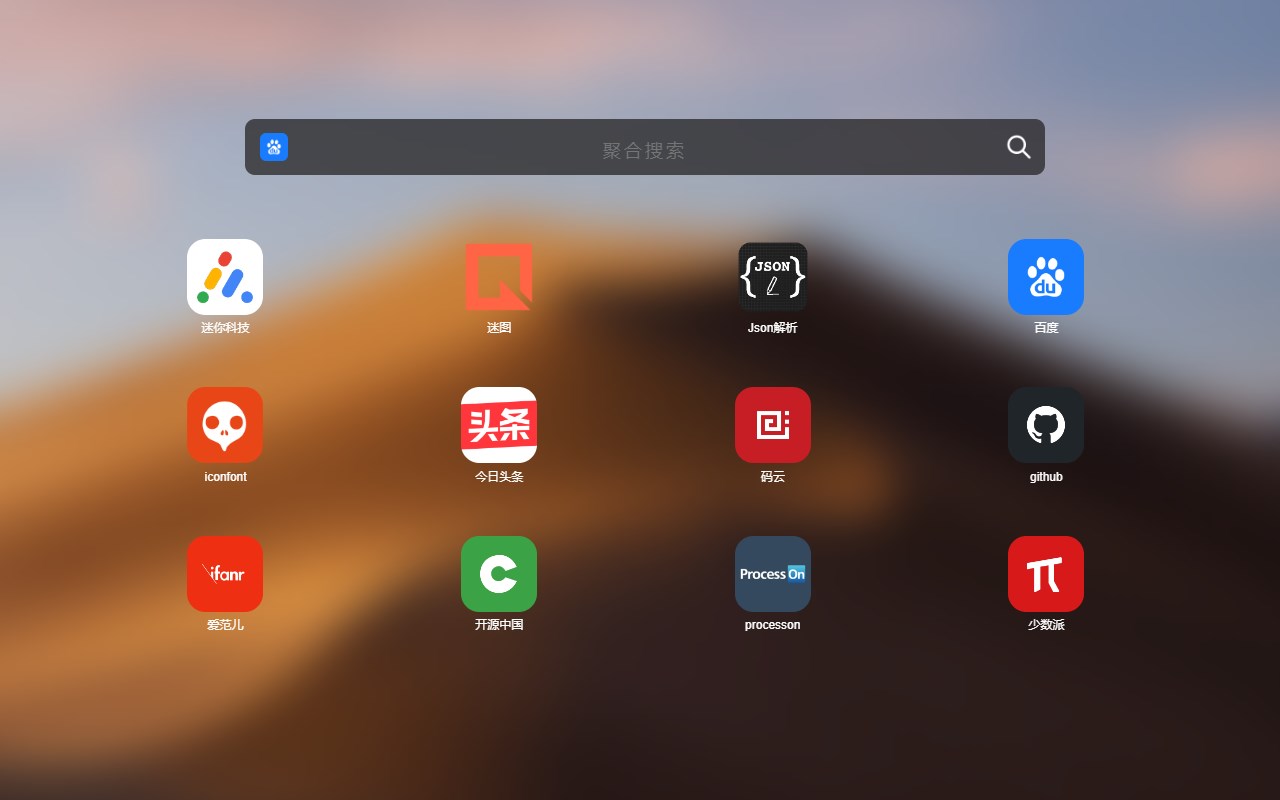
Browser Desktop is a practical tool browser plug-in with rich functions and simple operation, which can bring you the best online experience. And you can switch between multiple different browsers, and you don’t need to consider the issue of data backup at all. Function description The function description of the new tab page of Browser Desktop: similar to the new tab page of Mac OS, custom wallpaper, data synchronization , Add bookmarks, private bookmarks, sidebars, picture collections, text collections, advertising tags, memos. 1. There is a toolbar in the new tab, and there are three permanent functions in the toolbar. Bookmark management, my apps, deleted apps, bookmark management: you need to log in to use, you can delete bookmarks, add them to new tabs and toolbars, and you can also add private bookmarks. My application: This is a list of applications. You can dynamically filter out the applications that match the keywords on this page through the "Keyword filtering" function of the input box. No other actions are required at this time. The following applications will be retrieved dynamically during input. . 2. The right mouse button function in the new tab page has settings, notes, my resources, add applications, aggregate search and bookmark management, etc. Settings: in the settings, you can register, log in, display my applications, add search sources in aggregate search and Introduction etc. Notes: Simply record some backup information. My resources: You can view the favorite pictures and videos, and you can also set the wallpaper. Add application: You can add an application, and you can view it on the last page of my application after adding it successfully. Aggregate search: You can use search sources such as Google to search. Bookmark management: display the bookmark management window 3. The browser’s small icon function. After clicking it, a small window will pop up to display. The function is to display the list of my applications and the application list of the toolbar. You can use the "Keyword filtering" function of the input box , Dynamically filter out the applications that match the keyword on this page, no other actions are needed at this time, and the following applications will be dynamically retrieved from time to time during input. 4. In the right-click menu function of other web pages, open aggregate search, mark advertisements, add bookmarks, and bookmark text. Support Browser Desktop Browser Desktop is a free-to-use tool project dedicated to improving everyone's online experience. So, if you like it or think it's not bad, please support us.
=================================== V 0.0.33
Browser Desktop is a practical The tool browser plug-in, with rich functions and simple operation, can bring you the best online experience. And you can switch between multiple different browsers, and you don’t need to consider the problem of data backup at all. Function description The function description of the new tab page of Browser Desktop: 1. There is a toolbar in the new tab, and there are three in the toolbar. A resident function. Bookmark management, my apps, deleted apps, bookmark management: you need to log in to use, you can delete bookmarks, add them to new tabs and toolbars, and you can also add private bookmarks. 1-1. My application: This is a list of applications. You can dynamically filter out the applications that match the keywords on this page through the "Keyword filtering" function of the input box. No other actions are required at this time, and the input will be dynamic from time to time. Retrieve the application below. 2. The right mouse button function in the new tab page has functions such as settings, notes, my resources, add applications, aggregate search and bookmark management. 2-1. Settings: In the settings, you can register, log in, show my apps, add search sources and introductions in the aggregate search, etc. 2-2. Notes: Simply record some spare information. 2-3. My resources: you can view the favorite pictures and videos, and you can also set the wallpaper. 2-4. Add application: You can add an application, and you can view it on the last page of my application after adding it successfully. 2-5. Aggregate search: You can use search sources such as Google to search. 2-6. Bookmark management: display the bookmark management window. 3. The browser’s small icon function. After clicking it, a small window will pop up to display. The function is to display my application list and the application list of the toolbar. You can dynamically filter out this page through the "Keyword filtering" function of the input box For applications that match the keyword, no other actions are required at this time, and the following applications will be dynamically searched from time to time when inputting. 4. In the right-click menu function of other web pages, open aggregate search, mark advertisements, add bookmarks, and bookmark text. Support Browser Desktop Browser Desktop is a free-to-use tool project dedicated to improving everyone's online experience. So, if you like it or think it's not bad, please support us.
============================================== V 0.0.41
description 1. Implement the recycle bin function: deleted desktop, tools, bookmarks, pictures, videos and other data can be retrieved in the recycle bin. 2. Optimize the small window function: after the small window is displayed, there are more folders in the toolbar The problem hidden after clicking the blank space inside, 3. Optimize the small window search function
================================ ============ V 1.0.7
release notes 1. Added dynamic adjustment of icon size
Latest reviews
- 鹏飞
- 很棒的插件,期望能出个锁定聚合搜索框的选项,误操作点击至移动让强迫症患者很难受
- star
- 我觉得现现在的bdtab新标签页简直越来越好用了!
- 昕
- 很棒的新标签页! 发现一个问题,在搜索引擎设置中,切换搜索引擎顺序后,开启关闭并不会随之改变,希望在下一版本中得到修正。
- xiaofeng
- 怎么登录啊,登录找不到
- wxb
- 插件打开,底部就只有百度 谷歌 迷你科技和json解析,主界面里只有几个网站图标,右键显示的是其他几个插件,这玩意设置在哪?怎么登录?看官网的使用说明视频根本不一样呀!卧槽 我装系统都没这么头大。
- 天
- 有点牛逼啊 ps 拉取书签卡住了 一直没出来
- yaozhixin
- 太好用了吧 自定义tab简直领先edge三百年
- lyman
- 头条来的,插件很nice