


Grabdown — Selection to Markdown
Extension Actions
Select anything on a page and copy it as clean Markdown. Zero data collection, no account, minimal permissions.
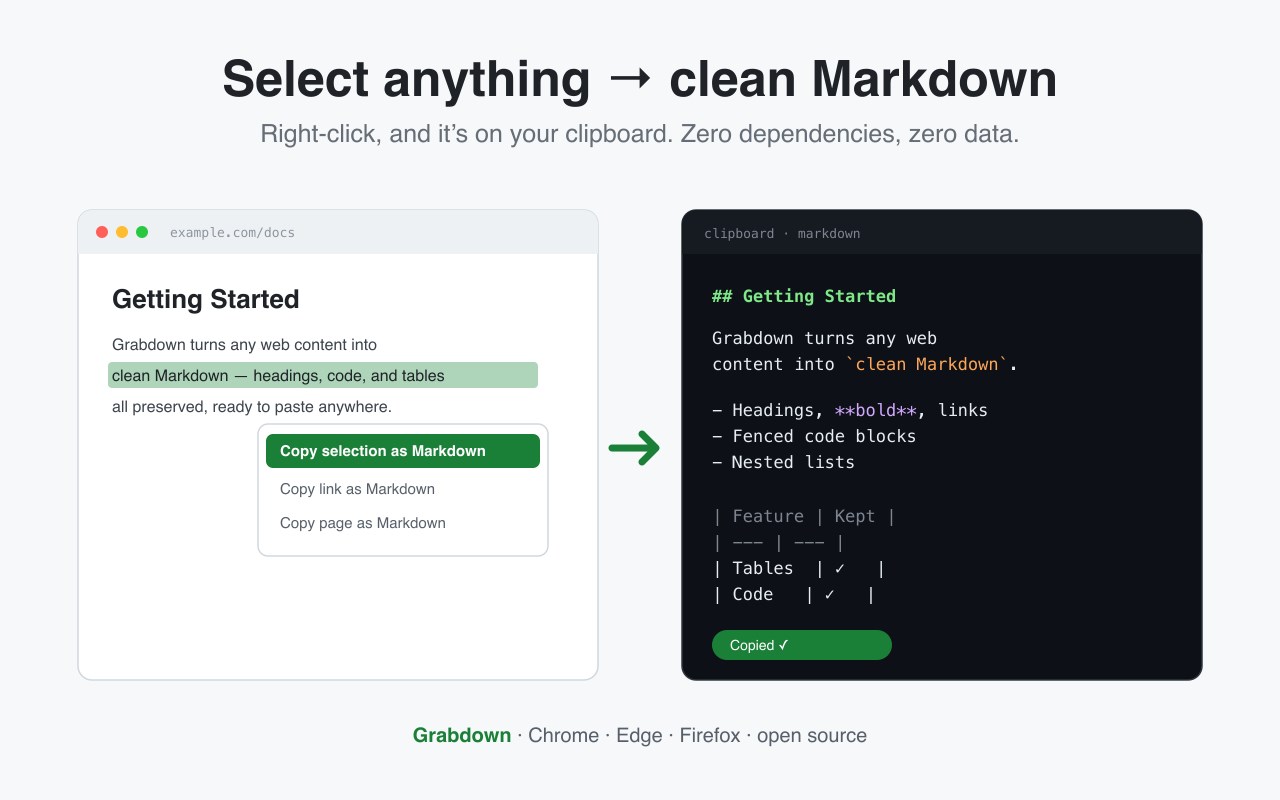
Grabdown copies web content as clean Markdown — instantly, privately, and with no setup.
Select text and right-click "Copy selection as Markdown." Or grab a link, or the whole page. The Markdown lands on your clipboard, ready to paste into Obsidian, Notion, a pull request, your notes, or an AI prompt.
THREE WAYS TO GRAB
• Right-click a selection → Copy selection as Markdown
• Right-click a link → Copy link as Markdown
• Toolbar button → Copy the whole page (pulls the main article)
• Keyboard shortcut → Ctrl/Cmd + Shift + M
WHAT IT CONVERTS
Headings, bold and italic, links and images, inline code, fenced code blocks with language detection, ordered and nested lists, blockquotes, horizontal rules, strikethrough, highlight, and GitHub-flavored tables — with HTML entities decoded and Markdown special characters escaped.
BUILT CLEAN
• Zero data collection. Nothing leaves your browser — no network requests, no storage, no analytics, no account.
• Minimal permissions. It reads a page only when you invoke it (activeTab). No broad host permissions, no tab snooping.
• Zero dependencies. The HTML-to-Markdown engine is hand-written and bundled — no third-party libraries, no remote code. The whole extension is about 16 KB.
• Open source (MIT). Read every line: https://github.com/jjdoor/grabdown
Works in Chrome, Edge, and Firefox.