

Pixel Retro Timer - Floating Stopwatch, Countdown & Pomodoro Timer
Extension Actions
Floating timer widget for any page: stopwatch, countdown and Pomodoro modes. Drag anywhere, custom alert sounds, history.
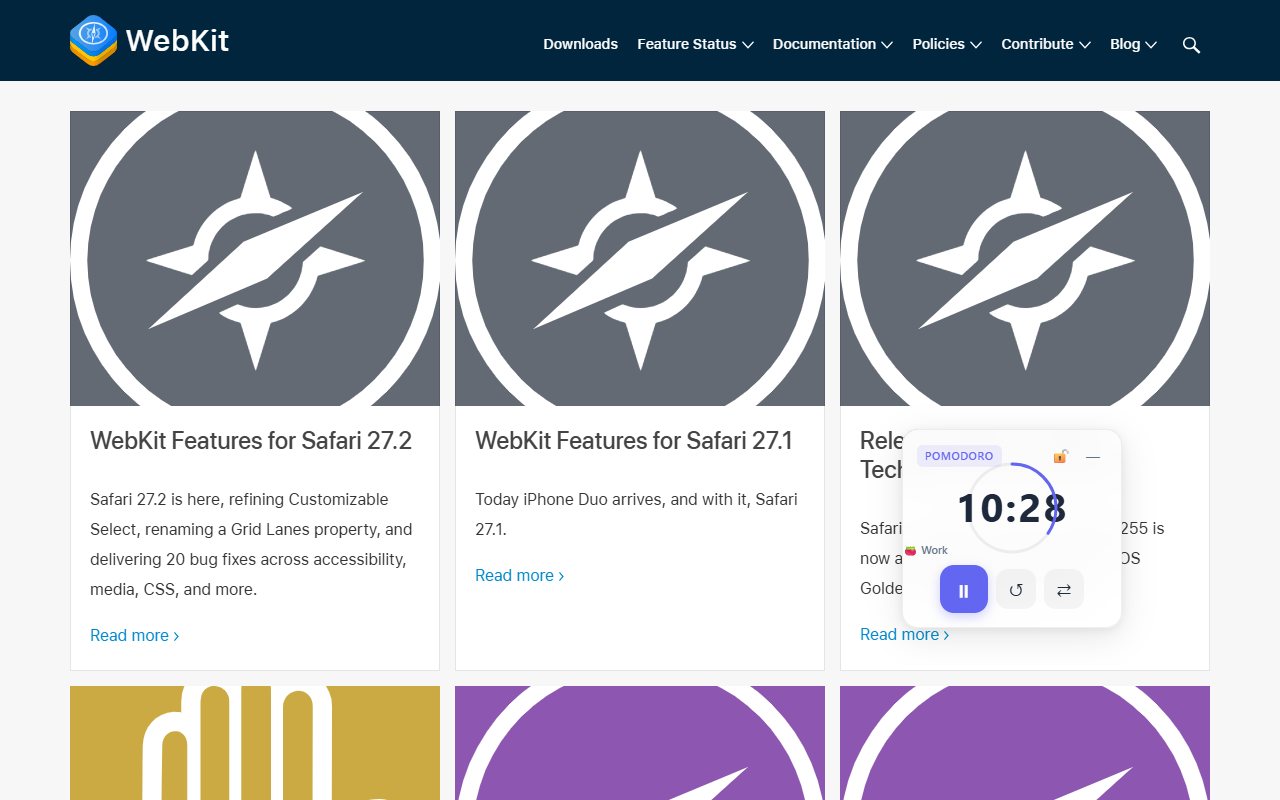
Pixel Retro Timer is a floating stopwatch, countdown and Pomodoro timer for Chrome and Edge that sits on the page you are actually working on instead of hiding in another tab. Switch the widget on from the toolbar, pick a mode, and a compact retro-styled clock appears over the page. Drag it out of the way, start it, and carry on reading, writing or studying. Every timing feature is free, with no account, no ads and no analytics. Custom font and background colours are the only paid extras.
The difference is where the timer lives. Popup timers disappear the moment you click back into the page; Pixel Retro Timer stays visible above the content, follows you from tab to tab, and remembers its position and running state. It is one small overlay that behaves like a desk clock, not another window to manage.
WHY PIXEL RETRO TIMER
• Three modes in one widget: stopwatch, countdown and Pomodoro, switchable from the widget itself without opening settings.
• Stopwatch counts up from zero with no time limit, for open-ended work, practice or timing a task after the fact.
• Countdown with 10, 25, 30 and 60 minute presets or any whole number from 1 to 999 minutes.
• Pomodoro with adjustable focus and break lengths (25 and 5 minutes by default), optional automatic start of the next phase, and a skip-break button.
• Drag it anywhere on the page. It snaps neatly to the edges and returns to the same spot next time.
• Lock the position when you are done arranging it, or minimize the widget to a slim title bar while the timer keeps running.
• Desktop notification when time is up, even if the browser is minimized, plus a toolbar badge that shows the remaining minutes.
• Four alert choices: three built-in sounds (beep, chime and a softer tone) or your own audio file up to 500 KB.
• Opacity from 20% to 100%, so the timer can sit over text without blocking it.
• History of finished timers with session count and total time, plus a one-click clear.
• Six interface languages that follow your browser automatically: English, Simplified Chinese, Japanese, German, Spanish and French.
THREE MODES, ONE SMALL WIDGET
• Stopwatch: count up freely, pause and resume, reset when you start something new.
• Countdown: choose a preset or type an exact length, then watch the time fall to zero.
• Pomodoro: alternate focus and break blocks, let the next phase start by itself, or skip a break when you are in flow.
• Every mode shows the elapsed or remaining time directly on the page, with start, pause and reset controls on the widget.
• Switch modes from the widget with one button; your other settings stay as they are.
DESIGNED TO STAY OUT OF THE WAY
• The widget floats above page content and can be dragged to any corner, then locked so it cannot move by accident.
• Edge snapping keeps it tidy; position memory means you do not reposition it on every visit.
• Minimize collapses the widget to its title bar without stopping the timer.
• The transparency slider lets you keep an eye on the clock while reading underneath.
• Sound, opacity, mode and Pomodoro lengths apply to every open page at once, so nothing has to be set twice.
• The timer keeps running while you move between tabs; the desktop alert still arrives when the browser is minimized.
FREE VS PREMIUM
Free: all three timer modes, custom countdown and Pomodoro lengths, automatic next phase, skip break, all built-in sounds, your own alert audio, desktop notifications, the toolbar countdown badge, opacity control, drag and snap, position lock, minimize, history and all six languages.
Premium (optional licence): custom font colour and custom background colour for the widget. One licence key activates on two browsers, and removing the licence from one browser frees that slot again.
The licence is optional. Every timing feature works without one. Premium keeps working offline; it asks the licence server for a check about every two hours, and if that check cannot reach the server it does not lock you out of the extension.
HOW IT WORKS
1. Pin Pixel Retro Timer to your toolbar and open the popup.
2. Switch the floating widget on. It is off by default on a fresh install.
3. Choose stopwatch, countdown or Pomodoro, and set the minutes if needed.
4. Drag the widget where you want it and press start.
5. When the alert sounds, check your history or start the next session.
PRIVACY FIRST
• Your settings, widget position, running timer and history are saved by your browser on this device. There is no account and no profile to create.
• The widget draws itself over the page; it does not read, collect or transmit the page content underneath.
• Alert sounds are generated in your browser. An audio file you upload stays on your device.
• There are no analytics, no advertising trackers and no data sales.
• A licence is optional. Activating one sends a random installation identifier and basic browser metadata to the licence server; it never includes your timer data or history.
• Without a licence, the extension makes no network requests at all.
BUILT FOR DESKTOP CHROME AND EDGE
• Works in desktop Google Chrome and Microsoft Edge, and in other Chromium-based browsers.
• Made for students, writers, developers, designers and anyone who wants a visible timer without a second window.
• The interface is available in English, Simplified Chinese, Japanese, German, Spanish and French.
Stop losing track of time in a tab you forgot to open. Add Pixel Retro Timer, keep the clock on the page, and give the next 25 minutes a clear beginning and end.
More tools and support: https://annmax1983.com
Latest reviews
- Johnathan
- good software
- Elex
- good software
- Jerel
- good software
- Icy
- good software