
WA Download — WhatsApp Chat Backup & Contacts Export
Malware Detected
This extension has been flagged as potentially malicious.
Extension Delisted
This extension is no longer available in the official store. Delisted on 2025-12-02.
Extension Actions
Back up chats and export contact lists in one click. Fast and reliable.
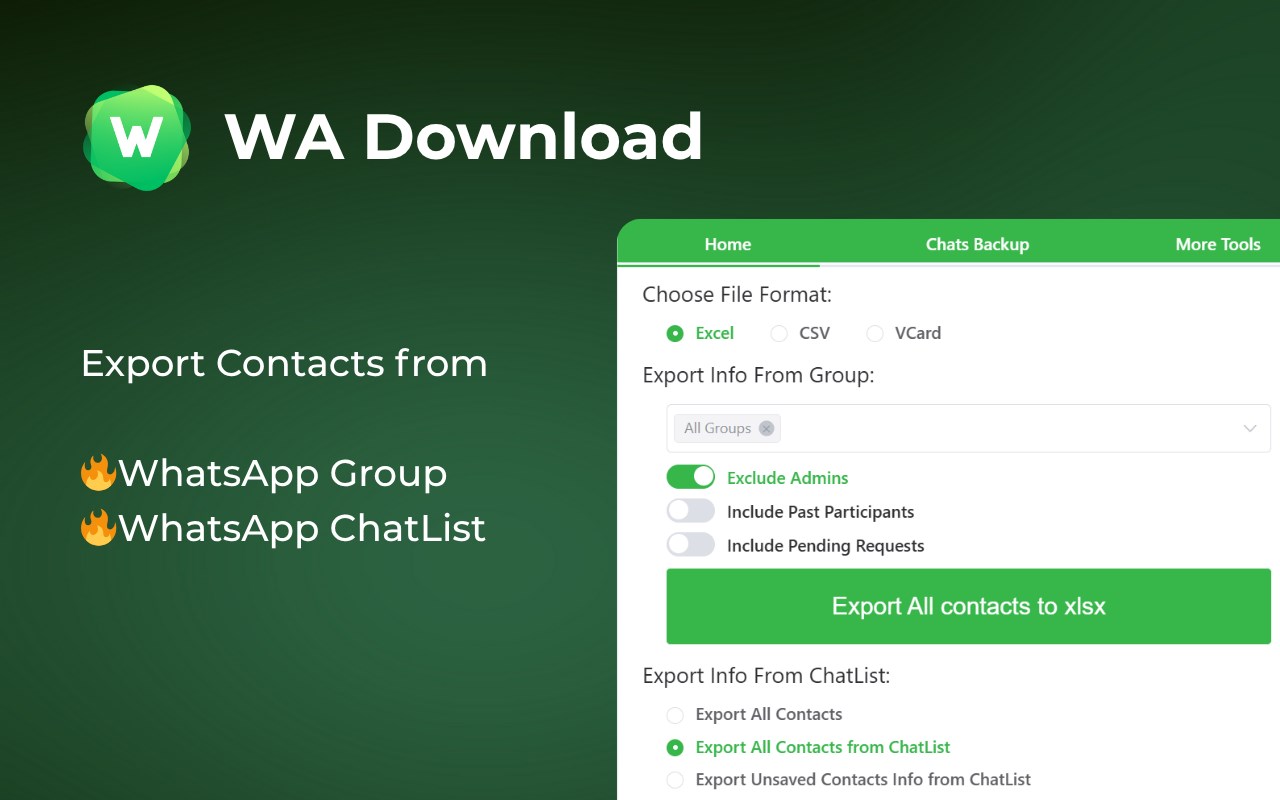
Back up chats and export contacts on WhatsApp Web with a simple, privacy‑minded workflow. Keep your data portable for CRM, migration, and record‑keeping—without clutter or extra steps.
Key features
- Export contacts from Groups or your Chats list
- Back up chats by conversation, group, or date range
- Granular selection with a quick preview before exporting
- Processing runs locally in your browser; you control your data
Export formats
- vCard (.vcf): Import to iOS and Android devices
- CSV: Import to Google Contacts and many CRMs
- Excel (.xlsx): Organize, filter, and analyze in spreadsheets
Backup formats
- HTML: View chat history directly in the browser
- CSV: Transfer or share selected chat content
- Excel (.xlsx): Structure conversations for reporting
- JSON: Build custom workflows or integrations
How it works
1) Open WhatsApp Web and sign in
2) Click the extension icon
3) Choose “Contacts Export” or “Chat Backup”
4) Set the scope, preview, and start export
Privacy & security
- All processing happens locally in your browser—no external servers
- You choose exactly what to export and can delete generated files anytime
- Minimal permissions; used only to enable the described features
Compatibility
- Compatible with Chromium-based browsers
- Requires WhatsApp Web to be open and logged in
Legal
- WhatsApp is a trademark of WhatsApp Inc., registered in the U.S. and other countries. This extension is an independent project and is not affiliated with WhatsApp or WhatsApp Inc.
Latest reviews
- chun
- 很好,居然是免费的,支持