


TLDR Comments - Summarize Comments
Extension Actions
- Live on Store
Summarize comments from any website — Reddit, YouTube, Amazon & more. AI-powered summaries in one click.
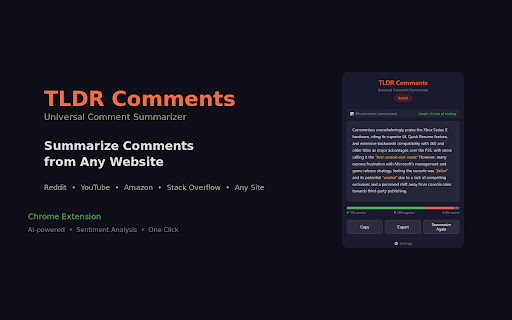
TLDR Comments is the fastest way to summarize comments on any website. One click, and AI reads hundreds of comments so you don't have to.
Whether you're reading Reddit threads, YouTube comment sections, Amazon product reviews, Hacker News discussions, or Stack Overflow answers — TLDR Comments gives you an instant AI-powered summary with sentiment analysis.
HOW IT WORKS
1. Open any page with comments (Reddit post, YouTube video, Amazon product page, etc.)
2. Click the TLDR Comments icon
3. Get an instant AI-generated comment summary with sentiment breakdown
WHY TLDR COMMENTS?
Unlike other extensions that only work on one site, TLDR Comments works everywhere:
- Reddit comment summarizer (new and old Reddit)
- YouTube comment summarizer
- Amazon review summarizer
- Hacker News discussion summarizer
- Stack Overflow answer summarizer
- Any website with a comment section (auto-detection + manual fallback)
FEATURES
- 3 summary styles: Brief, Bullet Points, or Detailed
- Sentiment analysis bar — see positive, negative, and neutral breakdown at a glance
- Summary history — cached summaries load instantly when you revisit
- Copy and export summaries
- Read time saved indicator — see how much time AI saved you
- Dark theme UI
- Works on any website — auto-detects comment sections
AI PROVIDERS
Choose your preferred AI:
- Google Gemini (recommended — free tier available, pay nothing)
- OpenAI GPT-4o-mini and GPT-4o
- Anthropic Claude
SETUP IN 30 SECONDS
1. Get a free Gemini API key at ai.google.dev
2. Paste it in the extension settings
3. Start summarizing comments
PRIVACY-FIRST
- API keys stored locally on your device only
- Comments sent directly from your browser to your AI provider
- Zero data passes through third-party servers
- No analytics, no tracking, no telemetry
FREE TO USE
TLDR Comments is completely free. Bring your own API key. Gemini's free tier means most users pay nothing.
Stop scrolling through hundreds of comments. Get the summary in one click.
Latest reviews
- Steve S
- One click and I get the gist of 500+ comments in seconds. I use it to quickly catch up on comments on my own posts too. The sentiment bar is a very nice UX touch; you instantly see if people love something or not. Free with your own gemini API key and is extremely easy to set up (I needed literally ~3 seconds). It just works! 👏
- Saketh Reddy
- Really the extension was more useful thanks dev!
- Ehtishaam Qamar
- I do a lot of doom scrolling on Amazon. came across this extension. It helps me review or summarize about a product, what people say based on ratings. Would def. recommend
- FlexxingOff
- It's the most awesome plugin I've used so far. I was hesitant to download it at first but it works perfectly summarizing comments or reviews from platforms like amazon. Saved me a ton of time. Props to the dev for creating this awesome tool :*
- Victor Basumatary
- Works as advertised.