


Tetra Scientific Calculator
Extension Actions
Scientific calculator for Microsoft Edge: popup, sidebar & floating modes. Trig, logs, history, variables, unit converter. Offline.
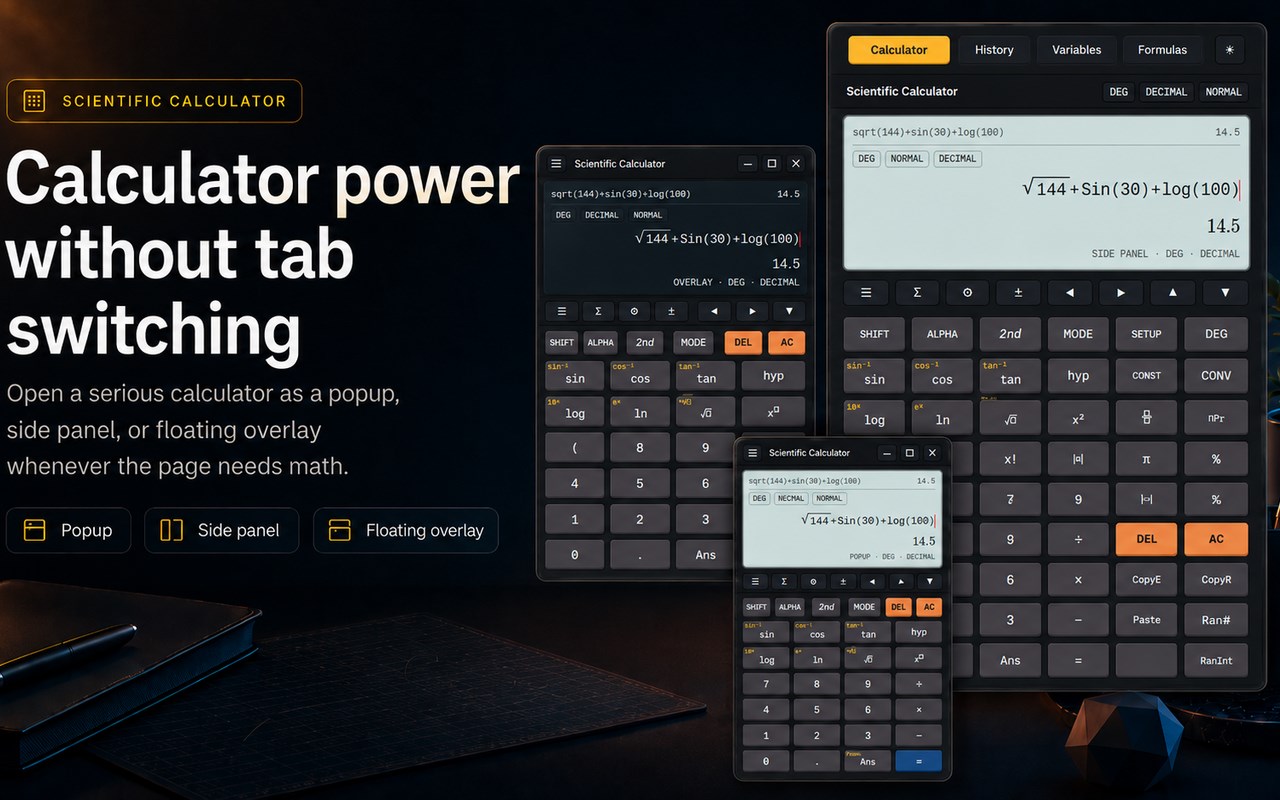
You're in the middle of homework, a lab report, or a spreadsheet, and you need a scientific calculator. So you reach for your phone, dig out an old Casio, or open yet another calculator tab. Every switch breaks your focus, and your numbers never follow you.
Tetra Scientific Calculator fixes that: a full scientific calculator for Microsoft Edge that opens right where you're working, as a toolbar popup, a side panel calculator beside your page, or a floating calculator that stays on top of supported webpages (Ctrl+Shift+Y).
Type the problem, get the answer, keep going. Every result lands in a searchable history, so multi-step calculations just flow: no retyping, no lost work, no tab-juggling.
🧮 A REAL SCIENTIFIC CALCULATOR, THREE WAYS
• Popup - one click on the toolbar for quick math
• Side panel calculator - a full workspace with history, variables, formulas, and unit converter that stays open while you scroll
• Floating calculator - keep it on top of supported webpages, quizzes, or dashboards while you work
⌨️ EVERY FUNCTION YOU EXPECT FROM AN FX-991
• Trigonometry in DEG, RAD, and GRAD: sin, cos, tan, csc, sec, cot, and inverses
• Logarithms and exponentials: log, ln, 10^x, e^x
• Powers, roots, factorial, percent, parentheses, absolute value, π and e
• Normal, Fixed, Scientific, and Engineering output modes with calculator-style ×10^N display
• Type with your physical keyboard - enter expressions the way you'd write them
🕘 NEVER LOSE A RESULT AGAIN
• Searchable calculation history with favorites, copy, reuse, and JSON/CSV export
• Ans, PreAns, and variables A through Z - chain multi-step calculations like on a real calculator
📐 UNIT CONVERTER BUILT IN
Length, Area, Volume, Time, Pressure, Weight/Mass, Temperature, and Fuel consumption - convert without leaving the calculator, then insert the result straight into your calculation.
📚 FORMULA HUB
Forgot the quadratic formula or the volume of a cone? Search formulas for Algebra, Geometry, Trigonometry, Calculus, Probability, Statistics, Physics, and Chemistry, and insert them directly into the calculator.
👥 WHO USES IT
• Students and teachers - homework, labs, and exam prep. A real scientific calculator stays one click away in Microsoft Edge instead of requiring another app.
• Engineers and scientists - quick sanity checks without leaving the spec, paper, or dashboard.
• Finance and analysts - percentages, powers, and an exportable calculation trail.
⚡ FAST, FREE, YOURS
Every feature and every theme (Light, Dark, OLED Black) is 100% free - no ads, no account, no upsell. It runs entirely offline on your device, so it opens instantly, works without internet, and your data stays yours.
Built by the team behind tetracalculator.com, home of free online calculators for math, science, and everyday life.
Add it to Microsoft Edge now, and the next time you need a scientific calculator, it's one keyboard shortcut away.
OTHER CALCULATORS FROM TETRA
• Scientific Calculator: https://tetracalculator.com/math/scientific-calculator
• Concrete Calculator: https://tetracalculator.com/construction/concrete-calculator
• Time Duration Calculator: https://tetracalculator.com/time-date/time-duration-calculator
• Weighted Grade Calculator: https://tetracalculator.com/education/weighted-grade-calculator
• Love Calculator: https://tetracalculator.com/fun/love-calculator
• Football Player Name Generator: https://tetracalculator.com/fun/football-player-name-generator
• Ambigram Generator: https://tetracalculator.com/fun/ambigram-generator
Latest reviews
- Elex
- good software
- Icy
- good software
- Jerel
- good software