


fd0
Extension Actions
- Live on Store
Fill, generate, save, and update fd0 logins and one-time passwords on HTTPS sites.
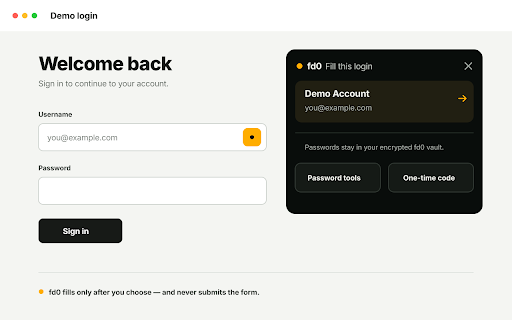
The fd0 browser extension brings the encrypted fd0 vault to Chrome.
- Fill usernames and passwords after choosing a matching login.
- Generate random, memorable, or PIN passwords.
- Save a new login or update an existing login explicitly.
- Add an otpauth:// setup link and fill a fresh one-time password.
- Keep credentials in the local fd0 vault instead of Chrome storage.
The fd0 browser extension never submits a form. Passwords and one-time passwords are requested only after an explicit action and only for the saved HTTPS origin. The extension communicates with the fd0 Desktop app or CLI through a narrow native messaging host on the same device.
fd0 is open source and supports hosted or self-hosted ciphertext-only sync. Install fd0 Desktop or the fd0 CLI before using the extension.
Source and documentation: https://github.com/k2b-dev/fd0.sh/tree/main/browser