
Copy Only Plain Text
Extension Actions
CRX ID
namoiomimemahiihjioipjadnppbnpfl
Description from extension meta
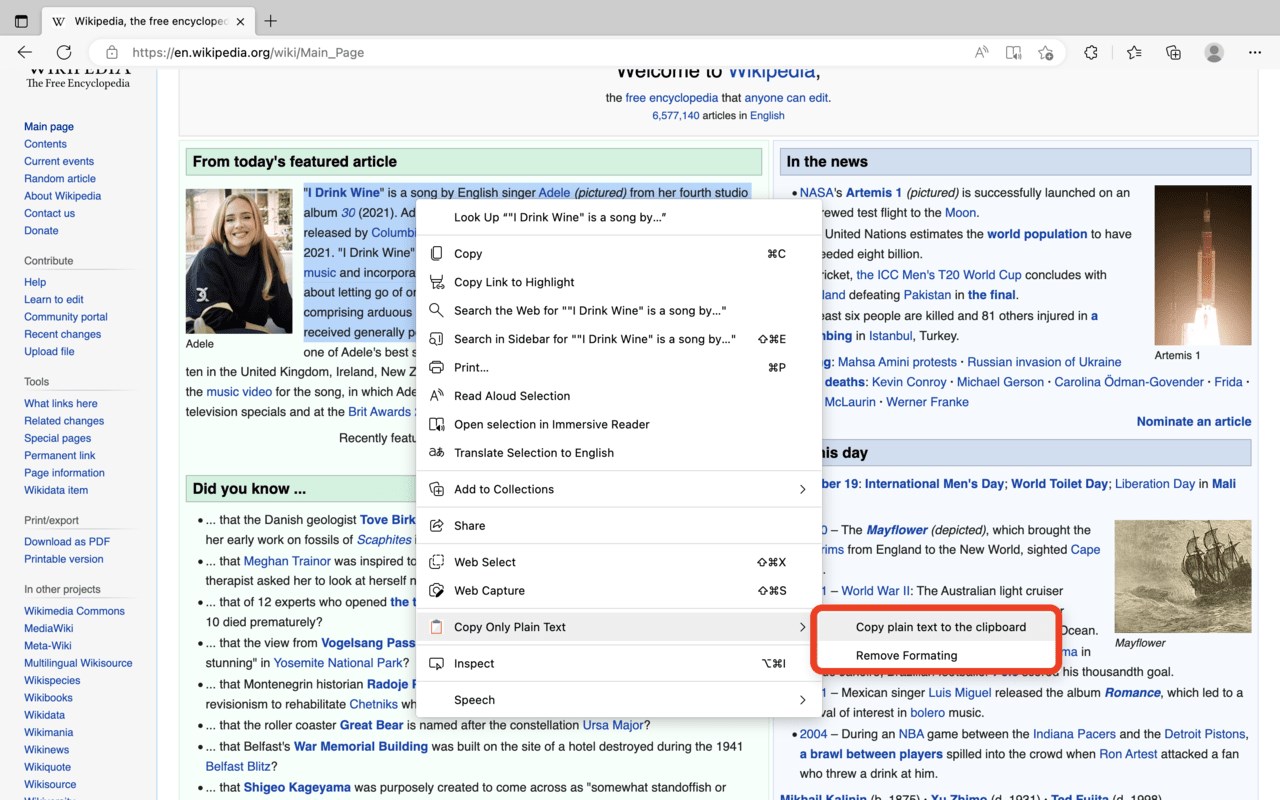
Remove any HTML formatting such as bold, italic, foreground, and background colours before copying or replacing the node.
Image from store
Description from store
This addon adds two new context menu items over selected context to the right-click menu:
1. Remove the HTML styling from the chosen content. 2. Copy the plain text version to the user clipboard.
The plugin works in the same way as Gmail's "Remove formatting" button, bringing this important capability to all WYSIWYG HTML Editors.
You may also copy non-formatted textual data to a WYSIWYG HTML Editor using the copy as plain text option.