


Academy's WYWIWYG Screenshot
Extension Actions
Captures the full content of any webpage and saves it as an editable document with images and preserved links.
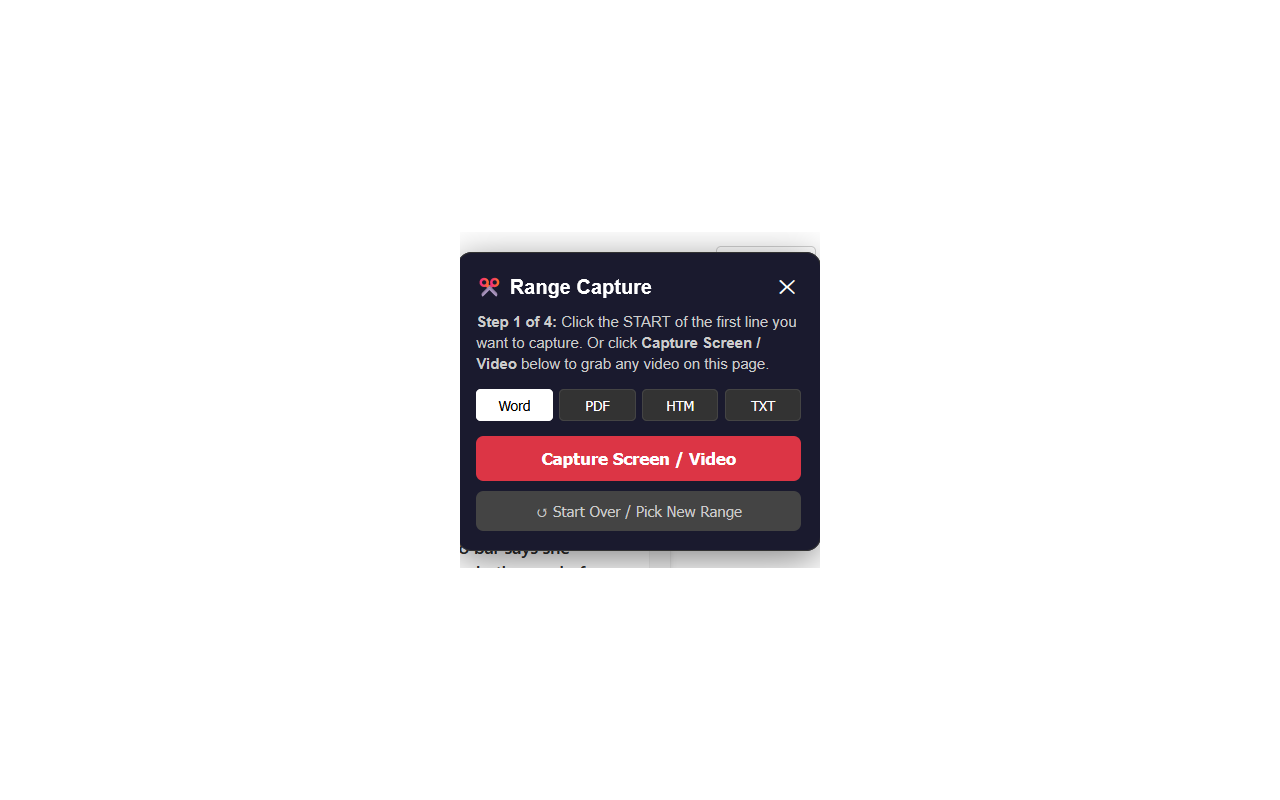
Academy’s WYWIWYG Screenshot is an advanced browser extension designed to transform how users capture, preserve, and convert webpage content into fully editable documents. Unlike traditional screenshot tools that capture only static images, this extension intelligently extracts comprehensive visible content from any webpage—including text, images, video links, and complex structures such as lists and headings—while preserving the original formatting and embedded elements. This functionality allows users to easily edit, share, or convert the captured content into professional-quality print formats like PDF or Word documents.
The core strength of Academy’s WYWIWYG Screenshot lies in its sophisticated two-pass capture strategy. Upon activation, the extension first performs a detailed walk-through of all visible textual content on the page, mapping out text blocks, headings, and other textual elements. Then it performs a second pass specifically for media elements, carefully scrolling through the webpage to fetch dynamically loaded images and videos, including those embedded within shadow DOMs or lazy-loaded elements. This meticulous process guarantees complete and accurate extraction of all content, maintaining synchronization and layout integrity between text and media.
Additionally, the extension features powerful PDF conversion and extraction tools. Users can convert captured web content into editable Word or HTML files while retaining all images and hyperlinks, enabling customization or direct use in reports and presentations. It also supports uploading PDF files for extraction, allowing users to pull out text and links efficiently or convert scanned documents using OCR capabilities provided by integrated libraries like Tesseract.js. This makes the tool highly versatile for academic research, journalism, professional documentation, and archival purposes.
The user interface is designed to be modern and user-friendly, with a clean popup for quick capture options, format selection (DOCX, HTML, PDF), and advanced configurations. A dedicated PDF conversion page supports drag-and-drop file uploads with real-time progress and status updates. The extension handles license validation and trial management internally, providing flexibility between trial and paid versions without interrupting workflow.
Running quietly in the background, Academy’s WYWIWYG Screenshot ensures all permissions and processes—such as licensing checks, storage management, and download facilitation—operate smoothly without compromising browser performance. The extension’s context-aware scripting enables deep content access across any website, regardless of adaptive designs or complex content structures, ensuring reliable capture every time.
In summary, Academy’s WYWIWYG Screenshot empowers users—from students and journalists to researchers and professionals—to convert virtually any webpage into richly formatted, editable documents with full retention of original content and structure. This makes it an indispensable tool for capturing, preserving, and repurposing web content effortlessly.
Key Features:
- Full Webpage Capture: Extracts all visible content including text, images, video links, lists, headings, and embedded links, preserving the webpage’s original layout and formatting.
- Two-Pass Extraction Strategy: Separates text and media processing to ensure accurate capture and synchronization of complex elements, including lazy-loaded and shadow DOM content.
- PDF Conversion and Extraction: Converts captured content to editable Word or HTML files; extracts text and links from uploaded PDFs; supports OCR for scanned documents.
- Editable Output Formats: Saves captures in user-friendly formats (DOCX, HTML) that retain images and links for easy editing and sharing.
- Modern User Interface: Features a clean popup and specialized PDF converter UI with drag-and-drop support, real-time progress feedback, and straightforward configuration options.
- Licensing & Trial Support: Integrated license validation for paid users and seamless, time-limited trial access.
- Cross-Site Compatibility: Works effectively with any website, including those with dynamic content loading, adaptive design, and complex DOM structures.
How It Works:
1. Install the extension from the browser store and access the popup interface via the toolbar.
2. Configure capture options by selecting full-page, visible area, or a custom region, and choose the desired output format (DOCX, HTML, or PDF).
3. Click “Capture” to initiate the two-pass extraction—first extracting text blocks, then scrolling through and capturing all images and videos, including dynamically loaded content.
4. The extension synchronizes and merges extracted text and media, preserving exact positioning, embedded links, and formatting.
5. Review and edit the resulting document before downloading it; alternatively, use the PDF conversion page to upload existing PDFs for conversion or text extraction.
6. License activation and trial management occur automatically, ensuring uninterrupted feature access based on user status.
7. Background processes handle storage of captured content, manage downloads, and maintain document history, offering a seamless and efficient workflow.
Privacy: - No personal data collected. The extension interacts only with the content you select for capture or PDF conversion and uses local storage strictly for configuration and licensing data.