


Lock In
Extension Actions
- Live on Store
Lock in twin, we got this.
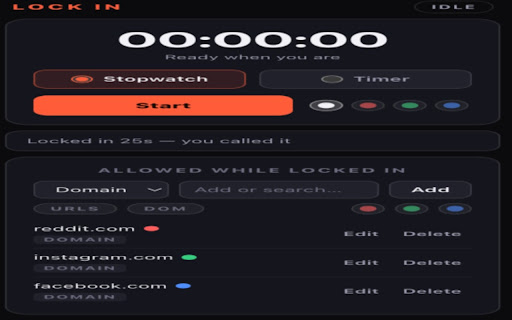
You know exactly how it goes. You open your laptop to do one thing, and 45 minutes later you're 3 YouTube videos, 5 reddit posts, 13 TikTok's deep. You need to focus. You need to Lock In.
Hit "Start" and you're locked in: stopwatch if you're built different, timer if you need a deadline (1 minute to 24 hours, whatever works for you). While a session's running, every site that's not on your "allowlist" gets bodied with in bold text "You're supposed to be LOCKED IN." No scrolling past it. But there's 4 ways out:
✅ "You Right": closes the tab. The correct answer.
🧐 "Allow Webpage" / "Allow Domain": maybe you actually need this one site/domain. It gets added to your allowlist with full access.
🙏 "Just 1 Time": pauses the whole session. You get access, but at what cost?
Control what you can access by adding whole domains or single pages. Add color-tags for custom groupings when starting a session, or keep it untagged for all-inclusive. It's easy to get distracted, let's make it easier to stay on tack.
🫡🫡 Lock in twin. We got this. 🫡🫡