

AltTextLab – AI Alt Text Generator
Extension Actions
Auto-generate accurate, SEO-optimized and accessible alt text for every image. Perfect for SEO, accessibility and content workflows.
AltTextLab AI Alt Text Generator
Automatically generate high-quality, accessible alt text for any image — directly in Microsoft Edge.
Perfect for SEO, accessibility, and content workflows.
What it does
AltTextLab uses AI to create clear, descriptive, and SEO-friendly alt text for any image on the web in just one click.
Whether you manage a website, blog, online store, or social media page, AltTextLab helps you make your images accessible and optimized for search engines.
Key features
- Right-click, generate, done: Simply right-click any image and select “Generate Alt Text.”
- Works on any website: Works on any publicly accessible page you can open in Microsoft Edge, from product pages to design portfolios.
- 130+ languages supported: Generate alt text in any of 130+ languages with no extra configuration needed.
- Auto-copy to clipboard: Generated alt text lands in your clipboard the moment it's ready, with no extra click required.
- Four writing styles: Choose between descriptive, neutral, matter-of-fact, and minimal output to match the tone of your content.
- Visible to Bing, Copilot, and search engines: Accurate alt text improves how Bing indexes your images and how AI-powered answer engines surface your content.
- Improves web accessibility: Accurate alt text makes every image meaningful to visually impaired and low vision users who rely on screen readers.
- Privacy-first and GDPR-aligned: Images are processed and immediately discarded — never stored, never used to train AI models.
- Free forever plan available: Every free account includes 25 credits per month permanently.
How to get started
Install this alt text add-on.
Click the AltTextLab icon in your Edge toolbar — a setup screen appears.
Click "Create Free Account" and sign up at alttextlab.com.
In the AltTextLab app, go to API Keys → click "Create API Key" and copy it.
Back in the add-on, click "Connect Account," paste your API key, and save.
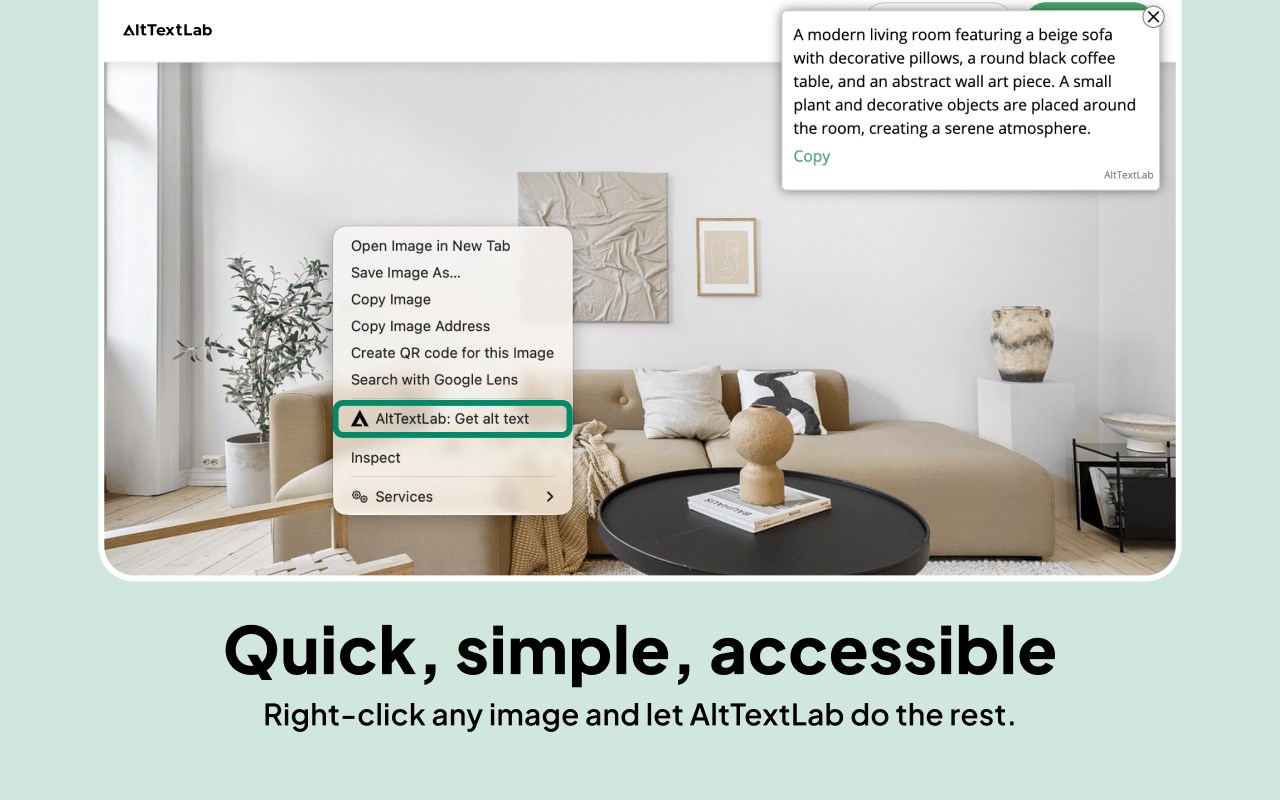
Right-click any image on any page and select "AltTextLab: Get alt text" — and you're done.
Privacy and security
AltTextLab only processes images you choose to analyze and does not track your browsing activity.