
LaunchTile
Extension Actions
CRX ID
jmcdhjepahpchldnembnbejniokgbbln
Description from extension meta
Swiftly open bookmarks and run snippets
Image from store
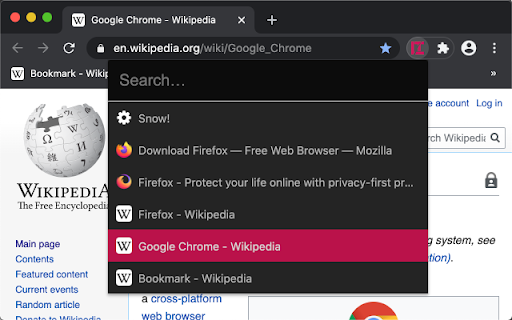
Description from store
* Open the LaunchTile window with Ctrl+Q and start searching
* Results can be navigated using the keyboard (arrow keys + enter)
* Bookmarklets are detected as such and run in the context of the currently open tab
* Additionally, larger JavaScript snippets can be managed on the options page
* Initially, without search query, the most recently created bookmarks are shown
* Dark and light theme, automatically toggled by system preferences
To change the hotkey go to chrome://extensions/shortcuts and look for LaunchTile.
Latest reviews
- Alexander Studte
- Using JS code snippets in the browser with a keyboard short cut is a game changer. Love it! :)
- Alexander Studte
- Using JS code snippets in the browser with a keyboard short cut is a game changer. Love it! :)