
diagrams.net and draw.io Importer
Extension Actions
CRX ID
cnoplimhpndhhhnmoigbanpjeghjpohi
Description from extension meta
Import Lucidchart diagrams to diagrams.net
Image from store
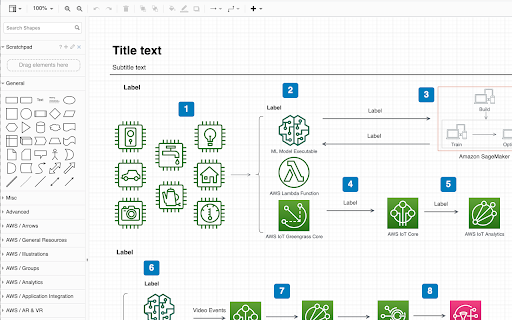
Description from store
Automatic migration to draw.io and diagrams.net for tools that don't expose diagram data.
Log into the Lucidchart in a browser tool and navigate to https://app.diagrams.net/tools/lucid/import.html into another tab.
Once authenicated you can convert all diagrams in your Lucidchart account to draw.io and output the results to one zip file.
Latest reviews
- Andrew Kamm
- Not currently working. It says to "Please install draw.io Chrome extension first" then links to the extension page in the Chrome webstore. FYI: You can copy and paste from Lucidchart right into Draw.io. The colors are off for me, but I suspect it's the same thing the extension is supposed to do anyway.
- david martinez
- i am trying to use this extension but i go in circles. the extension is asking me to `Please install draw.io Chrome extension first.` and send me to the extension page i just installed. i don't know how to solve this issue. could someone help me ?
- Noel Pineiro
- Please update to Manifest V3
- Robert Crane
- The only tool to keep your data from Lucidchart with you.
- Joe Schafer
- Broken, presumably because Lucid uses lucid.app instead of lucidchart.com.
- Marc Plogas
- able to export all lucidchart diagrams, but some of the specific icons aren't matched.
- Barb Leung
- Keeps saying to log in and try again but I'm already in
- Bertrand Cornelusse
- Saved me several hours! Works great.
- Sandy Reynaldo Yanuarda Haulussy
- It doesn't work the table that i import only gave me a blank (no table were input in the draw.io)
- Sandy Reynaldo Yanuarda Haulussy
- It doesn't work the table that i import only gave me a blank (no table were input in the draw.io)
- Xender Cage
- Work for me, otherwise have a trouble with copy, paste and exporting all the diagrams.
- Xender Cage
- Work for me, otherwise have a trouble with copy, paste and exporting all the diagrams.
- Natalia Hornes
- Me ha funcionado muy bien. Un par de diagramas estilo mindmap se han desmontado las flechas, pero no es empezar de 0 al menos. Gracias :)
- Ethan Paul
- As others have noted, this extension has a limitation in the number of Lucid documents it can export at once. Experimentally, I found the limit to be about 1800 Lucid documents (or 6.2MB of JSON data, it's unclear where the limitation is). Any more than that and you get the "Error: Couldn't fetch documents list." problem. The solution to export in batches (that worked for me) was this: 1. Create two Lucid accounts, one with full admin access and one with limited access 2. Have the admin account create a shared team drive with the limited account 3. Use the admin account to move documents into the shared team drive, ensuring that there are less than the list limit (1800) documents in the team drive 4. Use the limited account (which can only see the team drive) to export everything in the team drive using this extension and the instructions here: https://www.diagrams.net/blog/import-lucidchart-edu 5. Remove everything currently in the team drive 6. Repeat steps 3 through 5 until all documents are exported
- Ethan Paul
- As others have noted, this extension has a limitation in the number of Lucid documents it can export at once. Experimentally, I found the limit to be about 1800 Lucid documents (or 6.2MB of JSON data, it's unclear where the limitation is). Any more than that and you get the "Error: Couldn't fetch documents list." problem. The solution to export in batches (that worked for me) was this: 1. Create two Lucid accounts, one with full admin access and one with limited access 2. Have the admin account create a shared team drive with the limited account 3. Use the admin account to move documents into the shared team drive, ensuring that there are less than the list limit (1800) documents in the team drive 4. Use the limited account (which can only see the team drive) to export everything in the team drive using this extension and the instructions here: https://www.diagrams.net/blog/import-lucidchart-edu 5. Remove everything currently in the team drive 6. Repeat steps 3 through 5 until all documents are exported
- IT Admin
- Does not work. "Error: Couldn't fetch documents list."
- IT Admin
- Does not work. "Error: Couldn't fetch documents list."
- Jaime Hidalgo (Jaimehrubiks)
- Very good. Imported over 100 diagrams at once.
- Jaime Hidalgo (Jaimehrubiks)
- Very good. Imported over 100 diagrams at once.
- RUSHIKA SOLANKAR
- no review
- Byron Bruce
- For quick intuitive diagrams of all sorts this is an effective tool.
- Byron Bruce
- For quick intuitive diagrams of all sorts this is an effective tool.