PCO MusicStand MIDI control
Extension Actions
- Live on Store
Control PCO MusicStand (web version) using MIDI commands
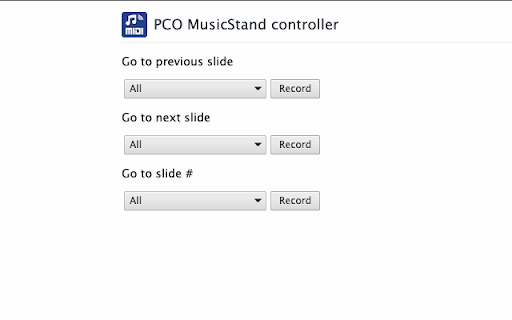
This extension allows you to control Planning Center Online's Music Stand (the web version) using MIDI messages. Use a NanoKontrol to change slides, or automate Music Stand using Ableton Live
Currently 3 types of MIDI messages are supported:
🎵 NOTE ON: you can assign a specific note to go to the previous or next slide
🎛 CONTROL CHANGE: you can assign a specific control change (CC) number to go to the previous or next slide. You also navigate to a specific slide, in that case the control change value (CC value) determines the slide number: value=0 will navigate to slide #1, value=1 for slide #2 etc.
⏭ PROGRAM CHANGE: allows you to navigate to a specific slide, the program number determines the slide number: program 0 will navigate to slide #1, program 1 for slide #2 etc.
🐛I want to keep this extension free of bugs, so please submit any QUESTION or BUG on Github (https://github.com/martijnversluis/pco-musicstand-midi-control-chrome-extension/issues).
Latest reviews
- Luke Lissenberg
- Where has this tool been all my life?! It does exactly what it says, enables midi control of the web version of PCO music stand. It has the options you would expect; previous page, next page, but it also has a 'go to slide #' which the iPad app doesn't have (useful for using Ableton to program page turns). I never need to fiddle with it, the midi inputs stay assigned and it always automatically enables when a music stand tab is opened. The only small issue I ever had with it was if I was signed into the same Google account on two different computers and was running this app on both, if you changed the midi port on computer A, it would 'cloud sync' and change the midi port on computer B. This was confusing for a minute as I wanted to use different midi ports on each, but I realized this is easily solved by 'naming' the ports the same thing and both computers would stay assigned to the proper port. I'm guessing you could also use a separate Google account and then the port changes won't sync. As someone who is often MDing, playing keys, and running click/tracks at the same time, this tool makes my life easier. Thank you for making this.