
Screenshot Tool and Editor
Extension Actions
- Extension status: Featured
- Live on Store
Screenshot tool for making a full page or partial screen capture with further edit, download or text adding.
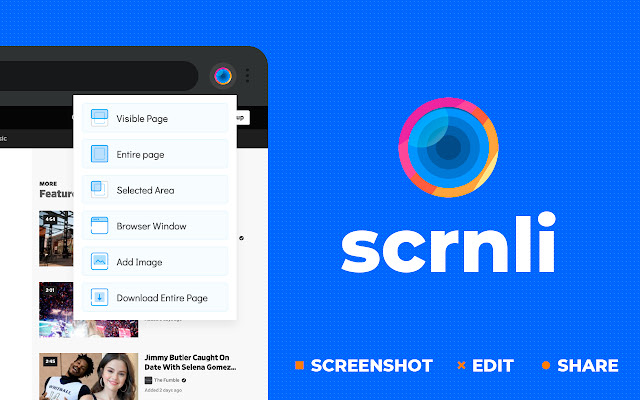
The advanced app to make a full webpage screenshot or just any part of it with an opportunity to edit, save and download screen capture to your PC. The app is launched from a browser that totally saves your time. Simply click the extension icon to choose from options whole page screenshot or a selected part. Lots of features at your disposal allow to
- edit and reset changes;
- make one step back/forward;
- add text and graphic elements like pointer, arrow, circle and other.
Useful and friendly design of Scrn.li was made with a goal to reach required screens fastly so you can share them with colleagues or friends during the work. To avoid long descriptions in chatting just take a screenshot and send it to the address.
You can make a screenshot of any website absolutely for free using our app.
Latest reviews
- Z
- This is by far one of the best, simple. elegant, hyper-efficient app which delivers delivers without fail! Love it and thank you so much for this fine creation and sharing it!
- AKMathics Classes
- very nice app.
- Raymond Jepsen
- Disappear from computer
- Patrick De Haan
- won't load when I click the screenshot icon!
- Savvas Malakontas
- Excellent, easy to use
- Hiradas Lilhare
- GOOD
- Prashant Gaur
- nice
- P L
- THIS IS THE GREAT RECORDER IN THE WORLD SECOND TO NONE
- Sara Lugos
- doesn´t works
- Fearless Eric
- super
- Aisha Mae Garingo
- nice extension
- Guwahati CE&ST Audit Commissionerate Hqs
- Very useful and easy to use
- BISCARO, DAVE T.
- truly helpful and easy to use
- Dr. Kesavamoorthy
- Very Useful
- Giorgi Tsiskarishvili
- supper
- Samita Singla
- Its really great. Highle recommended
- Mahmoud Hassan
- awesome highly Recommended
- MCW Digital
- Great
- Gilbert Temgoua
- This tool isn't perfect but it is worth it! Plus, compared to similar tools, if offers a lot for free.
- Saeeda Rishi
- this tool is super effective and quite i can record anything and no one knows its totally free and awesome. and there are no ads popups
- Abde Llaali Akhiat
- great tool soo smooth and helpfull
- MD FIROJ KABIR
- good
- Aditya Jha
- Awesome
- Mr Hall
- no explanation on how it works. very unclear. many tools arent available. wack
- BLESSING OMBUGADU SABO
- It's beautiful, clear and easy. But my video came out without sound. I don't know if it's from me
- Maruti Magadum
- Good option to record gmeet calls
- Rhea Kotia
- good extension if you dont have screen recording access in-built. but you lose your data if not immediately downloaded
- Stewart Gmail
- Needs tool tips for icons
- Voice Mail
- ahh this was great for uploading my duolingo chess on youtube defintly 5 star
- Eric Garcia
- GREATEST APP EVER TAKE YOUR BEST SHOT
- Khushi Tripathi
- audio not capturing
- NXT SYNC
- Very Useful Extension
- Maria rizwan Maria
- it is very helpful for me
- Edwin Francis
- it's very helpful in all manner of recording and saving
- visvha Murali
- as of now its working fine
- Heba Khalil
- i have just tried it now . i hope it's working in my onine classes tomorrow
- Shantee Darden
- The only screen recorder that didn't ruin my audio. Thank you so much you have saved my career.
- Jenn _ 김유정 (Jenn)
- easy to record a video and download. very convenient
- Darshan N
- Easy to Record a Video and Download
- KatCit Doe
- great
- SAEED.S TAHA
- very good, but if there is an option to start and stop using keyboard shortcuts, and to save the file in MP4, it will be perfect
- Людмила Серова
- Very good and useful app, I'd recommend it to many people!
- Adolfo Diaz
- Great extension, totally recommend it.
- jamal AMCH
- VERRY GOOD TOOL
- Ayush pathak
- nice
- luke sutton
- too amazing
- Reham Mousa
- very good
- Prime
- they are good but they can add so kind of cloud storage
- Aniket Chaurya
- Working Great, Easy and very helphul, satisfy aim of Recording. Feedback for devloper :- Please add automatic timer option to for stop recording along with manual.
- Henry
- I cant find a way to add audio