Convert Column to Comma Separated List (CSV)
Extension Actions
Easily convert columns of data to comma separated lists of data (CSV) instantly
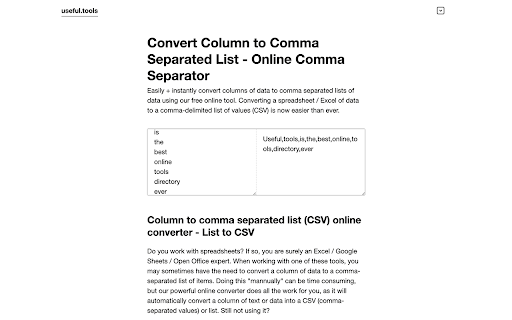
Easily + instantly convert columns of data to comma separated lists of data using our free online tool. Converting a Spreadsheet / Excel of data to a comma-delimited list of values (CSV) is now easier than ever with our converter.
Download our Google Chrome extension and start converting columns to comma separated list of items.
HOW TO CONVERT A COLUMN OF DATA TO A COMMA SEPARATED LIST WITH OUR ONLINE TOOL
Use our comma separator tool to convert column lists to comma-separated value (CSV) lists with ease (and free):
0: Open our tool
1: Copy the column of text in Excel / Google Sheets you want to convert
2: Paste it in the left text box above and instantly get the comma separated list of items in the right text box
3: Copy the comma separated list and feel free to use it online, or offline
Thanks so much for using our Convert Column to Comma Chrome extension!