
Qiqi Genshin Impact Wallpaper
Extension Delisted
This extension is no longer available in the official store. Delisted on 2025-09-16.
Extension Actions
- Minor Policy Violation
- Removed Long Ago
Qiqi wallpaper change new tab to custom HD Qiqi Genshin Impact background Free. Cute Qiqi wallpaper theme for Genshin Impact fans.
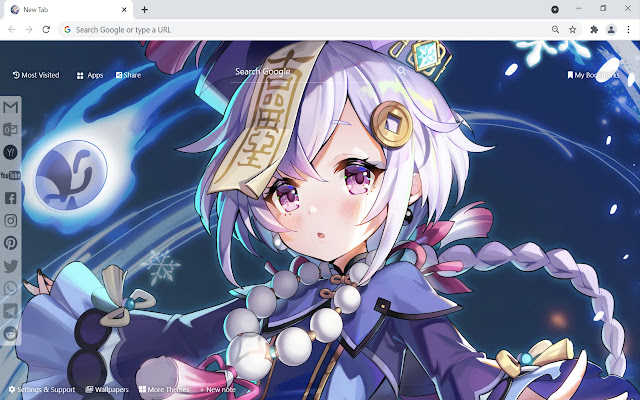
This extension features some of the cute Qiqi Genshin Impact background to make you feel good on your Chrome browser for FREE. The extension shuffle Qiqi Genshin Impact wallpaper every time you open a new tab.
Turn your Chrome new tab into beautiful and powerful utility browser with Qiqi Genshin Impact Wallpaper extension. Qiqi background theme for chromebook, laptop, desktop or pc.
Extension Features:
1. Shuffle Qiqi Genshin Impact wallpaper every time you open a new tab.
2. Randomize Qiqi Genshin Impact background theme in settings option.
3. Get easy access to popular sites with custom web search.
4. Quick access to your emails and social media accounts.
5. Show current date and time automatically.
6. Sticky notes give you the Qiqi feels in completing real-life tasks.
7. Get easy access to your most frequently visited websites.
8. Get easy access to your bookmarks websites.
9. Quick access to Google apps.
10. Quick access to More Themes.
11. Enable fun snow, rain, falling leaves, fireworks animation in new tab.
If you have any questions about our Qiqi Genshin Impact wallpaper new tab extension or just want to give us some feedback, feel free to send us a message or write a review! We'd love to hear from you. You can mouse over to Support tab on the extension, then click on "visit the developer's support site" to contact us.
If you wish to remove this new tab extension, follow this steps:
1. Click the 3-dot icon at the top-right corner of your screen.
2. Hover your mouse on More tools then click Extensions.
3. Find the Qiqi Genshin Impact wallpaper extension.
4. Press "Remove"
- OR -
Right-click the extension icon on the extension bar (next to the URL bar) and select Remove from Chrome.
If you like our Qiqi Genshin Impact wallpaper extension, check out other CoolThemeStores extensions that are also available on the CWS!
Latest reviews
- lina ang
- So pretty <3 Love it very much. Thank you for creating this incredible work.
- fiona yeo
- This extension is so great! Really love it. Thanks for creating this.
- sophia ho
- It`s perfect. worthy of 21st century, I love genshin impact so I absolutely love this extension. And thank you for adding good wallpaper as well, I love you guys ^^
- Pease Burris
- So cool. Nice work.
- wirght wilhelmina
- Love it.