
Scroll to Top
Extension Actions
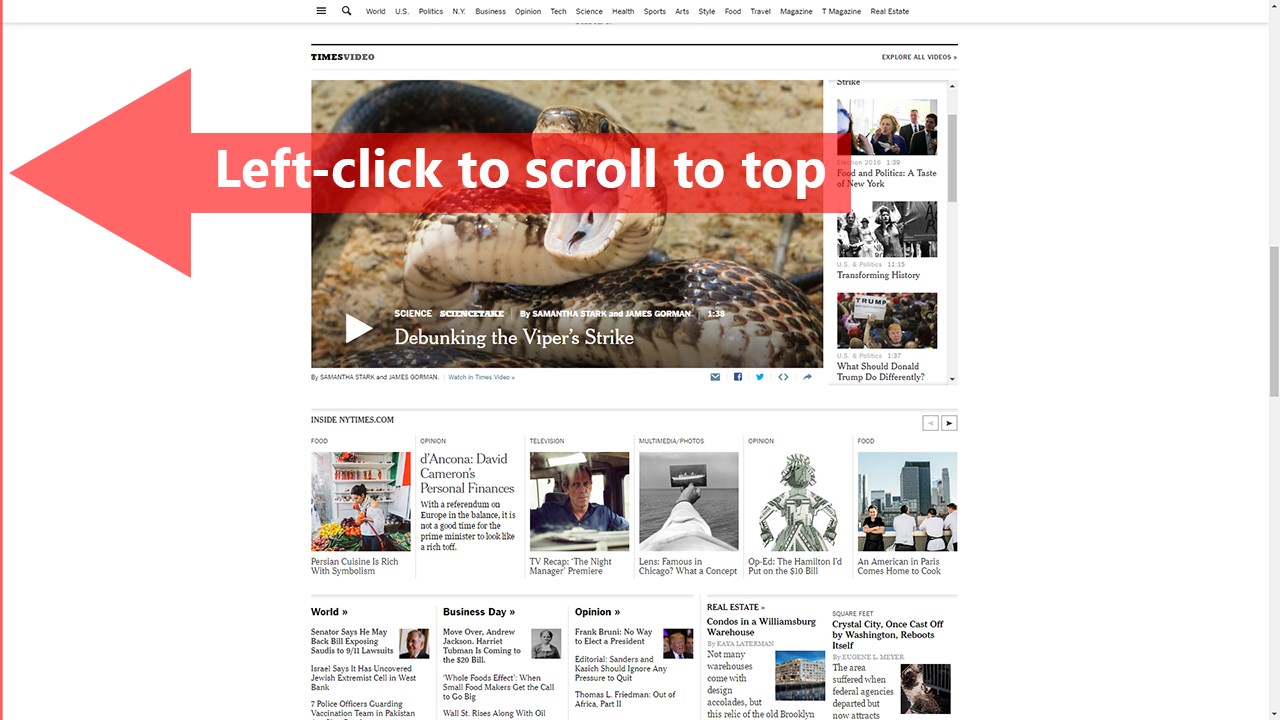
Scroll to the top or bottom of any page with a click on the left border of the screen, and then return to your previous position.
Watch demo video: https://www.youtube.com/watch?v=1_NN_T73K0o
Scroll to Top adds button to the left of your browser window that lets you:
★ Scroll to top by left-clicking on it.
★ Scroll to bottom by right-clicking on it.
★ Return to the previous position/remember your current position by middle clicking on it.
There're also customizable keyboard shortcuts for all these actions. To customize them go to edge://extensions/shortcuts.
----------------------------------------------------------------
Permissions:
Read and change all your data on the websites you visit
Allows the extension to append the scroll button and do scrolling on pages (when the button is clicked).
----------------------------------------------------------------
🧩 Follow my Facebook page (more extensions): https://www.facebook.com/browservery
Latest reviews
- Madhu
- Nice extension but it Hijacks the "Home" and "End" buttons on the keyboard. This does not allow me to scroll on text, end of line, begining of line etc. And there is no way to disable it. I had spend an hour figuring out why these buttons were no longer working for text scroll. Bad design.
- ₣ลุβ¡∂
- Works great on Google Chrome. Doesn' work on Microsoft Edge
- Алексей
- Отлично! Почти то, что нужно.
- костя
- OK