
Apps4.Pro PlannerManager
Extension Actions
CRX ID
dikkemgbicnfdghhdpaahkdkgbddphmn
Description from extension meta
Helps you to Export / Import tasks to Excel from Microsoft Planner
Image from store
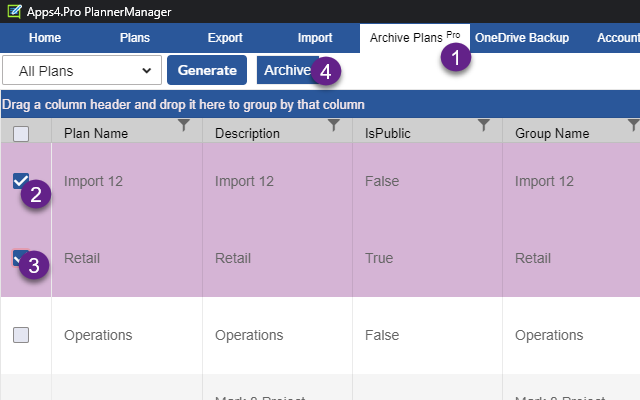
Description from store
Helps you to Export / Import tasks to Excel from Microsoft Planner
Apps4.Pro Planner Manager helps you to Export / Import tasks to Excel from Microsoft Planner.
Export / Import tasks from Excel helps you to
- Use Excel as Plan / Task template to create new plans from scratch
- As a backup for Plans and Tasks
- Bulk edit the tasks in Excel and import back in Planner
- For reporting purposes
User Guide: https://cdn.jijitechnologies.com/docs/apps4pro-planner-manager-edge-extension-user-manual.pdf
In order to use the app users must have an active Apps4.Pro account.
Latest reviews
- Jesse
- Used to work like a dream, but has been broken for some time. I understand that it's hard to keep up with Microsoft and their changes, but it's been years since an update and as a paying customer I'm very disappointed in the attempts in fixing this piece of software.
- Joel
- Current version is not working but if you reach out to their support team they can provide you with an unpacked version of the app that is working.
- Morgan,
- app no longer works with updated planner versions and is impossible to get back into.
- Scott
- Product appears to work. Used the trial which is limited to half your tasks for export. Tried to buy it and there is no place for me to enter a credit card and customer service chat either wasnt being monitored or they just ignored me. I tried multiple times. Regardless of their product working or not, I wont be buying anything from them... if its this hard to buy it, imagine how hard it will be to get support.
- Doreen
- I've used Planner Manager for 4 years. It is a huge help with organizing and updated my Planner tasks.
- Johnson,
- I've used Planner Manager for about 3 years and very satisfied. From what I've experienced, the developers have done an outstanding job seamlessly integrating throughout M365 Office environment and Power BI. Most importantly, it opens up a ton of functionality when working with Microsoft Planner. The UI is table-based which enables easy migration/upload of existing excel-based project plans and make bulk updates & edits. I would recommend to anyone looking for a solution that can manage tasks, processes, and projects seamlessly and effectively without a big learning curve. A lot of "bang for the buck" with this one.
- Diego
- traz campos como descrição e comentário em branco