
Salesforce Colored Favicons
Extension Actions
Updates the standard favicon on Salesforce tabs with colored versions to help differentiate between different organizations.
Updates the standard favicon on Salesforce tabs with colored versions to help differentiate between different organizations. Supports both Classic and Lightning Experiences and includes separate icons for production, sandbox, and scratch orgs.
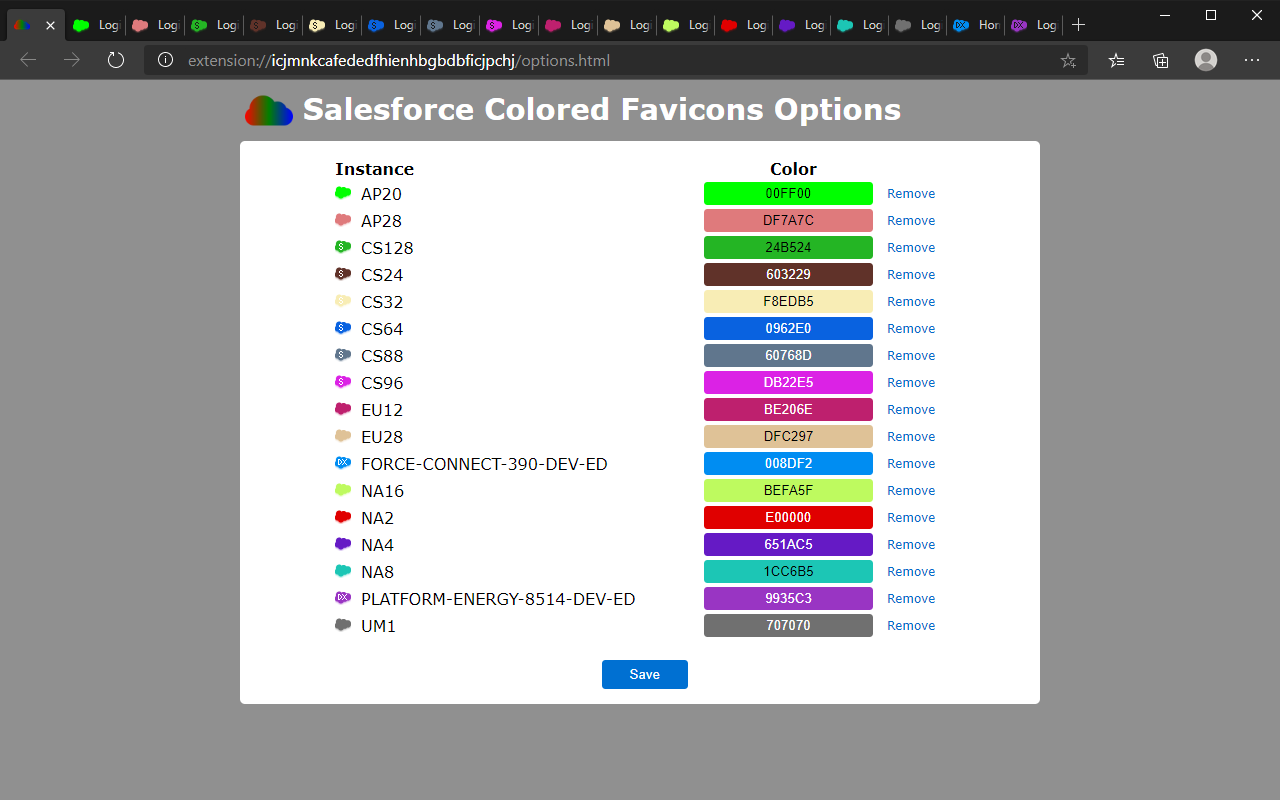
To use the extension, simply navigate to a Salesforce org and the extension will automatically select a random color for it then update the favicon with that color. Now every time you visit that org, the colored favicon will be displayed instead of the default Salesforce favicon. At this point you can also visit the options page to change the color for any org you've visited.
Latest reviews
- Dave
- Very simple, but does what it is supposed to. I'm not sure why it has some lower reviews. Maybe they couldn't find where to set the favicon colours, which requires digging into the "extension options".
- Yakov
- Works good. However, with Winter'25 Salesforce has updated setup domains, so doesn't work in Setup anymore
- Figueiredo,
- Can you update to the new "salesforce-setup.com" setup URL?
- Rodney
- Love it, but need to add the new salesforce-setup.com domain. Unreliable till then. Note: They have updated this in the chrome store so you can download from there.
- Michiel
- Very helpful add-on! On my sandbox I noticed a change in domain/URL by Salesforce. This is now: https://<Name>.sandbox.my.salesforce-setup.com/ The result is when I I'm in a sandbox in one of the Setup screens, Facicons doesn't work (which is excatly the reason for it's existence) It would be great if this could be added to the Site Access part of the "Installed extensions / Salesforce Colored Favicons". The current list I see there is: https://*.crmforce.mil/* https://*.force.com/* https://*.salesforce.com/* https://*.salesforce.mil/* https://*.sandbox.my.salesforce-sites.com/* https://*.visualforce.com/* So if this one could be added, much appreciated: https://*.sandbox.my.salesforce-setup.com/*
- Kimberlee
- Please update for the change to https://<domain>.my.salesforce-setup.com/.
- Chang,
- Worked really well but needs to be updated for the newer https://<domain>.my.salesforce-setup.com/
- Rodney
- Love it, but need to add the new salesforce-setup.com domain. Unreliable till then.
- Bill
- It's not a scam, people, it's just a bit clunky. Install the extension, then log into different instances. Your options page will then be populated with each instance and you can edit the colors once they're autopopulated. Actually works great and is a fantastic way to keep your environments differentiated.
- Jeremy
- This little extension does one thing I need it to and it works. Entries will not show on the options page until you visit an org. Each time you visit an org with a different domain it will choose a color and build a list.
- Devine-Tieszen,
- No page even opened! it's a scam
- Cobbin,
- The options page doesn't show anything
- Garrett
- I figure color is good in Colorado, So it's like, "Go with the flow."