
CRX id
ffbgmhbhbbabendiahiemfkiakgpmpdb
ffbgmhbhbbabendiahiemfkiakgpmpdb
Description from extension meta
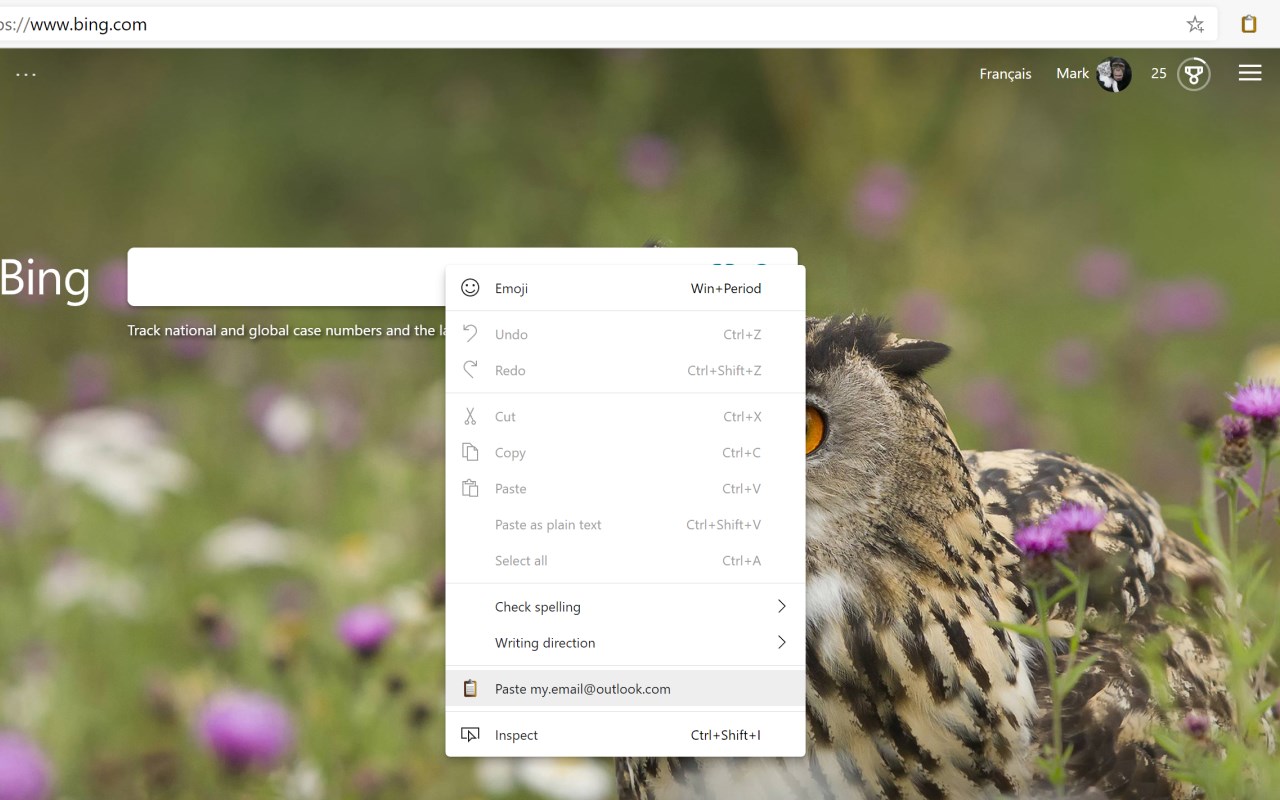
Paste text from a toolbar button, context menu or keyboard shortcut
Image from store
Description from store
Paste text from a toolbar button, context menu or keyboard shortcut.
Often typing your email address on websites? Let Paste It do it for you, or any other text that you use frequently.
Right-click the icon and select Options to set your text and toggle any of three handy ways to paste:
- Click the 'Paste It' toolbar button.
- Use a keyboard shortcut (Alt+V by default, fully configurable)
- Right-click to paste from the context menu.
You can also set alternate paste text for up to 5 different shortcuts.
Latest reviews
- (2021-08-26) Roughgarden,: Only saves 3 items.
- (2021-07-26) Nanang: This is what I want :) Thank you. One-click paste.
- (2021-05-30) Rod: Underwhelming. I am seeking an extension similar to Paste Email by Chuck Baker where the user can choose from a list of items to paste depending upon the need.
Statistics
Installs
5,684
history
Category
Rating
3.4 (5 votes)
Last update / version
2023-08-22 / 6.0.1
Listing languages