
SingleClick Cleaner
Extension Actions
Clean up the trash in one single click
One-click cleaner for Edge: empty cache, clear history, remove cookies and other saved data in one single click.
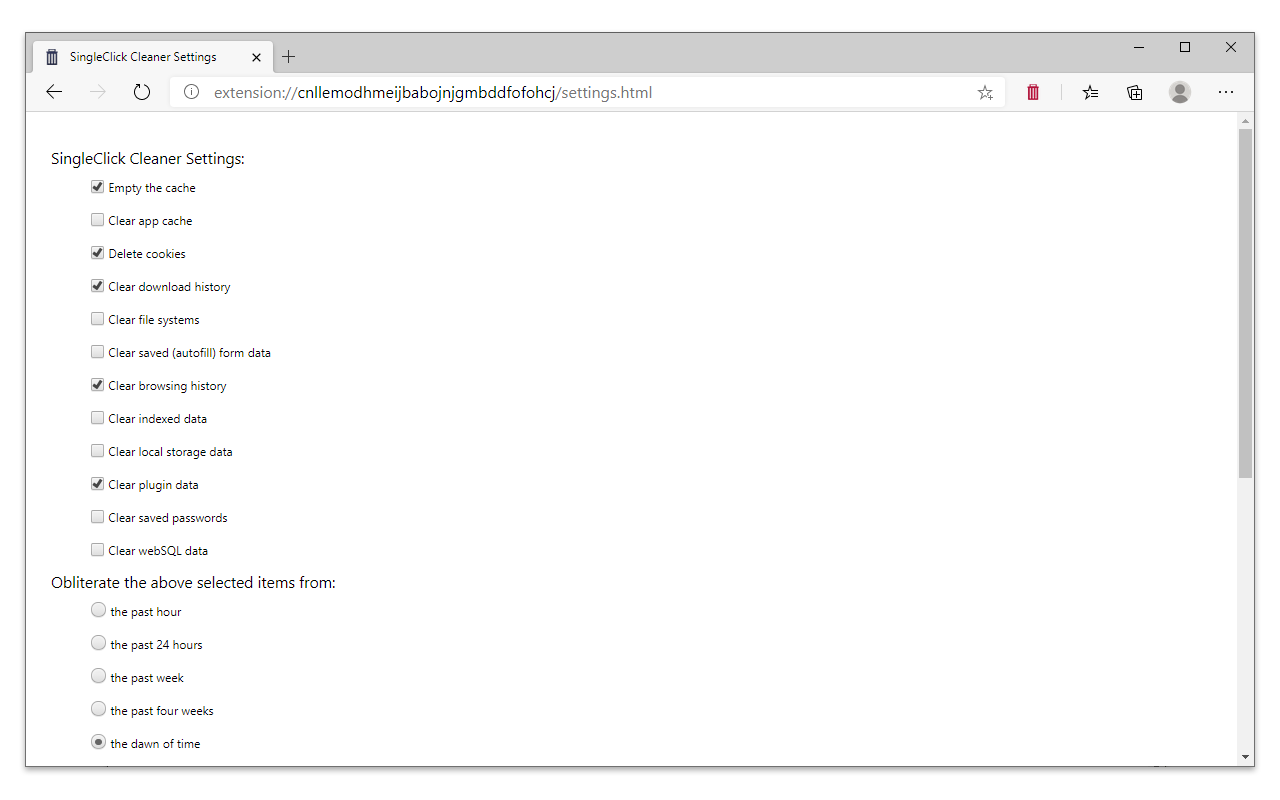
Select what to be cleaned on the Options page (right-click on the icon and select "Extension options"):
* Clear Cache
* App cache
* Remove cookies
* Delete download history
* Clear file systems
* Delete saved (autofill) form data
* Clear the history
* Remove indexed data
* Clear local storage data
* Delete saved passwords
* Clear webSQL databases
Features:
* Single-click operation (set cleaner options and then just click the cleaner icon, no confirmation screens etc.)
* You choose what to clean when clicked (see the "Options" page)
* Clear history, cache and browsing data for specified time period
* Add/remove shortcut to the context menu
* Change the toolbar icon
Note:
* If you delete the cookies, you'll be signed out from most current sites (don't select "clear cookies" if you don't want to log-in again every time you use the cleaner)