
Tab Manager by Workona
Extension Actions
- Extension status: Featured
The world’s best tab manager
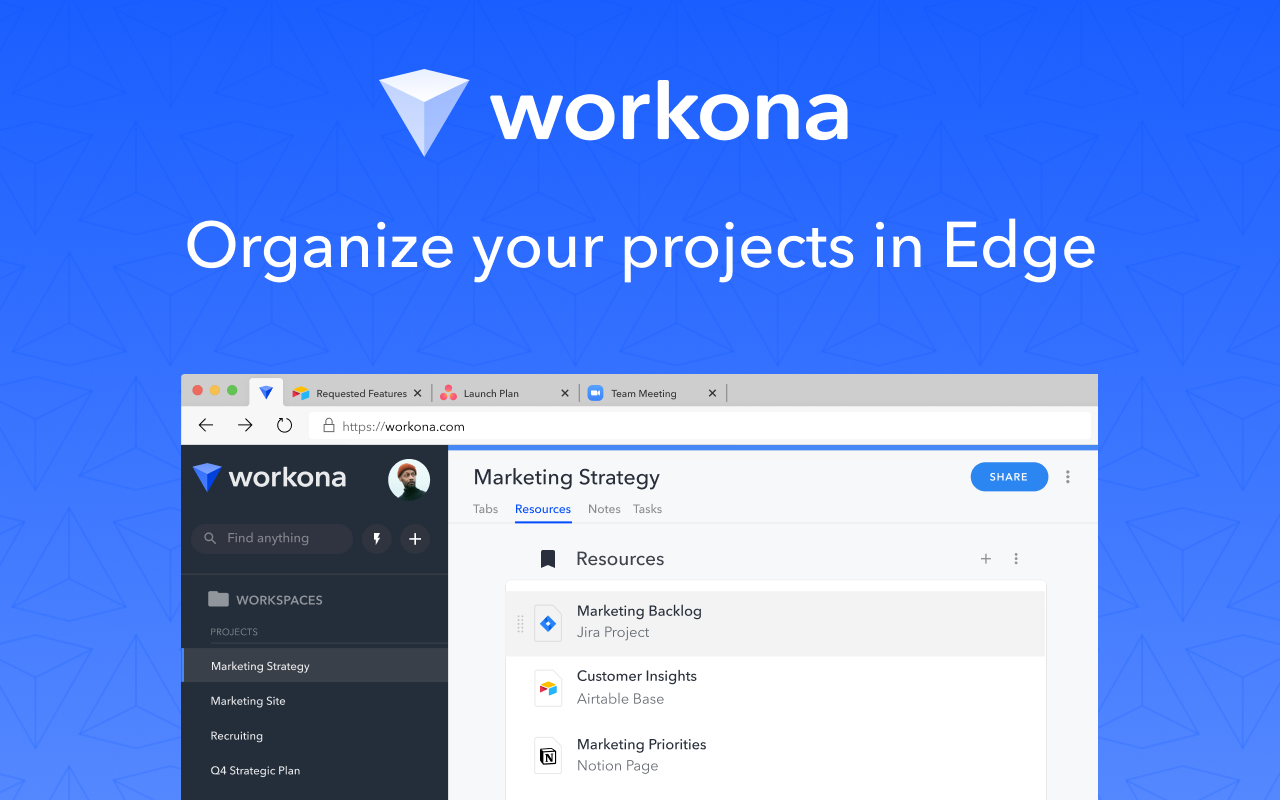
The Workona Spaces & Tab Manager helps you get your work under control and finally feel organized. Use it to manage tabs, organize projects, and bring together all of your work in the browser. As the world’s best tab manager, Workona lets you switch context instantly so you can focus on your actual work.
Sign up free: https://workona.com/tab-manager/
Does your team work in apps like Google Drive, Slack, Asana, & Notion? Learn why Workona is #1 Market Leader in Unified Workspaces on G2.
Schedule a demo today: https://workona.com/contact-sales/
______________________________________________
Workona has become one of my favorite tools. It's changed the way I work.
– Wade Foster, CEO of Zapier
______________________________________________
FEATURES
Spaces:
Spaces organize your work by project, so it’s easy to stay focused. Within a space, you can keep your current work open as tabs, or save everything for a project as resources.
Tab manager:
Keep your tabs under control with a tab manager that’s built for working in the cloud. Suspend tabs, rearrange tabs with drag and drop, and rest easy knowing that every tab is automatically saved.
Secure backups:
You never have to worry about losing work, because Workona auto-saves all of your tabs. In case of a browser crash or other emergency, you can easily restore your tabs to get you back on track.
Suspend tabs:
Dramatically reduce memory usage and keep your computer running faster. Our tab suspension helps you open spaces and switch between them almost instantly.
Bookmark tabs:
Bookmark tabs in spaces by adding them as resources. You can also choose to save an entire window as a space.
Tab groups:
Spaces let you group tabs to make context switching easier. To streamline recurring processes, you can open all tabs or close all tabs in a resource section with just one click.
Search tabs:
Our powerful search helps you find your tabs and docs faster. Search all open tabs—or previously open tabs—at a moment’s notice. Plus, filter your search by cloud app to narrow down the results.
Sync tabs:
Sync your tabs between computers to keep your work organized, no matter how many devices you use or where they are.
PRIVACY & SECURITY
We believe that great software shouldn't come at a cost to privacy. We securely store your spaces in the cloud so you can keep your work backed up and accessible from anywhere you need it. Your data belongs to you and we store it for the sole purpose of providing value to you.
Workona is SOC 2 Type II compliant, has annual 3rd-party penetration tests performed, and uses enterprise-grade 256-bit AES encryption and Transport Layer Security (HTTPS) to prevent unauthorized access to your Workona data.
If you ever have questions about Workona’s security practices or your data, or if you're interested in us completing a security questionnaire for internal approval, reach out to us at [email protected].
SUPPORT
Feel free to contact support at [email protected] and we'll reply as soon as possible.
MORE INFORMATION
By installing the Workona Tab Manager extension, you agree to Workona’s Terms of Service (workona.com/policies/terms) and Privacy Policy (workona.com/policies/privacy).
Latest reviews
- ada
- 最近群组都会无缘无故消失
- Q
- 反人类的设计,打开它,你只会想这有什么用,我想干什么.....
- Philippe
- Great if you like loosing tabs and having this stupid inserting itself everywhere
- Agustín
- It has really been a lifesaver for project and study organization
- Ashish
- Firefox Tab Groups saves. Edge Tab Groups DOES NOT SAVE
- Dillon
- Awesome for keeping my tabs together even just with the free plan!!!
- Jeremiah
- So glad I found this extension. This is freedom from managing multiple browser windows filled with tabs. I love how I can close the browser and resume exactly where I left off when I'm ready. Keep up the great work!!
- Kamran
- Brilliant app, saves time and CPU resources by managing the tabs in one place.
- Dafiel
- good for making tab simpler, works better than edge default workspace
- Dani
- Divides out my work for the day, and also gives me the option to keep sets of tabs to revisit in the future. Also has a nice integration with Google Drive for keeping handy files close to browser tabs without cluttering up bookmarks.
- Kelly
- 5 stars
- Marc
- Excellent for managing my hundreds of tabs. My only complaint is that it eats quite a lot of ram. Wish there was some kind of way of closing tabs that are not in use at all. Other than that, it is a wonderful tool!
- Saad
- Great extension, you can save multiple tabs in different workspaces
- Henrique
- Even though I signed up with my Google account and kept the browser open for hours, dozens of tabs were not uploaded to the cloud (this is what I'm guessing was the issue) and were lost thanks to this extension!
- Ezra
- really good interface and it's good for managing several tabs, especially if you're a student.
- Martin
- Main functionality: adds workspaces to your browser - a bit like desktop workspaces, where groups of tabs live in each workspace. Unfortunately, this is not how I tend to browse - there tend to be many transient tabs that and only a few long-lasting tabs - does not fit the workspace methodology I believe. The free version will likely quickly run out of workspaces (only 5 allowed), and the paid versions are $84/year for the cheapest - that is too much for very simple functionality. Also, I am not pleased that auto-suspended tabs are greyed out rather than being removed from the browser bar.
- Omer
- Easy and convenient tab manager that actually work
- GOH
- All this while it has been great and I love it! But lately it keeps lagging and slowing down my browser; truly hope this can be fixed asap thank you.
- Ngan
- Amazing! This is what I am looking for. Thanks a lot!
- Kahra
- It works.
- Lan
- 5c5810fd.weaksharedptr.com亲测好用,注册送永久流量的,专线支持GPT,节点多,又快又稳 ,晚高峰看8K视频完全不卡!(手机电脑全平台互通)
- Iago
- Really good for saving and separating my tabs according to themes or different projects that I'm working on, the only suggestion would be to, when I open another workspace, instead of having "x hidden tabs", there's an option to close them, and therefore, save ram memory and not appear when I'm scrolling through my open apps with alt + tab
- Pierre
- On other computers, it works fine but on a Vivobook running Win 11 in S mode, not only doesn't it work but Edge crashes and then Win 11 gets irresponsive. Was it previously tested under S mode?
- João
- Too complicated and impratical to use. I just wanted to save some tabs and this extension opened a new window with all my tabs and kept minimizing itself, making it impossible to acess my previous tabs. At one point, the edge window just closed with all my tabs and I had to restore all tabs manually. If you want to make a better tool, make it simple!
- Muhammad
- it has transformed my study schedules and productivity ever since I installed it. Thank you devs for such an amazing extension/application. Hope you keep doing this.
- Parul
- Perfection. Thank you, Thomas Frank, for introducing this to me.
- Ajay
- All is good except when I use two PC with auto-sync on the tabs are synchronize incorrectly
- Ron
- I primarily use Workona on my Macs with the Edge browser. I've been using Workona in that combination the past few months. It was working well enough to where I wanted to also use it on my Windows gaming machine, too, and got it all set up this past weekend, only to discover that Youtube will not play videos with audio. I went back to Firefox and visited a Youtube video - the the video rendered without issue and audio was fine. At first I thought it was Edge, but wanted to be sure. I was only running one browser extention - Workona - and I removed it then visited that same video. With the extension removed, the video's audio rendered without issue. It appears your product has issues with the Windows version of MS Edge (I'm running MS Windows 10 Pro). The Edge version is: Version 104.0.1293.54 (Official build) (64-bit). The current Workona Tab Manager version is v2.22.1. Please fix this issue. Until then, I'll have to use another tab manager extension for all OSs.
- Stan
- I just wanted a session/tab manager. I am forced to create an account, verify email and log in, provide an organization, and navigate through all this stuff I don't need in order to get to a semi decent tab manager. Just download Session Buddy from the Chrome web store if you just want a 1-click for all you tabs and windows, no log in required session/tab manager that lists all you tabs, and lets you close which ones you want to close. I'm sure Workona fits some people's needs, but for people who want a tab manager without all the extra hassles, it cant compare to Session Buddy.
- Daniel
- It's one of the best extensions available. It gets the job done beautifully and helps you separate your work, personal and any other profile that you might need in your browser experience
- SULTAN
- its a great extension. whenever I install any browser (in a new account or user) the first extension I add to the browser is this workona. it really solved a massive problem from my life.
- Alan
- I just want to organize my tabs. I don't understand why I need to report my occupation. I don't have one.
- YT
- Works very well even among multiple computers
- Dennis
- I love this application. It has helped me get my browsing experience under control! Thank you for such a great extension. I am highly considering upgrading to Pro and I am recommending this product to my employee!
- Emzy
- Super love this! but not until I have to subscribe in premium plan to access some of its features. Hoping they would offer discounts to students.
- omar
- Amazing add on
- Jonatan
- The extension is slow, it seems that all the actions go to the cloud with the latency that it takes
- Minh
- Amazing! This one has increase my work flow and productivity in recent months
- Omar
- BEST EXTENSION AND SUPPORT FROM THE TEAM THAT MAKES IT. I've never written a review for an extension before, but this guys deserve the entire world. I've been using Workona for a while, I recently changed my device and I came across a weird bug. I contacted the support team and we narrowed down the issue over several emails and we fixed it! BEST EXTENSION EVER. ALEX IF YOU ARE READING THIS YOU ARE A SAVIOR. THANK YOU!!!!!!!!!!!!!!!!
- Matt
- This is the best tab manager, not even close. However there are a few features I wish it had. 1) A setting to automatically sync tabs across browsers that have the same workspace open. Perhaps specific to individual workspaces. 2) Support for tab groups in Edge. 3) Syncing for notes and resources.
- Jeff
- Powerful functions. Easy to use. But has serious display mistake with font size. It causes buttons unreadable and clickable. --- Previous issue is caused by user network. If everything is loaded completely, then there will be no problem. So it might be necessary to update some strategy for the offline occasion.
- [email protected]
- So far, so good! This is awesome. I have tried A LOT of tab managers, session managers, whatever name they use. And this is , by far, the best i have tried. Hope it continues running good! THANKS!
- Julian
- Easy to use & Great management for Tabs and Bookmarks!
- DeKok,
- This is the best tab manager, not even close. However there are a few features I wish it had. 1) A setting to automatically sync tabs across browsers that have the same workspace open. Perhaps specific to individual workspaces. 2) Support for tab groups in Edge.
- Sean
- Best tab management tool I've EVER used, and I'm pretty sure I've tried them all. I wish there was a way to have the sidebar permanently visible, but I know that's not possible with an extension. Therefore they should just release their Chromium shell browser so this would be possible. 😁
- Marco
- Awesome tab manager that works across browsers! Tab groups I use for different purposes and on different computers and even different browsers are available everywhere! Love this tool!
- Reese,
- This is exactly what I was looking for. This is by far the most useful tab manager I've found. SUPER happy with this add-on. I hope to see an annual subscription rate at a reasonable price as I think $6 is a little high to the point where I may make it work to use the free version only. Otherwise, I'm avid about supporting software that I use frequently and find value in, but the price has to be right.
- Josh
- Super helpful for keeping tabs organized. I always have so double-digit tabs opened at any given time. Mostly because I don't want to lose what I have open. Workona allows me to keep tabs for different purposes. I several separate workspaces. When I'm switching from one to the other, I simply close all of the tabs in that workspace (x out to the right of the workspace) and open the other one. I don't have to do this, because Workona suspends the other tabs, but because I'm on MacOS they get moved down to the dock and it feels cluttered to me. Anyway, It's basically essential for me now and I am happy to give 5 stars!
- Dylan
- This is far and away the most useful tab management software I've ever used. It is sort of what I've been looking for regarding a mix of persistent tab management mixed with unopened bookmarks and other resources. My only complaint is the high subscription price of $6 a month for the premium service. This would be a bit high for me. I would gladly pay $50 in a single payment, or even something as low as $3, but convincing my boss to have an ongoing payment of $6 a month is probably not going to fly and I'm not entirely sure I'd be willing to pay that either. The free tier as it is currently described is still very good, though, and I intend to use it for a while. We'll see what happens. I want to support them, but at $6 a month, that is actually more than I pay for Windows or Office in aggregate, and they are really a lot more important to me. I realize this is a niche product, though, and it is very high quality. I highly recommend anyone who is a very heavy browser user try it.
- Tomy
- Very effective! I love it... Thank you!