VS Code Viewer
Extension Actions
CRX ID
gmopgphdlcpmalnmngbajjjhhlnblmjb
Description from extension meta
The unofficial browser extension port of VS Code for automatically viewing programming language files and data files.
Description from store
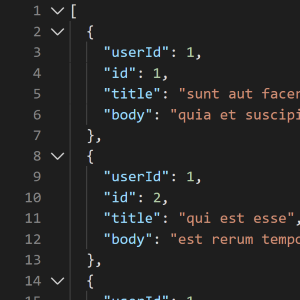
The unofficial browser extension port of VS Code for viewing programming language files and data files. The extension automatically detects if you are opening a raw code or data file and opens the contents within a VS Code Viewer page with basic language support for 60+ languages. Right+click to discover the command pallet, document formatter and other VS Code editor features supported in the Viewer.
Latest reviews
- Dear,
- I was disappointed that my extensions such as Prettier syntax highlighting and "Filter Lines" were not active in the preview window. I tried a file:// link to a *.log file that shows syntax highlighting when opened in vsCode main app.
- Gary
- 这个插件太好用了吧~~~
- Cecil
- 这个插件太好用了吧~~~
- Lan
- 5c5810fd.weaksharedptr.com注册送永久流量的,专线支持GPT,可以试试,节点多,又快又稳,晚高峰看8K视频完全不卡!(手机电脑全平台互通)
- Jihwang
- Great!!
- Matt
- Looks great, just needs a 100% height fix
- Kavin
- useful but a bug here in my browser:the height is always 8 lines scrolled,not full browser window height,bad experience
- Brady
- Would be great if it was actually usable. As is the viewer is only 150px tall.
- Axel
- good job indeed, but you nmiss like 5 lines of css <code> <style type="text/css"> body, html { margin: 0; padding: 0; height: 100%; overflow: hidden; } #content { position: absolute; left: 0; right: 0; bottom: 0; top: 0; } </style> </code> AxelEric.
- Nikita
- Nice extension, but I've experienced with one major problem. I don't know, does it related with extensions conflict or it happened after a browser update. My browser open links at 25% of full window height.
- christophe
- When I use this extension, the "xml" or "json" files appear in a small window (3 cm high!). Bug too annoying to use this extension.
- [email protected]
- Cool addon, use in the css height property 100vh instead of 100%.
- Swint
- It looks nice, but there is a problem, the page gets cut off when viewing a json document. Without this extension the json is shown full page with a scroll bar, with this extension the json is shown in a small scrollable container.
- Aryan
- It's good, but the height of the editor is not 100%. It makes it hard to read when you format the code.
- Felipe
- Its a really great idea, but It doesn't seem to work well on my end, the part of the code that renders has a length of 8 lines of code, I can't seem to make it render the code in the entire page, I would add an image here but I don't know if that is okay with microsoft store.
- Alex
- Cool and very helpful extension. Best on-line editor I have used so far. One request to have an option to select language mode. Thank you On latest Edge version the file displayed in very small window!!!???
- Yang
- It's great, but can we add a height=100vh on body? it's super tiny right now
- John
- Love this so far. Can you have it also active on the "View Source"?
- cagil
- It works great to see any code including React JSX and in dark mode to top of it all, no more blinding white!
- Moyin
- I just tried it & it's great! Thank you!
- weibao
- can not auto format
- Freddy
- Es simplemente excelente
- Adam
- Great for JSON and a few others, seems to fail loading on a few different file formats still.
- 清风
- Compared with other plug-ins, this one is my favorite, but I want to format the JSON string by default instead of right-click selection or shortcut key.