
Use My Current Account
Extension Actions
CRX ID
hbfacnnpimgddoojjaonnnbeljegicfl
Description from extension meta
Use the browser's profile when signing into Microsoft sites.
Image from store
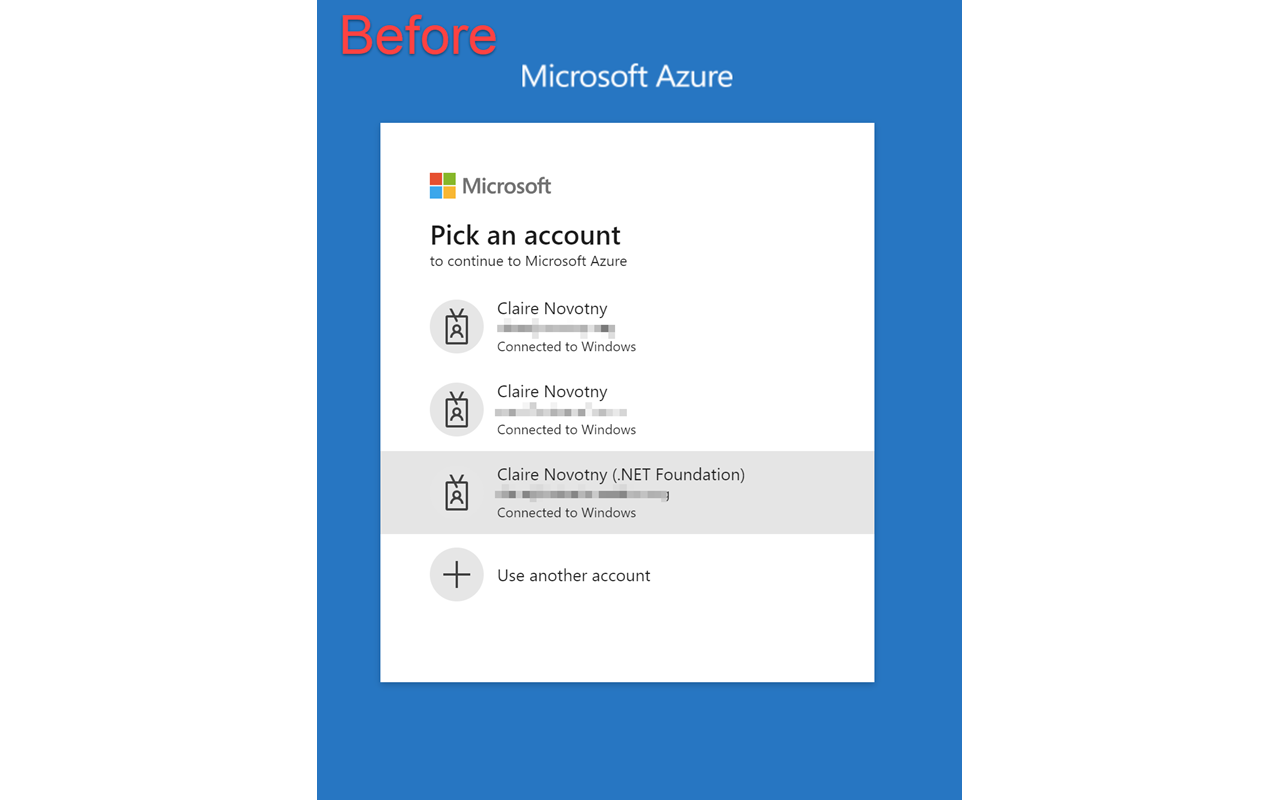
Description from store
Use the browser's profile when signing into Microsoft sites.
This extension relies on "Connected to Windows" accounts and only works on Windows 10 and Windows 11.
This extension will skip that screen by using your Edge profile account by default.
The recommended way to use this is to use a separate profile in Edge for each AAD account you have and install this extension in each profile. Then go to the site you want in the profile you want and you won't be prompted to login.
If you want to choose a different account, you can disable the functionality by clicking on the toolbar icon.
Latest reviews
- Griffin
- Absolutely PERFECT!!!!!!!! I have 4 accounts on different tenants and one that my laptop is attached to. Now I'm able to use them as expected without being automatically signed into the laptop azure account in every profile.
- RAJ
- this donot work on indeed or other websites
- Caitlin
- Claire I love you thank you for this lifesaving extension
- Frunza,
- it would be good if it would be possible to add also other pages to sinck
- Ingenito,
- The extension I was looking for! It fix an expected trivial behavior on Edge browser that Microsoft has never been able to fix!
- Sean
- Thanks so much - this has been driving me mad, like others have said, this is a lifesaver!
- Marget
- Hello developer I trust you're doing well! Currently, I'm exploring opportunities to grow my business by investing in Chrome extensions. Your extension has caught my attention, and I am genuinely interested in discussing the possibility of acquiring it. We can discuss the price and complete the transaction securely through a reputable escrow services (www.escrow.com or cryptoexchange.com). Google supports the smooth transfer of extension ownership from one account to another, ensuring your gmail account remains unaffected. If you have any inquiries or if this aligns with your plans, feel free to reach out to us via : Whatsapp: +1 6468971986 Skype: live:.cid.7ed1d897457692ce Telegram: @harryysandersonn Looking forward to hearing from you!
- Craig
- Absolute lifesaver if you administer Azure or Microsoft 365 and you constantly get signed in to the account that is connected to Windows, rather than your admin account (you are using a separate, cloud-authored admin account, right?), or if you work across multiple Azure AD tenants. Should be native functionality in Edge, but here we are. Would give it 10 stars if I could.
- Mary
- So useful when you get stuck in the account sign-in dance on a Microsoft site
- John
- This is exactly the add-on I've been looking for! I Ctrl+Click a lot of links to open new Tabs. I **hate** it when they all stop at the credential dialog screen. I don't know why Edge doesn't continue automatically, but I'm glad to know that someone has written an extension to fix it.
- Admin
- Being generous with three stars. The add-in doesn't seem to do anything? I still get prompted for which account I want to use. I confirmed that the add-in is enabled.
- Josh
- Utterly ridiculous that such an add-on is necessary, because this should be built into Edge. But glad it exists!
- Hannel
- Everything has already been said but I will say it again. This was driving me nuts, managing multiple tenants had to be constantly sign out and back in with right creds on every profile. This extension is a time and frustration saver. THANK YOU!!
- Gary
- This is fantastic! Saves the extra clicking and selecting when you have multiple MS accounts. Use it with Edge Profiles and it's magic!
- Jon
- This extension has saved me thousands of clicks over my lifetime. THANK YOU
- Rahman
- Great Addon!
- Bruno
- Mandatory when you work with multiple profiles ! Thanks thanks thanks
- Sass
- 11 stars! This add-on is mandatory!
- Tyler
- This was driving me nuts in Edge. I use multiple profiles for customer demos, and was ALWAYS prompted for my other accounts. This extension took care of that for me.
- Kyle
- Much needed!
- Niels
- This extension solves a major annoyance! Thank you!