
Notebook Web Clipper – Sticky Notes & Save Articles
Extension Actions
Clear the clutter. Clip the web. Save to Notebook.
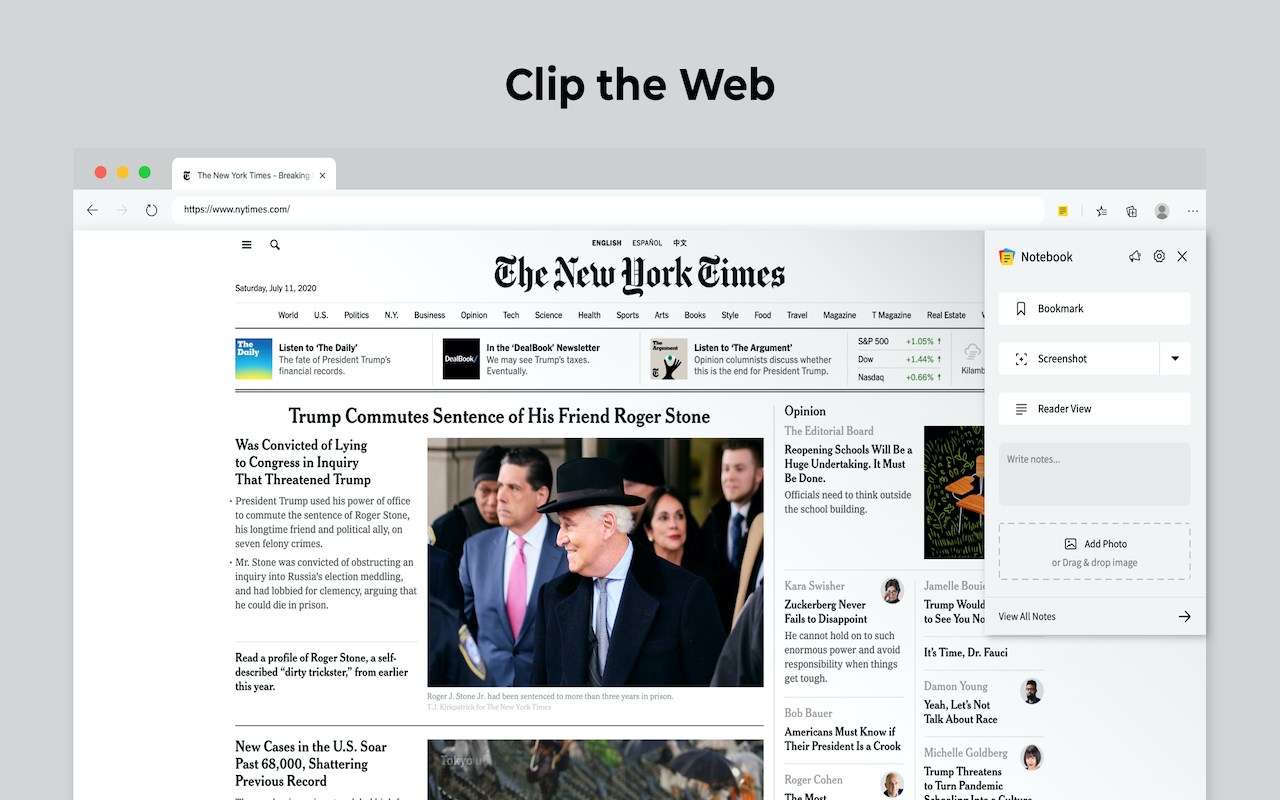
Notebook Web Clipper
Clip content from the web to your Notebook with Web Clipper. Clipped content, saved as Note Cards, are immediately synced across your devices. Access your note cards through notebook.zoho.com. Download Notebook app on your devices today from zoho.com/notebook/mobile-app.html and boost your productivity.
What can you clip?
* Be it a new recipe you want to try or the next place you want to visit, clip text, images, or links into a note card, and save to a specific notebook.
* Want to save an article for future reference? With Clean View, you can save the entire article as a note card, minus the ads.
* Need to quickly grab a screenshot of a web page? The 'Screenshot’ option quickly saves the screenshot as a Photo Card. You can choose to clip the entire page, or the visible view or only a part of the page.
* Annotate images / screenshots before you add those in Notebook. We've added a complete annotation tool to edit your images.
* Add tags, reminders to note cards before you save those to Notebook.
* Convert any link to Smart Cards. Refer zoho.com/notebook/smart-card.html for more details on Smart Cards.
* Use Meeting Notes to take quick notes on an online meeting using Zoom, Cisco Webex, Zoho Meeting and Zoho Showtime.
Web Clipper can also be used to create note cards. Have a quick thought you want to note without leaving your browser? Create a quick note from scratch right from your browser. You can also add photos directly from your computer to Web Clipper.
Write your feedback to [email protected]
Latest reviews
- Ravichandra
- Great tool for quickly saving web content into organized notes. Clean View and screenshot clipping make research and productivity much easier.
- Krishnendu
- Best web clipping extension. Tried Evernote, OneNote, Pocket and this is the best of them. Highly recommended
- 建明
- 我需要中文 非常需要中文
- J
- Very helpful
- Leah
- YOU NEED AN ACCOUNT
- Pablo
- When wanting to clip something, it does exactly what I want it to do. With a recent update, however, it causes a bug in Jira to where I can no longer close nor resolve issues. Workaround: After logging into your account through the extension, go to Extensions => click the details link on this extension => Under the "Site Access" section, change the value from "on all sites" to "on click". This will allow you to still use it, but prevent it from messing up any webpages. Worst case, disable/uninstall the extension.
- Divine
- This is beyond terrible; I would expect better from Zoho. Thank God there is an ability to simply obtain Google Chrome's Extensions due to Chromium Software. Microsoft Edge's version freezes up on use. USE Google Chrome's version!
- Mario
- Se instala pero no funciona, no es una opción para sustituir las anotaciones en páginas web que tenía edge.
- Dorukhan
- Doesn't work at the moment on edge chromium based browser, need to be fixed ASAP
- Andy
- Nice plug-in , thanks