
Forget Button - Clean your Browser
Extension Actions
Quickly delete recent browser history, cookies, cache, downloads, forms, and passwords for a custom period.
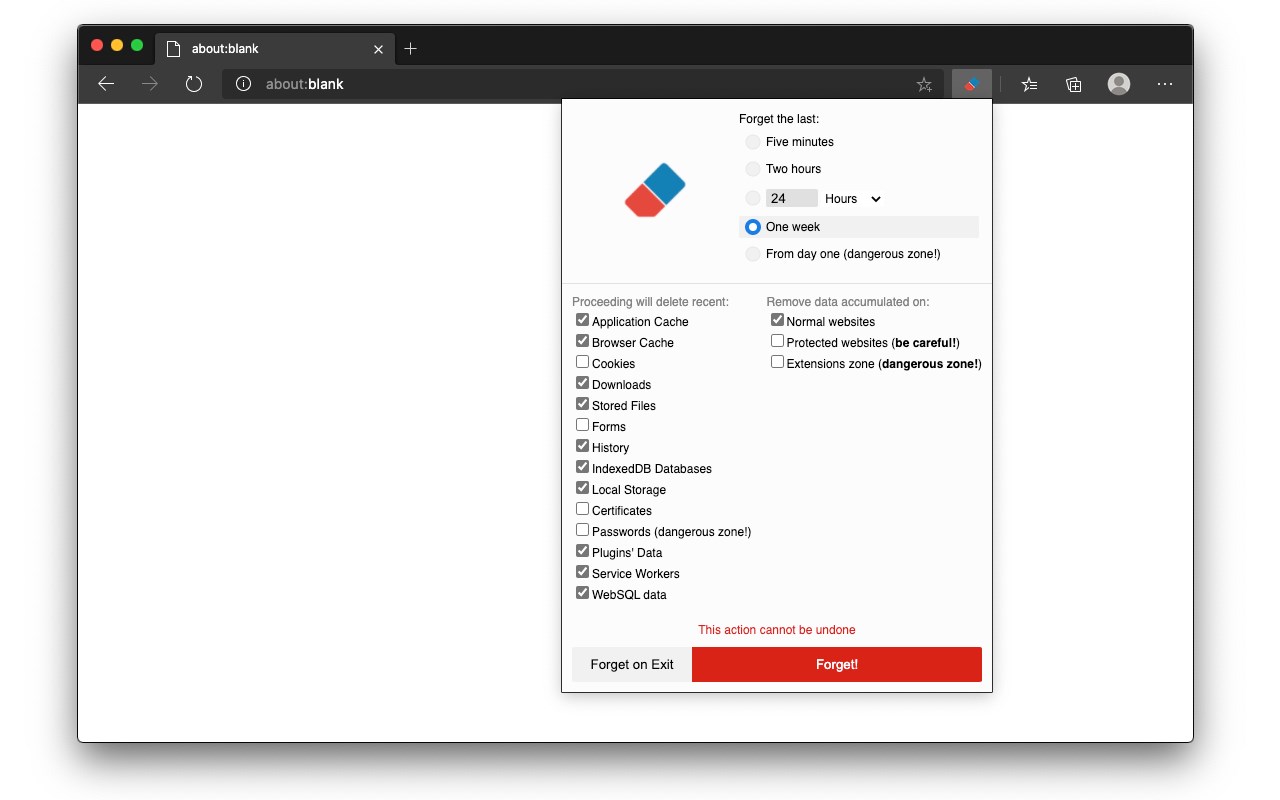
This extension allows you to wipe various types of data, including recent application cache, browser cache, cookies, downloads, stored files, forms, history, IndexedDB databases, local storage, certificates, passwords (with caution), plugins' data, and service workers functioning similarly to the built-in Firefox add-on "Forget Button" feature.
Additionally, you have the flexibility to designate a proper zone for data wiping, with support for the following zones:
- Normal websites
- Protected websites (exercise caution!)
- Extensions zone (proceed with care!)
Definitions:
- Extensions zone: Contains data from installed extensions and packaged applications.
- Protected websites zone: Includes data from websites installed as hosted applications.
For bug reports, please visit: https://github.com/andy-portmen/ecleaner
Change log:
Version 0.1.4:
1. Introduces the ability to define a custom period for cleaning tasks.
Version 0.1.5:
1. Allows users to perform cleaning on browser exit when there are no open browser windows.
Latest reviews
- Ezra
- AWWWsome
- Siamak
- Works great. It would be great to have a one-click option.
- Clemens
- Hi. You should also explain all options that everyone could better find and trust your addon. Data to remove: Application Cache Cached Images and Files Cookies Download History Website File Systems Autofill Form Data Browsing History IndexedDB Data Local Storage Data Plugin Data Saved Passwords Web SQL Data Missing are the explanations and the path to the local folders. Missing is also the amount of each data. thx
- Vladan
- Works perfect. User friendly.
- FRANCO
- Excelente muy util para mantener siempre limpia mi navegación.
- Michael
- Einfach, klein und übersichtlich. So mag ich das und das tollste ist "tut" was es soll.