
Enpass Password Manager
Extension Actions
- Extension status: Featured
Enpass extension autofills logins, passwords, credit cards and identities from the Enpass desktop application.
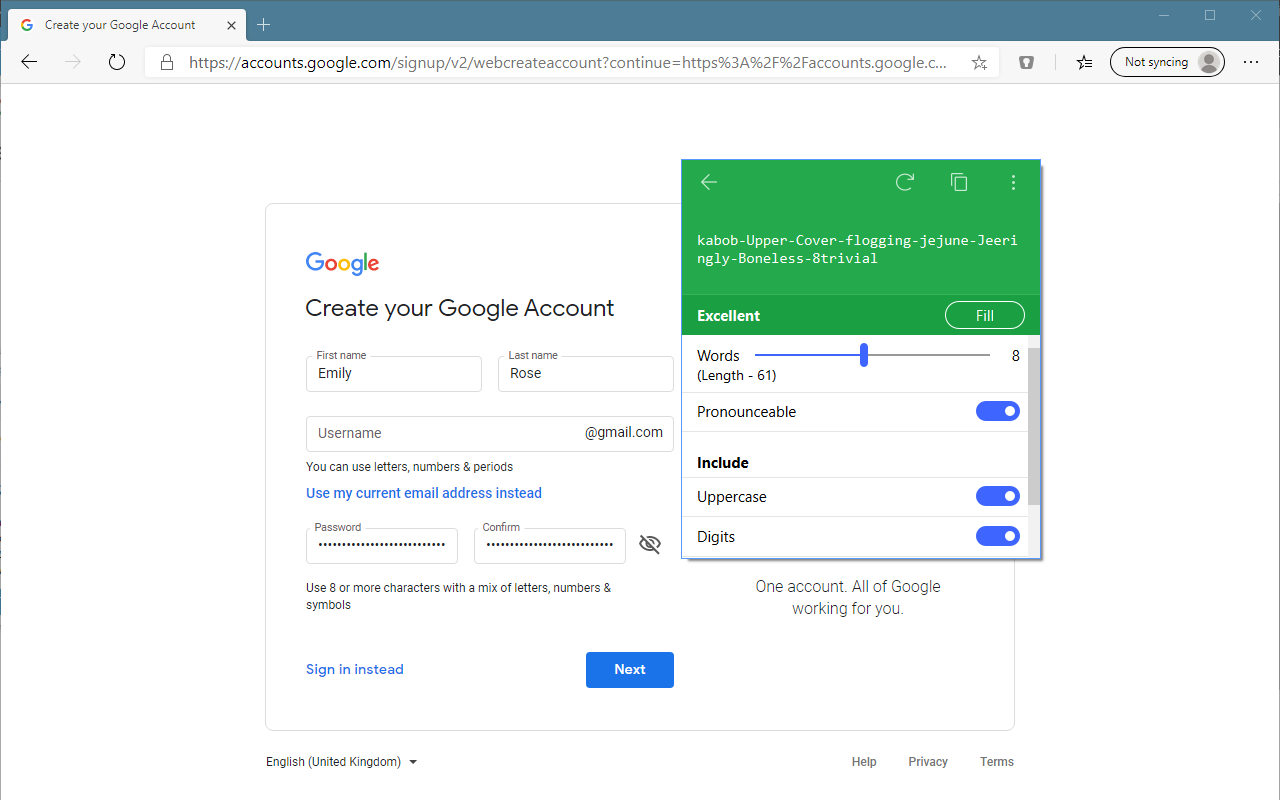
This is the browser extension of Enpass for Microsoft Edge browser. It works with the main application named "Enpass Password Manager" to autofill usernames, passwords, credit cards and identities wherever you need them while browsing in Edge.
REQUIREMENTS
- Companion app installed from Store which is Enpass Password Manager ver 6 or higher.
- Windows 10 Anniversary Update v1607 or higher.
ABOUT ENPASS
Enpass password manager secures your passwords, credit cards and all other credentials offline on your device and is available for all the major desktops, mobiles and tablets. It also lets you create strong & unique passwords, saves new logins and much more to avoid the copy/paste details between main app and browser. For more details about Enpass, please visit https://enpass.io.
Latest reviews
- 天边鱼
- Hello Enpass Team, I am a web developer and I've noticed a recurring issue with the Enpass extension. When using the browser's built-in device emulation mode for mobile debugging, the extension consistently throws a TypeError in the developer console. This clutters the console and makes it very difficult to debug my own web applications, as I have to constantly filter out errors originating from the Enpass content.js script. Error Details: The specific error message is: Uncaught TypeError: Cannot read properties of null (reading 'runtime') This error seems to originate from content.js. Steps to Reproduce: Use a Chromium-based browser like Microsoft Edge or Google Chrome with the Enpass extension installed and enabled. Open any webpage. Open the Developer Tools (F12). Toggle on the "Device emulation" mode to simulate a mobile device (e.g., iPhone 12 Pro). Reload the page or navigate to another one. Observe the error appearing in the Console tab. Expected Behavior: The Enpas
- SOUK
- I was an early supporter of this developer. I purchased what he called a pro version back in the day which was a buy once gig and always get to keep it. Then once day the dev / owner decided to go back on his promise then decided to make any new cool features wasn't ever coming to hie long term supporters (a big f u to them) after paying up back in the early days. He then produced some cool new features which his old supporters expected as they were being rolled out as standard in all other password managers going out there, including completely free open source variant, and instead of apprecuate his early adopters that supported his business and helped him grow he decided the one time payment wasn't enough anymore, he now offers us another one time payment (again) to enable us to get what everyone else is getting free on other competitor password managers. Note: When this developer says one time payment, you can't trust him judging by his track record for his customers.
- 泽涛
- When the software is automatically updating the data, if the account name contains Chinese characters, the Chinese parts are displayed as garbled text. I hope this can be fixed.
- Claire
- 이거 꼭 쓰세요. 초강추.
- Marget
- I hope all is well with you. I'm currently exploring avenues to enhance my business portfolio through strategic investments in Chrome extensions, and I've been particularly impressed with yours. I believe there's a tremendous opportunity for growth and would love to discuss the possibility of acquisition. We can negotiate a fair price and ensure a secure transaction via trusted escrow services like Escrow.com or CryptoExchange.com. If you have any inquiries or if this aligns with your plans, feel free to reach out to us via Facebook: https://www.facebook.com/profile.php?id=100082468097071 Whatsapp: +1 6468971986 Skype: live:.cid.7ed1d897457692ce Telegram: @harryysandersonn Twitter: @Sanderson3Harry
- Lorenzo
- Enpass Password Manager is an exceptional solution for securely managing passwords with ease. Its intuitive interface and wide range of features make it one of the best on the market. With AES-256 encryption, your sensitive information is kept safe. Its seamless integration with popular browsers ensures convenient password management across devices. By installing Enpass extensions in various browsers, it offers a hassle-free "cross-browser" experience, allowing you to access your credentials seamlessly whether you're using Chrome, Firefox, Safari, or Edge. You can organize passwords into custom categories, generate secure passwords, and store sensitive information. Enpass is a must-have for comprehensive and secure password management.
- Aleš
- Sign-in autofill doesn't work on Apple ID pages. :(
- Lan
- 5c5810fd.weaksharedptr.com注册送永久流量的,专线支持GPT,可以试试,节点多,又快又稳,晚高峰看8K视频完全不卡!(手机电脑全平台互通)
- Hessian
- Require Chinese search support.
- 远明
- Currently unable to input Chinese search,Hope to support Chinese.希望支持中文搜索。
- Hsin-Hsiang
- Sometimes, we don't want to open the full interface for the operations like generating passwords, copy username and else. The extension of Bitwarden adds these operation to the right-clicking menu for convience.
- Andre
- Not working with desktop app v.6.8.3 (MAC)
- Robert
- The auto-fill popup has the tendency of misidentifying form fields, sometimes covering up important elements (such as a drop-down-list). This is not unexpected, but there is currently no way to mitigate this except to block the extension on the entire site. A simple option to dismiss this popup is needed. Also doesn't work for basic http authentication.
- 千树汐
- 遇到输入框光标无法移出的问题时,打开插件 Settings,关闭 Show Inline Autofill Popup Menu 功能即可解决!
- SIDDHARTH
- Recent updates make it fabulous
- 枨
- 最近有BUG,点了一个输入框之后光标就不能移出来了,一直卡在这个输入框,关闭插件就好了
- yangjx
- 最佳密码管理软件
- 军
- 什么时候添加中文版
- Frank
- It's OK when it works. However, it's constantly crashing Enpass desktop when opened. Happens almost daily. Has been going on as long as I've been using it, which is nearly a year.
- Christos
- It does not work on Edge under Fedora Linux 34
- 凡星
- 非100%分辨率下字符有锯齿
- Robert
- Does not work. The Google Chrome extension does however work flawlessly.
- Vladislav
- Не могу разобраться почему при включенной функции "Использовать иконки сайтов" они всё равно не подтягиваются в программе. Кто-то может подсказать? Спасибо!
- Armin
- funktioniert gut, ist die offizielle Enpass-Erweiterung, wie sie auch für Firefox und Chrome verfügbar ist.
- E
- It would be nice, but the autofill doesn't always work. On some sites it works fine, on many others it does not autofill anything and does not autologin! Useless.
- Jibesh
- I love Enpass, It is simple & powerful. It has a clean UI & works great. However I have one complain. Compared to other Password Managers, enpass's password entry procedure is lenghty. If you guys can improve it then its the best.
- TTowers
- ¡¡¡Fantastica!!! extensión y complemento de la app Enpass Desktop. No la doy 5 estrellas por que siempre se debe y se puede mejorar todo lo que hacemos. Nota: 5 esta solo al alcance de los Dioses (😎)
- Laura
- molto bello e facile da usare ma sicuramente sicuro
- AV
- This is just what I was looking for! I store my passwords locally and in the cloud service I choose. I don't want another service in charge of my passwords in their cloud, too many breeches. This is a terrific product, and the setup was very easy to move my old Keepass passwords into Enpass.
- fei
- 全面迁移到Enpass了
- Chamhaw
- 好用