
Clear Site Data
Extension Actions
CRX ID
njnicmgilnbdlajjanklhkpdicpbefbi
Description from extension meta
Clear current or all site data (cache, storage, etc).
Image from store
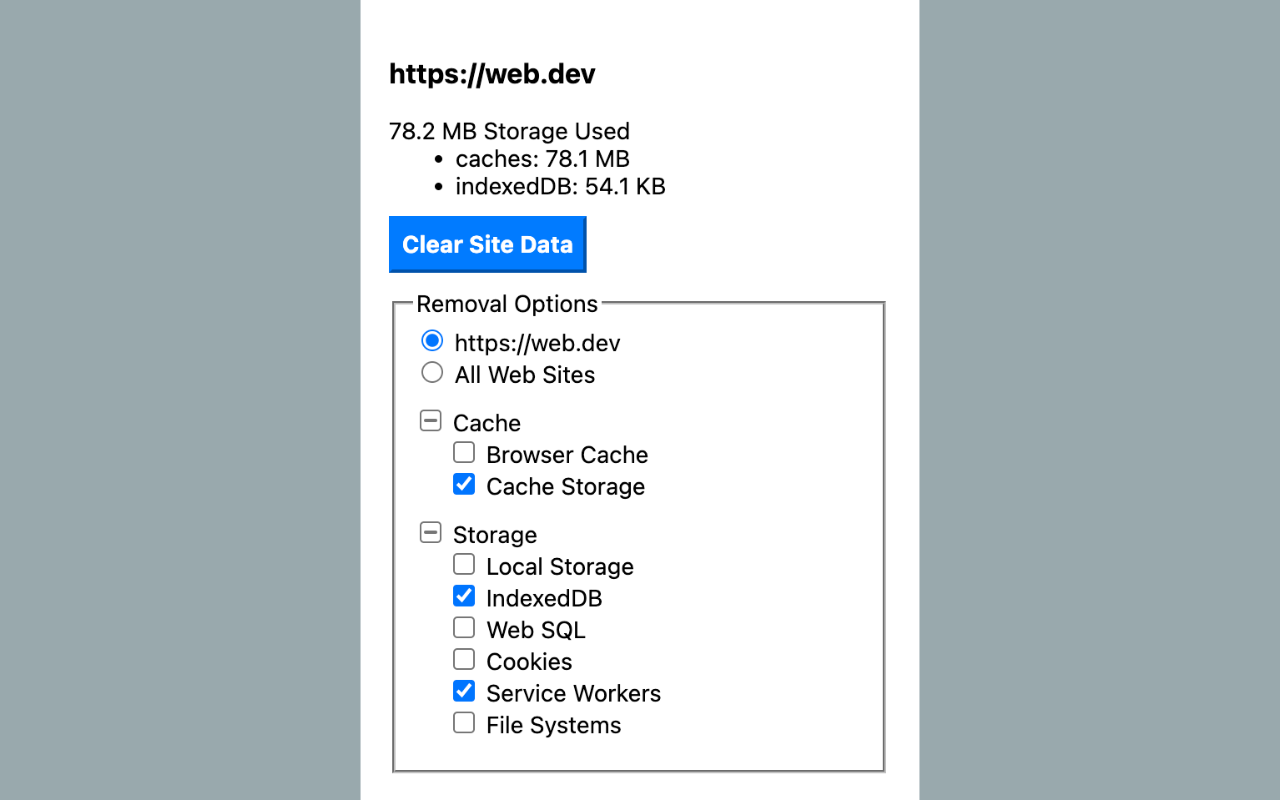
Description from store
When you click this extension icon, it will show you the storage used info of current (https) site.
You can clear data for current site or all web sites, including these data types:
Cache
● Browser Cache
● Cache Storage
Storage
● Local Storage
● IndexedDB
● Web SQL
● Cookies
● Service Workers
● File Systems
Others (only when select for all web sites)
● Download List
● Visited History
● Stored Form Data
● Stored Passwords
When you select clearing data for all web sites, you can add excluded origins which are excluded from deletion.
Latest reviews
- Jagjivansingh
- Not work. Select to clear specific website and check all. It clear only cookie. All other data remain. Even refresh and close and re-open browser
- Tanmay
- works fine till now
- Peterson
- Muito útil no trabalho do dia a dia.
- Richard
- This appears to have everything I'm looking for. My only request is to be able to set the length of time. I've compared this to others. What this has and others based on verbatim Local Storage, IndexedDB, Web SQL, Service Workers Cache Storage What others list that this doesn't: Browsing History this maybe Visited History Cached images and files maybe Browser Cache Autofill form data maybe Stored form data Download history maybe Download list Website file systems mabye File Systems Plugin data not seeing possible equivalent. Application cache not seeing possible equivalent.
- Isidro
- Just what I was looking for! you should add a way to auto refresh the tab when cache is cleared and I would rate five stars.
- Matthew
- Great tool for local storage and cookie clearing to get rid of those pesky 400 errors
- Exhibit
- it just removed all my passwords in the browser, how do i get them back?
- 湘林
- 一键清理特定域名缓存,好用推荐~
- Clifford
- Displays the list of everything that is able to be cleared and can clear it with a nice "loading" UI state, but it doesn't actually let you view the data, just clear whatever it is.