
Audio Equalizer and Amplifier
Extension Actions
- Extension status: Featured
Globally control audio equalization, genres presets, volume and bass boosting of all video and audio elements on all web pages
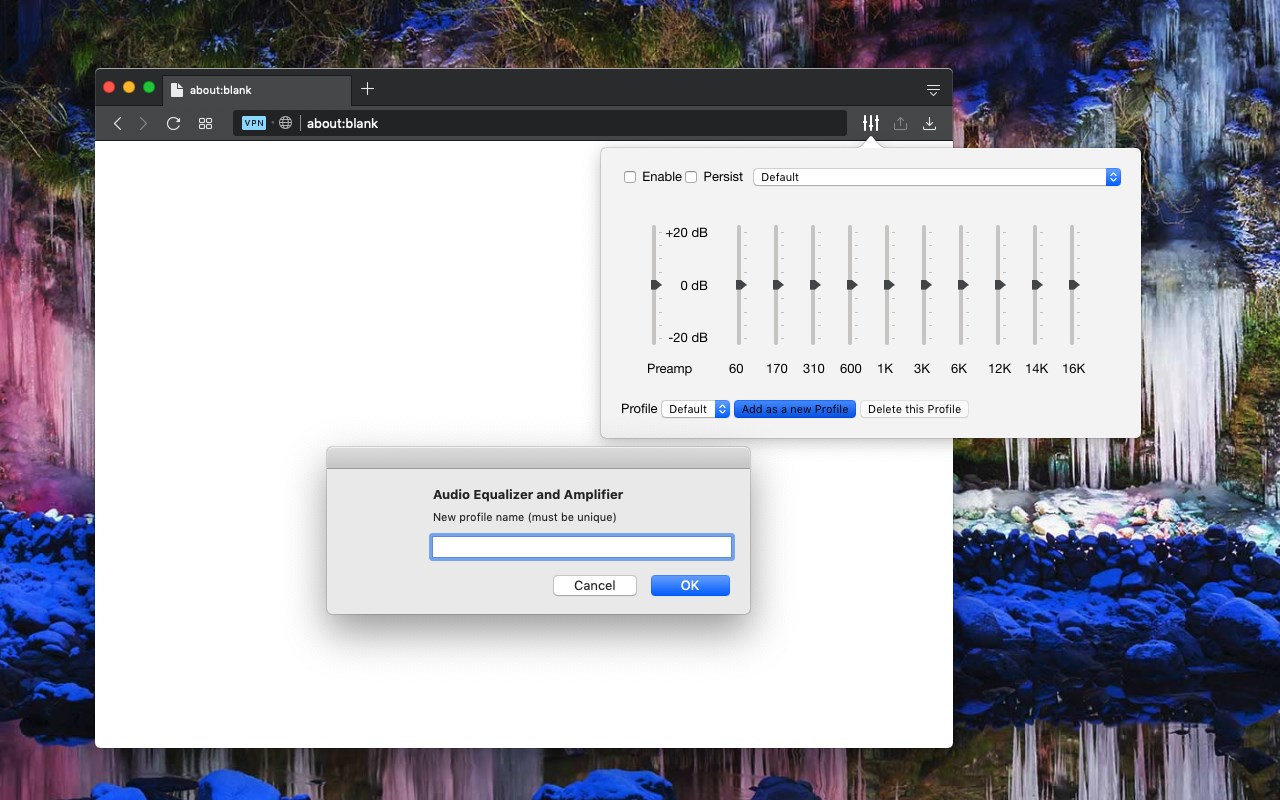
A tool for boosting or reducing (attenuating) the levels of different frequencies of media elements in web pages.
The most basic type of equalization is the bass control on the old home audio equipment to control low frequencies and the treble control to adjust high frequencies. Since there are only two controls, the adjustment is for a fairly wide range of frequencies. In this extension, however, you can adjust a wide set of frequency ranges (60, 170, 310, 600, 1K, 3K, 6K, 12K, 14K, 16K) similar to the well-known VLC player.
The extension adds a toolbar button to your browser to control audio equalization simply from its popup window. There are about 12 presets to select from or you can adjust your levels. The extension offers profiling to keep user selections in different profiles.
This extension supports pre-amplification for each profile as well. You have a global volume control to adjust the level of each profile too.
For more info please read the FAQs page. You can submit bug reports in the GitHub page.
Latest reviews
- Eduardo
- The best equalizer for EDGE.
- CH
- No any effect on my win 11 edge browser, both USB speaker & blue tooth earphone.
- Jon
- Completely broke my windows audio. I can now not get audio out of the right channel even after uninstalling the extension, rebooting my pc, reinstalling device drivers. I've never seen a browser plugin do more damage to my PC. Use at your own considerable risk!
- Sami
- actually works which is all i could ask for
- Kamen
- Works great, UI is unfortunately cut off on the right side for me though, making it impossible to see the delete button.
- Felix
- Not working for me in Edge 92
- Geoff
- Must have for Edge. 10 bands is great for fine tuning. Creating new profiles is easy. Good for YouTube and YTMusic.
- Raphael
- It works effectively! Restart EDGE after you install this EQ.
- Achim
- One of the best. it really works. Boosts the volume and if you are a basshead like me you can tune it to perfection. It would only benefit from a newer design, materialistic , it looks like the winamp equalizer :))) but this still doesn't affect the maximum rating this deserves.
- tom
- perfect! none of the other extensions had a "tab remembered" setting. i didn't want to have to set the volume each time a tab was opened. thanks kindly!
- Antonio
- primeiro que realmente funcionou sem cortar o audio
- Md
- This extension is very good. This is working.
- Dragos
- I love this !
- Ali
- Great Equalizer app, really improve the quality of the sound (especially with headphone). Instruments are clearer, great separation between bass, mid and treble, the voice of the singer is also clearer, Great Job development team!!!
- Zach
- Moves balance to right speaker after application; adjust slider to fix. Still, it does what it says it does.
- Elder
- Hay páginas que no permite el sonido haciendo que no se escuche nada de esa página web, por ejemplo: Instagram, Tik Tok, por nombrar las más conocidas.
- Barry
- Nice and clear
- atlordd
- awesome!!!1 it just works!!!!111 boom boom techno preset
- Redwan
- nice
- kuba
- >>> This is The One And Only Good EQ (I found) very very much like this , TX producer (0_-)