
Magnifying Glass (Hover Zoom)
Extension Actions
- Extension status: Featured
Press on the toolbar button to see the magnifying glass on the current page.
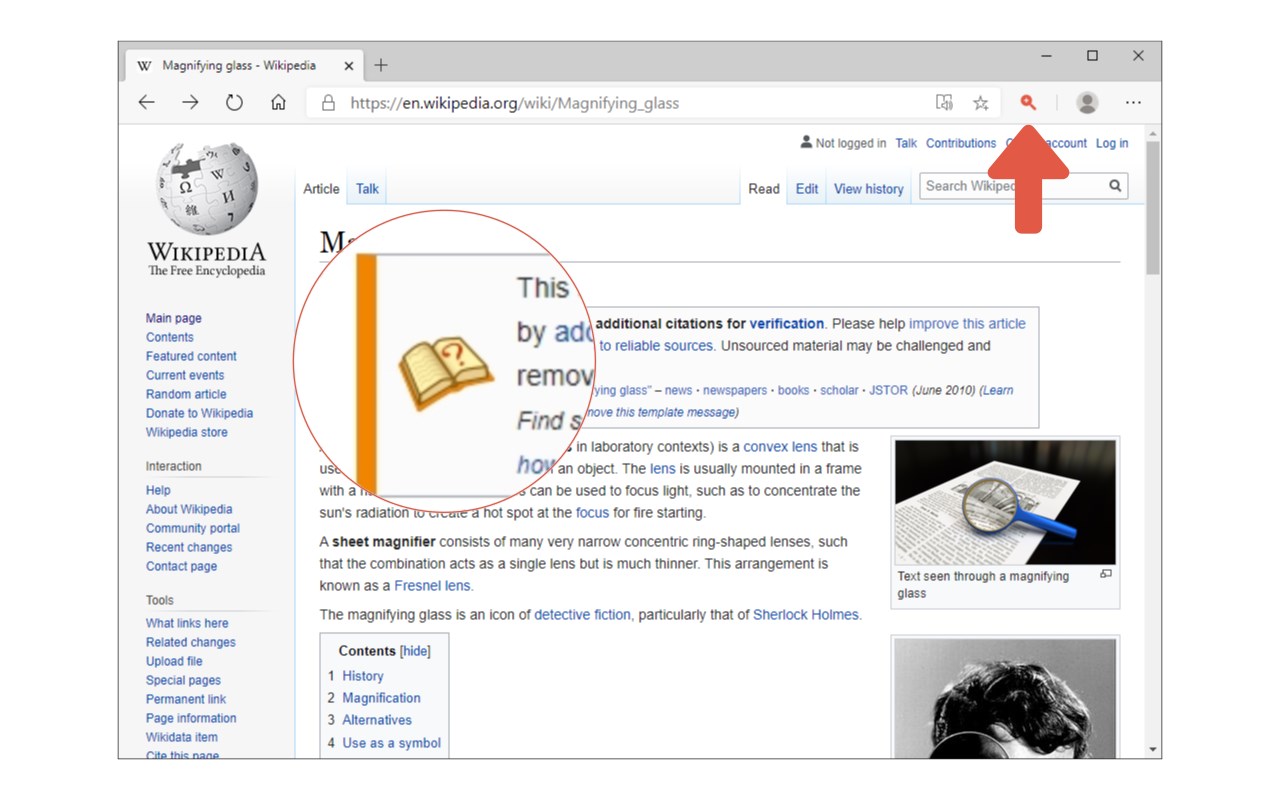
Magnifying Glass (Hover Zoom) is a lite addon that enables you to magnify a portion of a webpage with a click of a button.
Please click on the toolbar button once to see the magnifying glass. Then move your mouse to see the magnified page within a circular section. If you want to hide the magnifier, simply click on the toolbar button once or click anywhere on the page. This addon has also an options page to adjust the magnifier zoom level and coverage area. Moreover, the toolbar button serves as an ON|OFF switch to turn the addon ON or OFF.
Note 1: when you install the addon, it is turned off. Please click on the toolbar button once to activate the addon. The toolbar icon is red when the addon is active and grey when it is inactive.
Note 2: if you want to change the zoom level, please visit the addon's options page.
To report bugs, please fill out the bug report form on the addon's homepage (https://mybrowseraddon.com/magnifying-glass.html).
Latest reviews
- bob
- Seem's Fine to me.......
- omer
- I've been seatching for somthing like that for severals YEARS now and NOW I CAN FINALLY READ MANGA AT PEACE!!! :)
- Dave
- Tutns off as soon as I scroll. No option to have it stay on. Only works on about half the sites.
- 珊
- 很棒效果不错. 之前有过别的就是优化有一些问题,他这个很棒
- Matti
- A useful companion with browsing.
- Mike
- It wouldn't turn on for me.
- Joseph
- Great tool to have handy. Thanks