
LoiLo Web Card
Extension Actions
Easily create Web Cards in LoiLoNote School!
About LoiLo Web Card
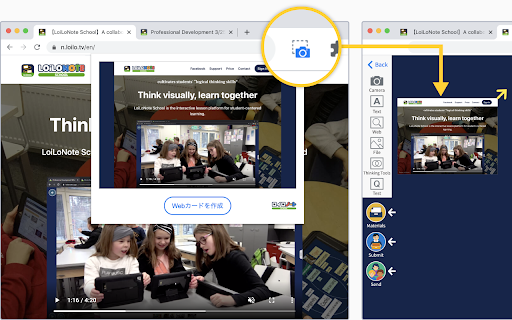
LoiLo Web Card is a browser extension that makes it easy to create Web Cards—URL links with webpage snapshots.
Simply click the camera icon to create a Web Card.
Using the Web Card Extension
1. Pin the extension
After installing the Web Card extension, it needs to be pinned on each device.
① Click the puzzle piece icon in the top-right corner of the browser.
② Click the pin icon next to LoiLo Web Card to add it to the toolbar.
*When pinned, the icon turns blue.
2. Create a Web Card from a website
Open the website you want to save, then click the camera icon in the extension.
Choose a LoiLoNote note to save it to.
Notes
A destination note in LoiLoNote must be selected to save a Web Card.
The captured image may differ depending on how the website is structured.