
Shortcuts for Google™ Products
Extension Actions
Displays all Google products in a single, space-saving, drop-down panel
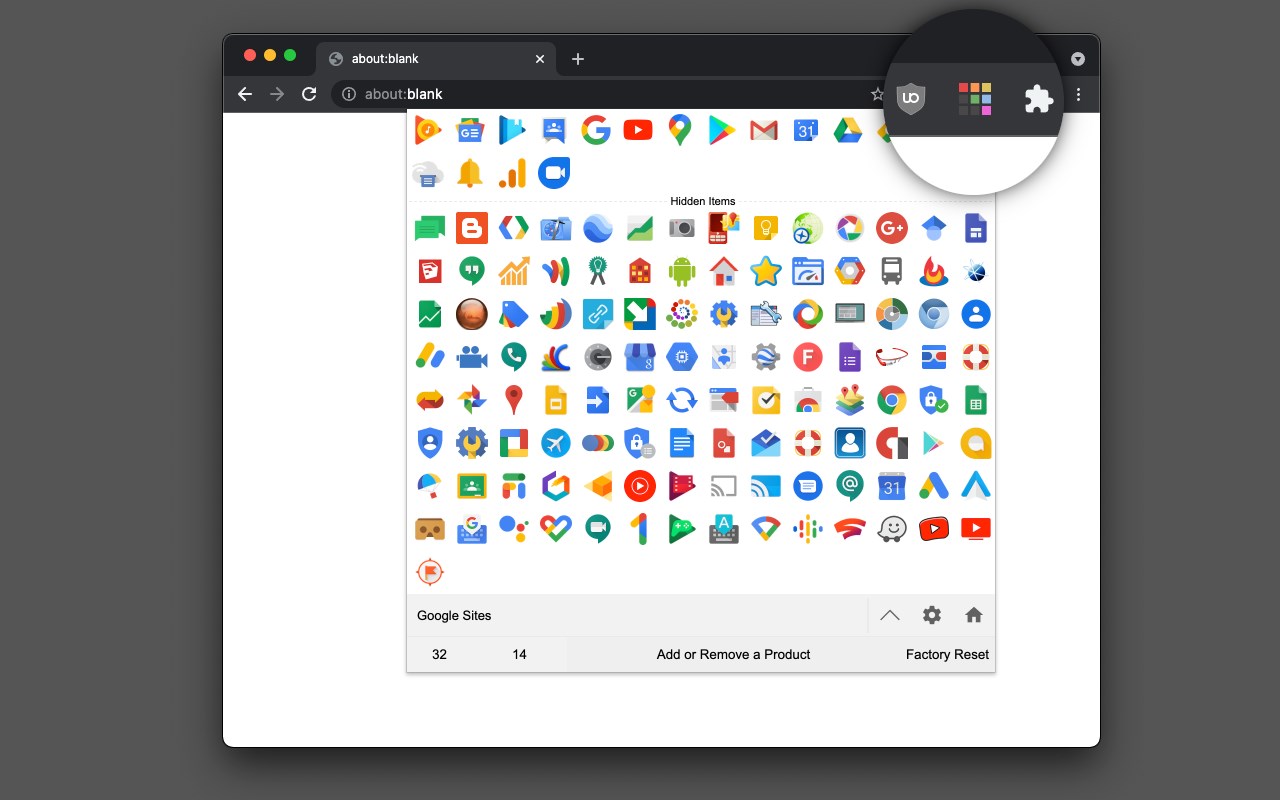
The "Shortcuts for Google Products" extension lists all Google products in your browser's toolbar popup. Clicking on an icon will open the product in a new tab.
Operation:
Click: Opens in a new active tab next to the current tab
Shift + Click: Opens in a new window
Ctrl + Click or Command + Click: Open in a background tab next to the current tab
Updates:
1. Drag & drop to re-arrange your icons.
2. Re-size popup and also icons.
3. Add a new custom product to the list
Notes:
1. In order to change the popup width, please enter an integer value from 5 to 24 in the designated space. This value represents the number of columns in the popup.
2. In order to change the icon's size, please enter an integer value from 16 to 64 in the designated space. This value represents the icon size in pixels.
3. in order to see the new icons after each update (not for the first install), you need to reset the toolbar popup once. To do so, open the toolbar popup, click on the settings icon at the bottom left corner, and then click on the reset button.
Latest reviews
- Christopher
- You should remove the shortcut to Google Music since it is no longer active.
- Cosimo
- Ottima, proprio quello che cercavo. Facile da personalizzare ed utilissima per evitare di avere la barra dei preferiti intasata
- nadoush
- Very simple to use and does the job <3
- Joanelle
- EXACTLY what i was looking for thank you <3