Bingoogle Shortcuts - Browse with Keyboard
Extension Actions
“Bingoogle shortcuts” provides keyboard shortcuts for “Bing” and “Google“. You will be able to search and browse without mouse.
“Bingoogle shortcuts” provides keyboard shortcuts for search engine “Bing” and “Google”.
You will be able to search and browse without mouse.
*** Update 2/28/2023 ***
We have adapted to the new Bing search UI for the GPT model used by ChatGPT!
You can freely switch back and forth between normal search and Chatbot to improve your search efficiency.
You can also use a shortcut key to stop a response being generated and create a new topic.
Features
===================================
✓ navigate search pages by typing in home position.
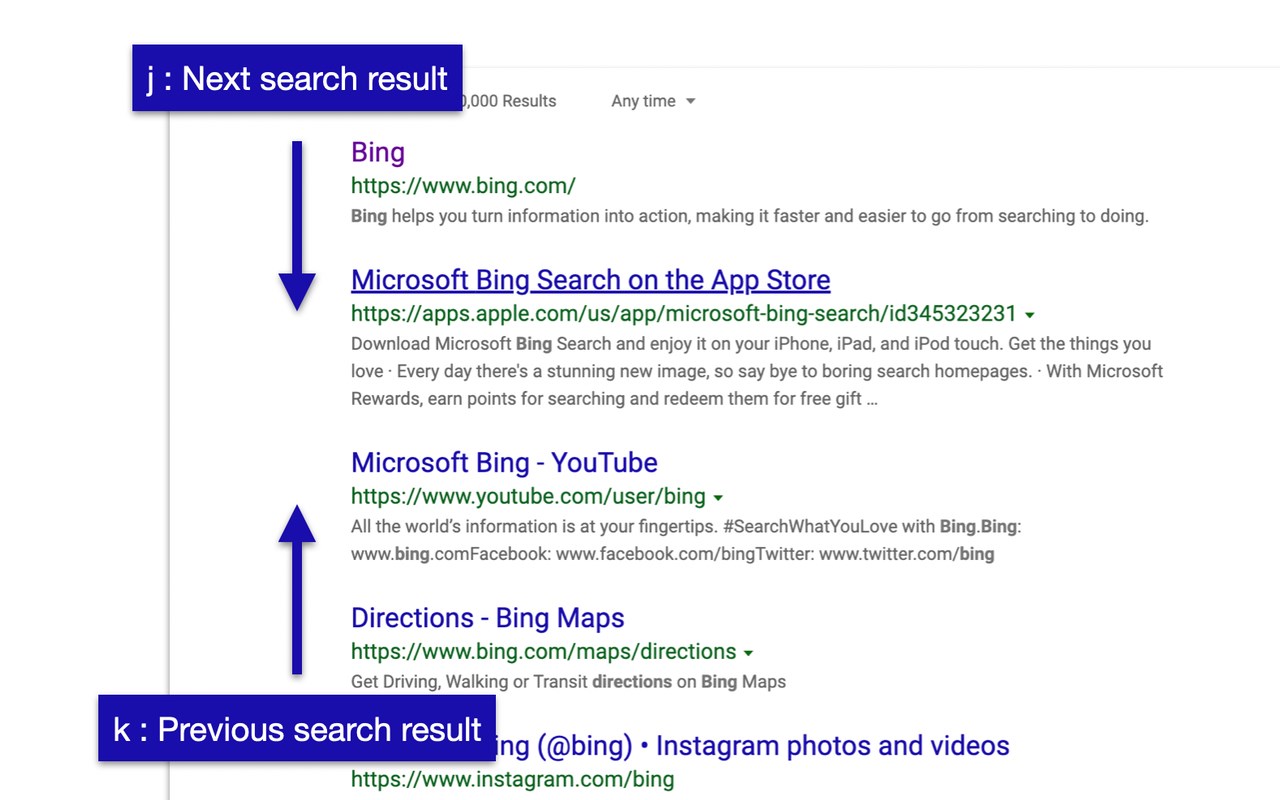
✓ select search results simply [ j / k ] & open the link [Enter]
✓ use Vim key bindings
✓ easily switch search type (all ⇔ work etc.)
✓ simple UI/UX
✓ enable or disable each short-cuts on option page
✓ gray out ads
✓ support continuous scrolling in Google search (NEW)
Keybindings
===================================
■ Navigation on search results
• ’j’ / ‘↓’ : Select next search result
• ’k’ / ‘↑’ : Select previous previous result
• ‘h’ / ‘←’ : Navigate to previous search result page
• ’l’ / ‘→’ : Navigate to next search result page
• ’Enter‘ : Open selected result
• ’/‘ / ‘i’: Focus on input search box
• ’ESC‘ / ‘Ctrl+[‘ : unfocus on input search box
• ’Shift+a’ : Navigate to all search tab
• ’Shift+c’ : Navigate to chatbot
• ’Shift+w’ : Navigate to work search tab
• ’Shift+n’ : Navigate to news search tab
• ’Shift+i’ : Navigate to images search tab
• ’Shift+v’ : Navigate to videos search tab
• ’Shift+m’ : Navigate to maps search tab
• ’Shift+s’ : Navigate to shopping search tab
■ Control for Bing AI chatbot
• ’/‘ / ‘i’ : focus on the input field
• ’Enter‘ : Confirm and send the input sentence
• ’ESC‘ / ‘Ctrl+[‘ : Remove focus from the input field
• ’Ctrl+Shift+q’ : Stop response during generation
• ’Ctrl+Shift+n’ : Start a new topic
■ Page transition
• ’Shift+h’ : Go back
• ’Shift+l’ : Go forward
■ switching of search engine
• ’Ctrl+b’ : to Bing
• ’Ctrl+g’ : to Google
■ restrict a language from search results
• ’Ctrl+e’ : English
• ’Ctrl+d’ : Default language
■ Scroll operation in all web sites
• ’j’ / ‘↓’ : Scroll down
• ’k’ / ‘↑’ : Scroll up
• ’d’ : Scroll down (large)
• ’u’ : Scroll up (large)
• ’gg’ : Scroll to the top
• ’Shift+g’ : Scroll to the bottom
Misc
===================================
• Please feel free to let us know if you have any requests or find bugs.
• Chrome Version:https://chrome.google.com/webstore/detail/bingoogle-shortcuts-brows/mhpibokabfeiimdmnfdmipkmpagjlbaa?hl=en
Latest reviews
- Samuel
- This is a great extension! Might I suggest adding a Ctrl + / or Shift + / keybind to view a list of shortcuts?
- John
- 20:14:11来自香港, 全球互联,8k视频随你看,注册及送永久流量,地址:http://run.weaksharedptr.com/register?share_id=686da3ae-e88d-49ac-aa77-8d448c11e826
- Naixin
- Cant type h or l in google search bar because it tries to go to the provious/next page
- Hunter
- I like that this exists, but I find using J and K to be quite far away from the enter button. I tried changing J to L in the javascript files in the 3.0.1_0 folder, but it said the extension was corrupted. Is there any way to allow users to program the buttons they like most? Or is there a way to just modify the js files as I had tried? Thanks.
- David
- I like this addon very much. A bug report: ctrl f in google search page leads to a 404 error. Hope it'll get better.
- Jeri
- Ctrl+G / Ctrol+B don't work. Probably a conflect with existing default keyboard shortcuts.
- 彬恵
- Great Tool ! Easy and intuitive to use!