
Text to Speech (TTS)
Extension Actions
A text to speech tool with natural sounding voices.
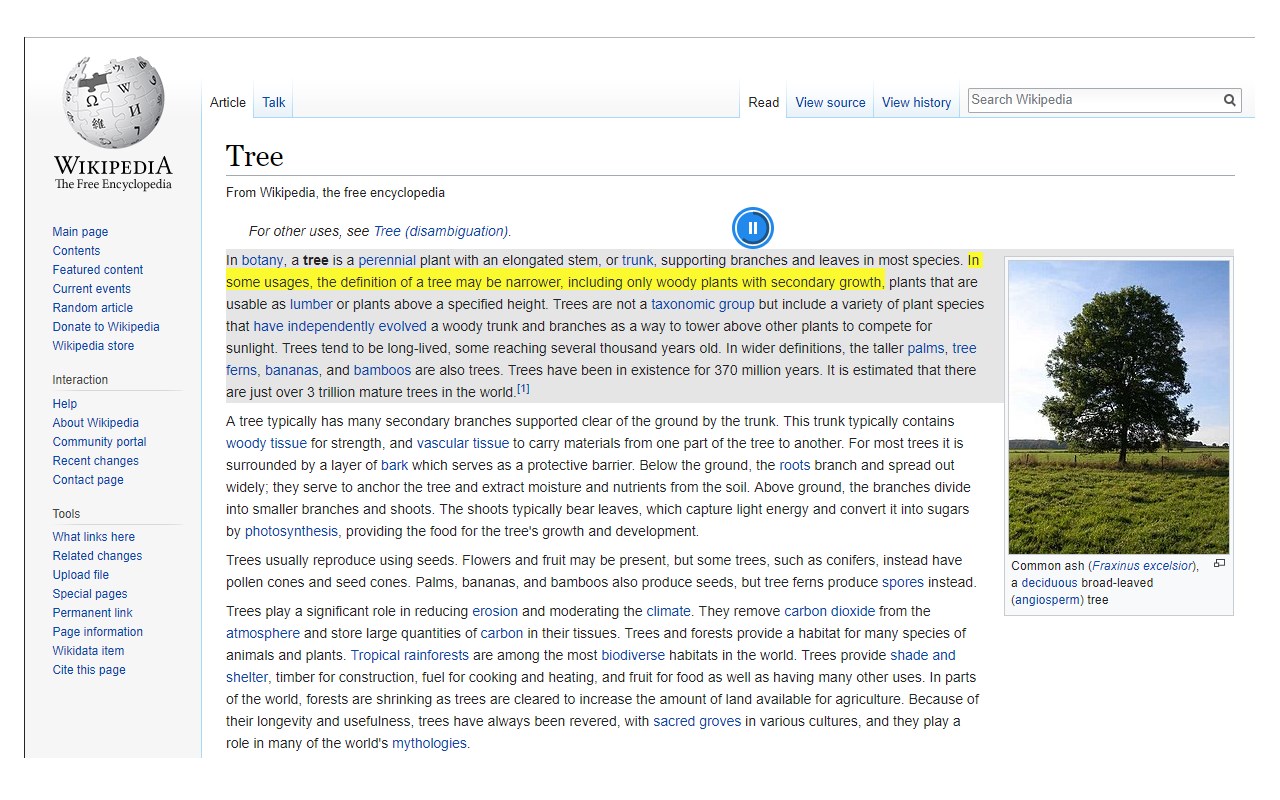
Text to Speech (TTS) is a text-to-speech extension with natural-sounding voices by using two different TTS engines.
The 1st engine is the HTML5 native web speech API for speech synthesis. It is active in all modern browsers by default (more info: https://webaudio.github.io/web-speech-api/). The 2nd API is the Kokoro AI engine, which uses a new artificial intelligence method to synthesize text (more info: https://huggingface.co/onnx-community/Kokoro-82M-v1.0-ONNX). Please note that when you choose Kokoro AI, the app needs to download training data (~300MB) for the AI engine. So please be patient while the app is loading.
You can use this extension in a standalone interface or within web pages. If you press the toolbar button, the first interface opens up where you can enter the desired text for TTS. On the other hand, within a webpage, once you select a text, a placeholder speaker icon appears. Once you click the speaker icon, the text-to-speech starts. For the highlight feature to work correctly, please select text paragraph by paragraph. Please note that the highlight feature is still in Beta and may not work properly on all websites. There are also a few options related to the in-page text-to-speech, which can be adjusted from the extension settings page.
Note 1: For TTS in webpages, the app only uses the Web Speech API. Kokoro AI engine is only available within the standalone interface.
Note 2: Kokoro AI engine, once loaded, can work fully offline. Moreover, you can save the output TTS audio as a .wav file to your machine. When text-to-speech is completed, please press the audio icon on the right toolbar.
To report Bugs, please visit the addon's homepage (https://mybrowseraddon.com/text-to-speech.html) and fill out the bug report form.
Latest reviews
- Gaurav
- PLEASE ADD SPEECH SPEED SELECTOR!!! Simple and straightforward. Works most the time too. Leaving 3 star because of missing important feature.
- Ashish
- Works weaknesses: 1) No way to change playback speed. 2) No way to pause recording when using keyboard activation, through extension button. You can pause, but through another method.
- Daniel
- Works as advertised, however different voices are available to choose yet you cannot change the main voice.
- Yura
- No Edge TTS for Russian language
- victor
- Muito bom. Pena que a extensão não salve a linguagem, anteriormente selecionada depois de algum tempo, o que pode ser irritante para algumas, pessoas assim como eu.
- Joost
- Excellent. Any chance that Microsoft Online Natural voices will be added? I guess they are built in in Microsoft Edge these days. (They can be chosen in Read Aloud and Immersive Reader.)
- Nguyễn
- Đúng extension phát âm cần tìm, có hỗ trợ biểu tượng đọc khi chọn từ hoặc câu.