Environment Indicator
Extension Actions
Add an environment marker to differentiate QA environments from production. In addition, you can create your own indicator rules
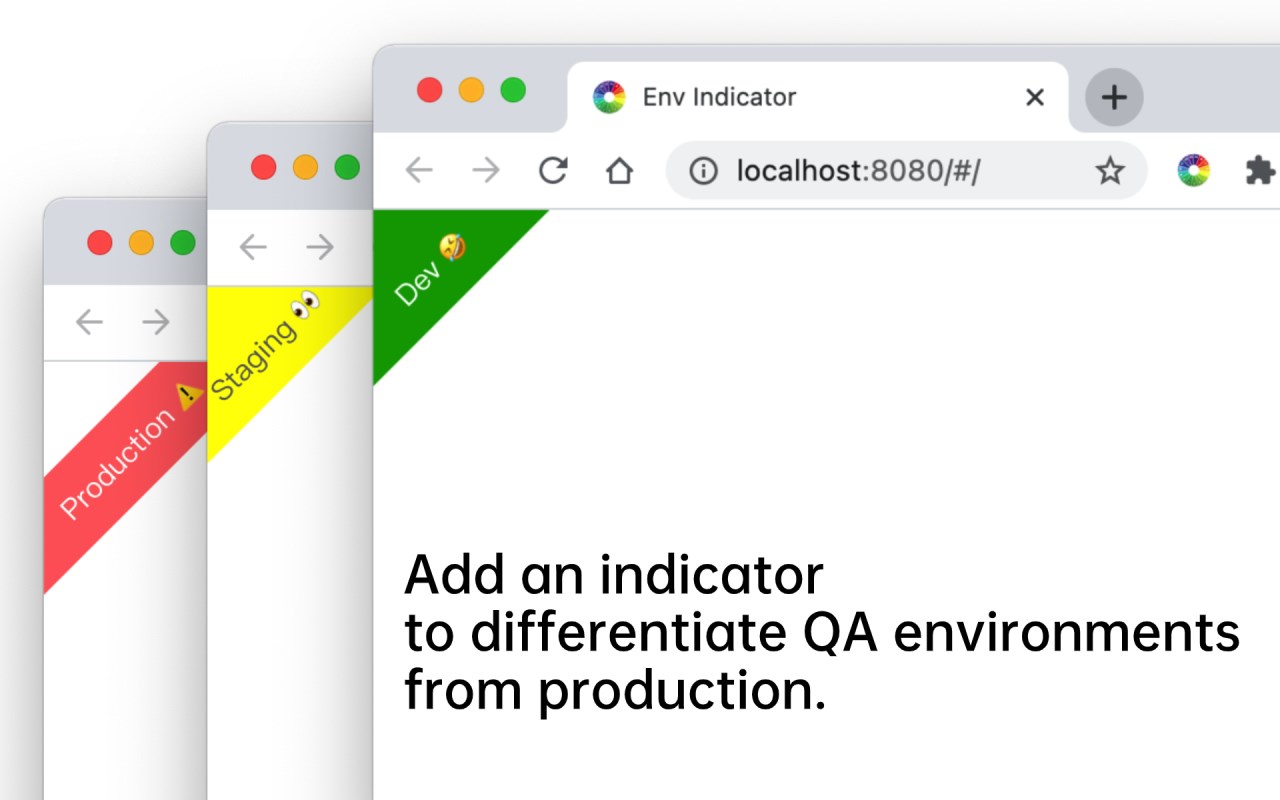
Add an environment marker to differentiate QA environments from production. In addition, you can create your own indicator rules
This extension provides a configurable environment marker for developers. Through simple configuration rules, you can display an eye-catching indicator on the page to prevent developers from confusing the environment during development
Key Features:
🌟 1. Support setting the mark as a triangle ◤ or ribbon. 🎗
🌟 2. Support setting the background color and text color of the marker. 🎨
🌟 3. Support to configure the mark to the upper left or upper right corner of the page.
🌟 4. Support regular expression matching, prefix matching, suffix matching and inclusion matching for host to differentiate different environments.
🌟 5. Support import and export rules.
User Guide:
1. Install this extension, and click the extension icon to enter the configuration page. There will be some built-in environment configuration for you, such as Dev, Staging, Production.
2. You can add your own rules by clicking the add button at the bottom right corner of the configuration page. Then, you can configure indicator rules using domain name matching
3. In addition to simple environment names, you can also configure the background color, text color, position, and shape (triangle and ribbon) of the indicator.
Latest reviews
- Claus
- Does what it says. A well visible indicator on what domain you are. If it could also have a regex und the whole URL, not only on the domain, then I'd give 5 Starts.
- wenbin
- 简单的工具,很好用