
Dark mode for Google™ docs
Extension Actions
Enable dark mode on Google Docs to reduce eye strain while working on your documents.
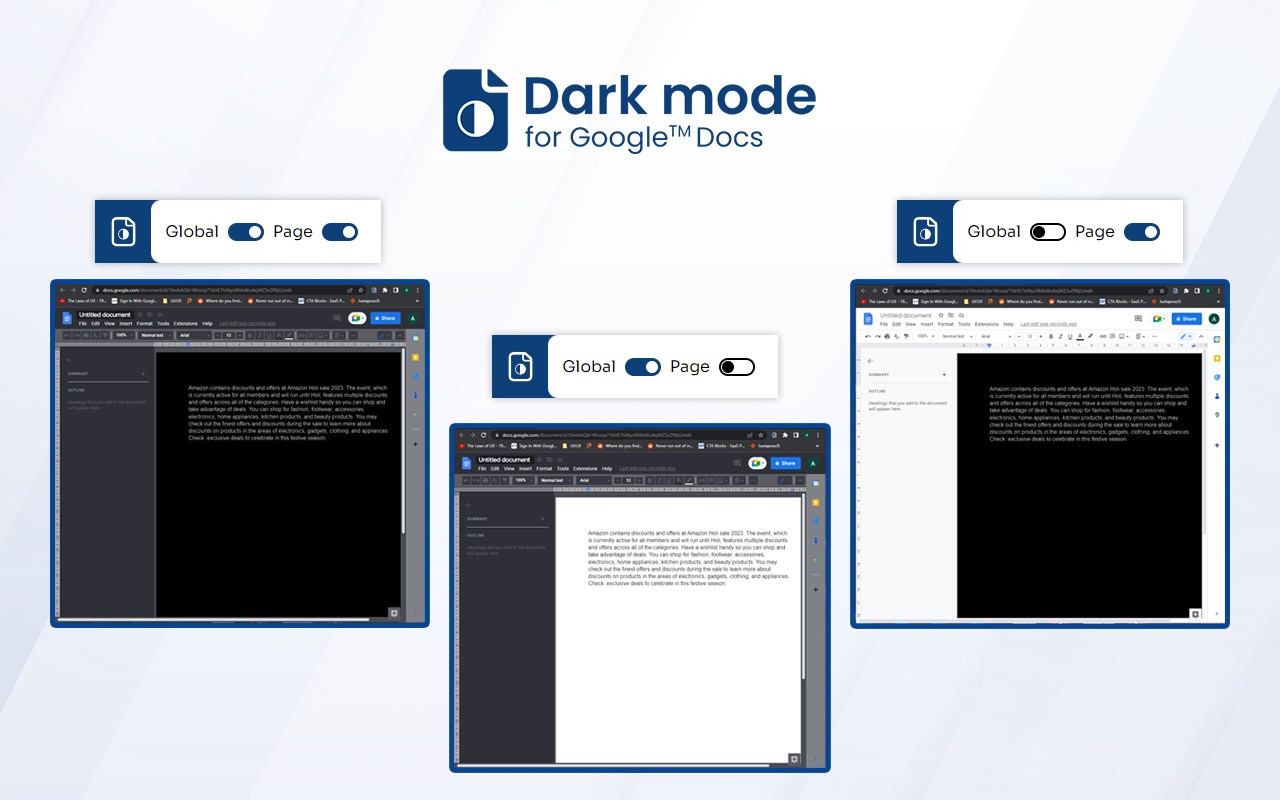
Install Dark Mode on Google Docs edge extension and easily activate dark mode. If you're someone who spends a lot of time working on Google Docs, you may have experienced eye strain or discomfort while staring at the bright white background for hours on end. Fortunately, with this extension, you can easily enable the Dark Mode feature on Docs, which can help reduce eye strain and make working in low-light conditions more comfortable.
Key Features:
>>Reduce Eye Strain: Dark Mode reduces the amount of blue light emitted by your device, which can cause eye strain and disrupt sleep patterns.
>>Comfortable Working: Work for longer periods of time without experiencing discomfort or eye fatigue.
>>Easy to Use: Our guide is simple and easy to follow, allowing you to enable Dark Mode on Docs in just a few steps.
How to Use:
>>Install the extension by clicking
>>Open Docs and click on the extension icon in the top right corner of your browser.
>>Toggle the switch to turn on Dark Mode.
>>Enjoy working in a more comfortable environment!
FAQs
>> 1. What is Dark Mode on Google Docs?
Dark Mode on Google Docs is a feature that changes the background color of your document from white to black or dark gray. This makes it easier to read and work on your document in low light conditions, while also reducing eye strain.
>> 2. How do I enable Dark Mode on Google Docs?
To enable Dark Mode on Docs, you'll need to install the edge extension.
>> 3. Will Dark Mode affect the formatting of my documents?
No, enabling Dark Mode on will not affect the formatting or appearance of your documents. It simply changes the background color to make it easier on your eyes.
Latest reviews
- Josephine
- It works fine, but looks a little weird. Also, DON'T LISTEN TO GREEN. 'AMAZING DARK MODE' IS A MALWARE PROGRAM DISGUISED AS AN EDGE EXTENSION. THIS PERSON IS EITHER UNAWARE OF THE MALICIOUS NATURE OF THE PROGRAM, OR ASSOCIATED WITH IT CORPORATELY. Even if you're desperate, stay away from 'Amazing Dark Mode', because malware ISN'T amazing...
- Green,
- Needs some fixing. Okay if you're desperate. The "Amazing Dark Mode" extension works better in docs.
- Hailey
- The UI is mid, but its efficient enough for my migraine days. Especially when there isn't many options to begin with.
- Shadow
- Technically works, but absolutely black color of the actual page is a terrible decision. Also makes standard text in Times New Roman 14pt unreadable.