Page Grid Ruler
Extension Actions
Draw a grid view, get page dimensions in pixel (px) unit and draw a rule
Features:
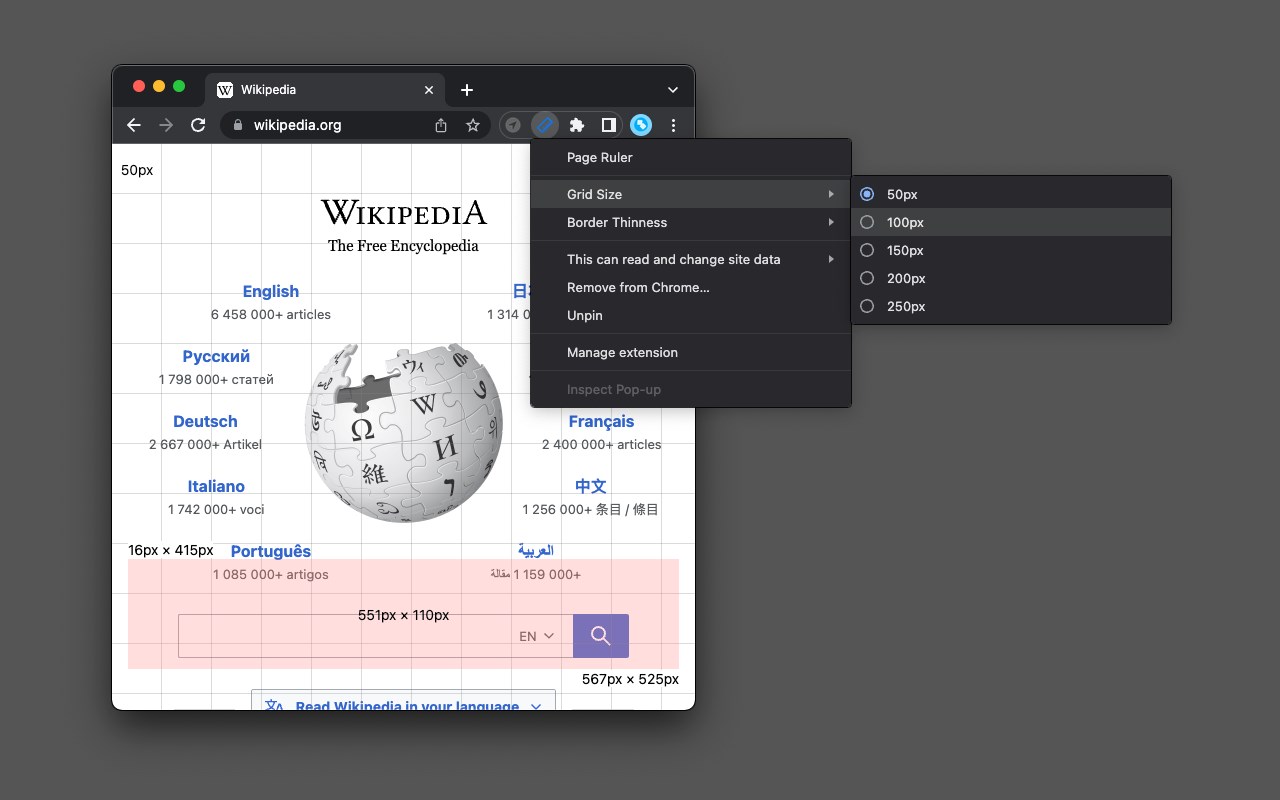
- Displays a grid view with a customizable grid size.
- Presents a reference box.
- Shows a ruler indicating width, height, start, and endpoints.
How to Use It:
1. Navigate to a page and activate the action button.
2. The extension transitions to grid mode, allowing you to create a personalized ruler.
3. The ruler dynamically displays width, height, start, and endpoint measurements.
4. To return to normal browsing mode, press the "Escape" key or click the action button once.
Does this extension support "mm," "cm," or "in" units?
No, it does not provide precise values in these units. Instead, the extension employs pixel units. To convert pixel units to "cm" or "in," you'll need the screen's PPI (pixel density or resolution) value.
How can I modify the default grid size?
Right-click on the action button. Two menus will appear, allowing you to adjust the grid size and thickness.
Latest reviews
- Machteld
- unfortuynately the ruler goes over the page I'm trying to edit. As soon as I try to edit my page, the rulter disappears again. Not useful for me, as far as I could find.