
Annotator
Extension Actions
Add bookmark and note inside pages
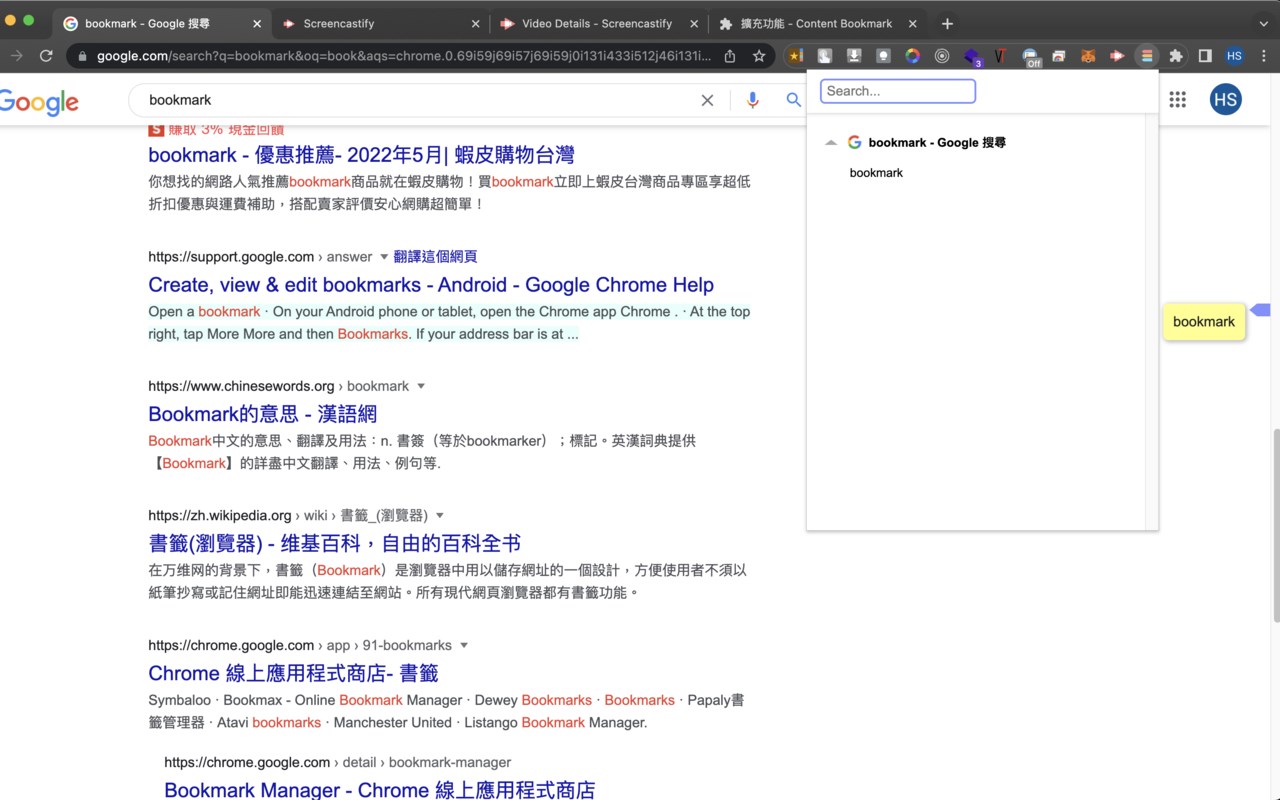
An extension for users to add bookmarks inside web pages, and for them to scroll between bookmarks easily.
How to use:
*Add bookmark
Highlight text then right click mouse open context menu, select "Content Bookmark".
Press ctrl + shift + arrow left or right to jump between bookmarks
*Add memo
Click bookmark icon besides the scrollbar to add a memo. Click anywhere to close it, and the memo will be saved automatically. Notice that the maximum of memo is 100 words.
*Remove bookmark
Double click bookmark icon, click cross button in popup page, or highlight the text again, select "Content Bookmark" in context menu (same as add bookmark).
*Change color
Change color in options page. And the settings will work after web pages reload.
Known bugs:
* Need to refresh site or restart Edge before it'll work.
* Doesn't work on Edge:// URLs or the Edge Web Store, restricted by Edge for security reasons.