
No sleep
Extension Actions
- Extension status: Featured
This extension allows you to prevent your device from going to dim/sleep/hibernate/lock
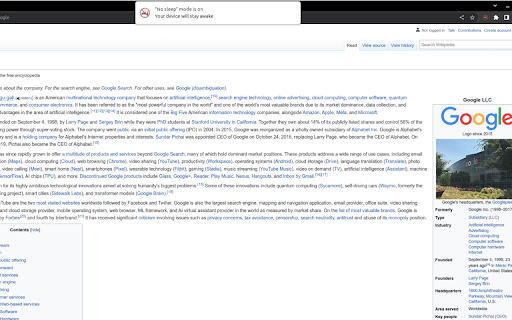
Chrome extension to keep your device awake, that works on mobile phones
What it does?
This extension allows you to prevent your device from going to dim/sleep/hibernate/lock state when there is no user activity.
It is helpful for example during reading article or cooking meal using recipe from your favourite food blog. The lock is active only on the page on which you activate it, so you don't have to remember to release it when you're done.
How it works?
When you are on the page, and you don't want your screen to go dim while reading this page just click the icon of this extension.
The lock releases when you:
- go to another page
- change tab in your browser
- refresh the page
- close/minimize browser
- click on extension icon again
How to use on mobile?
Check Kiwi Browser - it is Chrome based mobile browser that supports chrome extensions
Why it is better that other similar extenstions?
There are some chrome extensions that work in similar way. They are great, but they don't work on mobile device
Technical explanation
Extension is using native browser api - wakelock, that was created exactly for this purpose.
https://developer.mozilla.org/en-US/docs/Web/API/Navigator/wakeLock
Attribution
Icons used in this plugin are created by surang and were found on Flaticon website
https://www.flaticon.com/free-icons/sleep
Latest reviews
- Aavery Gaynair
- shii fye for cookie clicker
- Sigred Trajano
- works really well.
- Stevie Wonder
- doesn't work nor a way to tell if its enabled
- Stevie Wonder
- doesn't work nor a way to tell if its enabled