
Post2PDF - Convert photos into PDF
Extension Actions
- Live on Store
save entire Instagram posts to PDF, archive Instagram feeds as PDF, with comments and like counts.
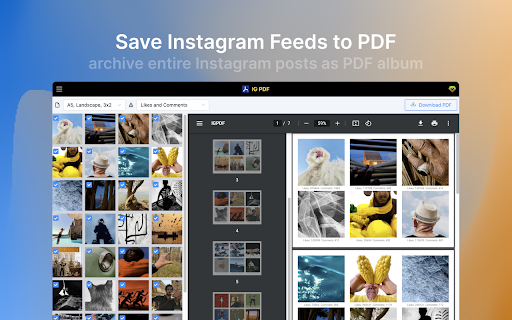
One click to generate Instagram feeds to a PDF file in A4 or A5. a smart IG2PDF converter.
# FEATURES
✓ Archive any Instagram posts as PDF file
✓ Uncheck what you don't want to display
✓ Show all photos on a post
✓ Realtime PDF style preview
✓ PDF page size: A4 or A5, landscape or portrait
✓ Display posts data: likes and comments, likes, comments or date
v1.1.1 change log
- fix the post picture size issue
v1.1.0 change log
- fix fetch post issue
- generate pdf more stable
# DATA PRIVACY
Your data is processed locally and never passes through our web server, ensuring the privacy of your exported information.
# SUPPORT
FAQ https://igpdf.extensionsfox.com/
If you have any questions, please keep in touch via [email protected].
Latest reviews
- Pip Tarou
- I downloaded this to save tutorial posts. It technically works but all the images are extremely blurry so I can't read them when zoomed in.
- Laurenn Tawa
- Hi! Love this extension, works so well and yes good tip to see more photos, click on the "load more" button. Any chance there is a way to have the original photo captions as a text option instead of "likes & comments". TIA for this amazing extension!
- Sarah B
- This works but it only let me select 12 pictures at a time, the PDF would go blank if I selected more. Overall it worked though.