
PDF Tab - PDF Converter in a New Tab
Extension Actions
Simply convert files to PDF directly in a new tab. PDF Converter to Word, PPT, JPG, Doc, Excel. PDF to Doc converter
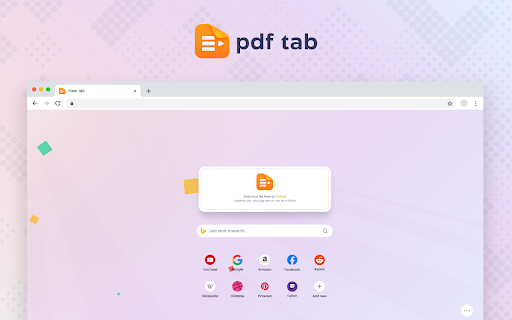
Convenient PDF converter in the new tab. Simply drug and drop document and received which one you need in a seconds.
How to convert a PDF file? It’s very easy in using PDF converter service.
Just follow the next steps:
1. Select needed format for converting. Drop the file in the appropriate box or choose from your PC.
2. Press the “Convert” button and the file will be converted in a second.
3. Download directly to your PC.
What formats are supported? The PDF Tab provides a service that converts files from PDF format.
Word, Excel, PPT, JPG are supported. So you can easily convert:
PDF to Word
PDF to Excel
PDF to PPT
PDF to JPG
Can I convert PDF to Word? Yes, you can. With PDF Tab service you can easily convert PDF to Word. On the main page you can find columns that provide conversion to PDF format.
To convert PDF to DOC online became simply, because we support both doc and docx formats. Just take file as it is and convert it online with an original quality.
Latest reviews
- Pedro Henrique Sá Neves
- nice, it really helps alot, thank you
- 김세종
- I love it, i have been using it and it is soo useful
- Ultimate English
- Easy and fun to use. Excellent!
- Hideki Hirakawa
- Helpful, fast, easy to use
- Antoine JAVOIS
- worked great!nnhaven't read the privacy agreement yet - I will read and re-rate if needed.
- Anna Cláudia Castro Araújo
- Very effective and fast means of document conversion and compression.
- Pat Tht
- Such useful tool. I have found it such helpful over time
- Anton Tsepin
- Just pretty good and simple, thanks!
- Anton Tsepin
- Just pretty good and simple, thanks!