
Shiny Picture in picture
Extension Delisted
This extension is no longer available in the official store. Delisted on 2025-09-17.
Extension Actions
- Policy Violation
- Removed Long Ago
Picture in picture mode (pip mode) for web videos
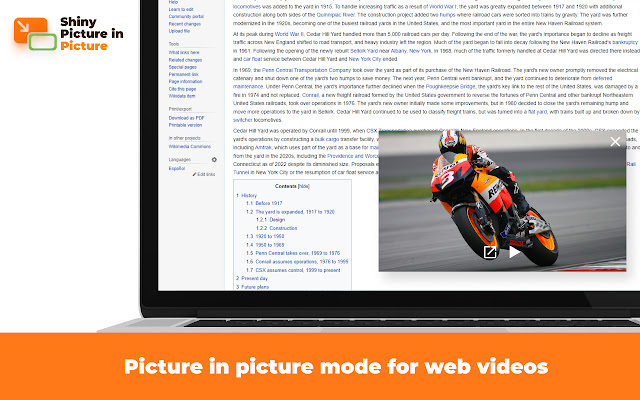
Shiny Picture in Picture enables picture in picture mode on almost any video website.
The PiP mode means that the video continues playing in the always-on-top floating video player. You can switch to another tab.
Please note: the original tab with the video player should remain open.
You can activate the app from:
1. Start a video in the tab > Browser toolbar > 🧩 Puzzle button > Shiny Picture in picture icon
2. On major platforms (such as Youtube), you can find a "Picture in picture" control inside the video player.
Shiny Picture in Picture offre la possibilità di attivare la modalità Picture in Picture su quasi tutti i siti video. La modalità PiP significa che il video continua a riprodursi in un lettore video sempre in primo piano. Puoi anche passare a un'altra scheda. Si prega di notare: la scheda originale con il lettore video deve rimanere aperta. È possibile attivare l'app da:
1. Avvia un video nella scheda> Barra degli strumenti del browser> 🧩 Pulsante Puzzle> Icona Shiny Picture in Picture
2. Su principali piattaforme (come Youtube), è possibile trovare un controllo "Picture in picture" all'interno del lettore video. Shiny Picture in Picture offre l'opportunità di guardare un video, senza doversi preoccupare di doverlo interrompere in caso sia necessario occuparsi di altro. Quando si attiva la modalità Picture in Picture, il video viene riprodotto in una finestra sempre in primo piano che si sovrappone a tutte le altre finestre. Si può cambiare scheda, senza preoccuparsi di interrompere la riproduzione del video. Per attivare l'app, è sufficiente avviare un video nella scheda, selezionare la barra degli strumenti del browser, quindi il pulsante Puzzle e infine l'icona Shiny Picture in Picture. Su alcune piattaforme più grandi, come Youtube, è inoltre possibile trovare un controllo "Picture in picture" all'interno del lettore video.
Latest reviews
- Blue Wallpaper
- trash
- Matthieu T
- Work perfectly !!! thanks a lot !
- Vince Wilson
- not working, luckily I found one that works https://chrome.google.com/webstore/detail/picture-in-picture-for-vi/lmijlfkdikhccdhliplohaeogblbamhh
- Maxim Chizelnikov
- Добавляет удобную кнопку в плеере ютуба, если привыкли нажимать кнопку выхода из полного экрана в плеере не мешает
- Rodrigo
- I LOVE IT!!! THANKS FOR THIS APP
- Ivan Maklobanov
- Great app, makes it easy
- Michael Miers
- In fact, a convenient extension, if you work and watch something at the same time.
- Jerry M. Carter
- Find Shiny inventory photographs in HD and hundreds of thousands of different royalty-loose inventory photos, illustrations.
- shahiduzzaman mondol
- Shiny Picture in Picture permits photograph in photograph mode on nearly any video website.
- Алексей Прайд
- Very nd very good work