
Google Meet Captions Capture
Extension Actions
CRX ID
efldnnloljnpfjdonmnnhbnckmdmmaip
Status
- Extension status: Featured
- Live on Store
Description from extension meta
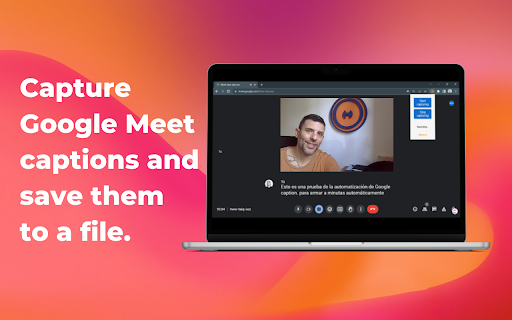
Capture Google Meet captions and save them to a file.
Image from store
Description from store
This plugin works with Google Meet captions. It grabs all the subtitles during a google meeting and allows you to download them. This way, you can summarize them using ChatGPT, BARD, or any other LLM chat tool.
For getting this app working you MUST OPEN GOOGLE MEET AND ENABLE CAPTIONS AT FIRST
Latest reviews
- Janac Meena
- Outdated, doesn't work anymore. Hasn't been updated since 2023.
- Hiroshi Motai
- I have just started using this extension, which however is hardly usable. The popup window is too small for me to recognize any bottoms that must be there. I need this extension on my Chromebook, but I've confirmed exactly the same symptom with my Windows laptop. Anyway to go around this?
- Davood Abbaszade Sadig
- It worked for me very well. Just remember to refresh the google meet page after installing this extension to work properly.
- Borszczuk Myanmar
- This is promising extension but I am giving ★★★☆☆ as of today as it has some serious issues that makes it hardly usable in real life scenarios. First, it sometimes saves empty file. I yet need to figure out what is the cause but definitely there's a problem. Second, when it works it saves all the captions captured BUT it does not save any names, so if you got multiple participants (which is usually the purpose of meeting) the saved file is just a big wall of text and you got no idea who said what, which is problematic because you will i.e. have to manually annotate it (based on saved audio whatever). So in general it is a good start but I'd love to have these two things addressed.
- Borszczuk Myanmar
- This is promising extension but I am giving ★★★☆☆ as of today as it has some serious issues that makes it hardly usable in real life scenarios. First, it sometimes saves empty file. I yet need to figure out what is the cause but definitely there's a problem. Second, when it works it saves all the captions captured BUT it does not save any names, so if you got multiple participants (which is usually the purpose of meeting) the saved file is just a big wall of text and you got no idea who said what, which is problematic because you will i.e. have to manually annotate it (based on saved audio whatever). So in general it is a good start but I'd love to have these two things addressed.
- John Belmonte
- It didn't work. Downloaded caption files are always empty. I did enable captions beforehand.
- Daniela Rosso
- From the moment I installed the extension, I was pleasantly surprised by its ease of use. With just a few clicks, I had it up and running, ready to capture the captions of my video calls. No complicated setup or technical hurdles to overcome—just seamless integration.
- Maria Marconi Belen
- great tool!, just forget about taking notes! the tool does it for you
- Maria Marconi Belen
- great tool!, just forget about taking notes! the tool does it for you
- Rosa Uri Arias
- Ahorro tiempo al momento de hacer las minutas y no se me escapa ningun detalle gracias al registro. ¡Me encanto!
- Lautaro Yolde
- Ahora me puede concentrar más en las meeting y me evito de perder tiempo tomando nota 🙌
- Guido Hernandez
- Amazing feature to save time taking notes and pay more attention to the call.
- Guido Hernandez
- Amazing feature to save time taking notes and pay more attention to the call.
- Javier Ailbirt
- It can work better but it works.
- Javier Ailbirt
- It can work better but it works.